
What Is Nemetschek Software?
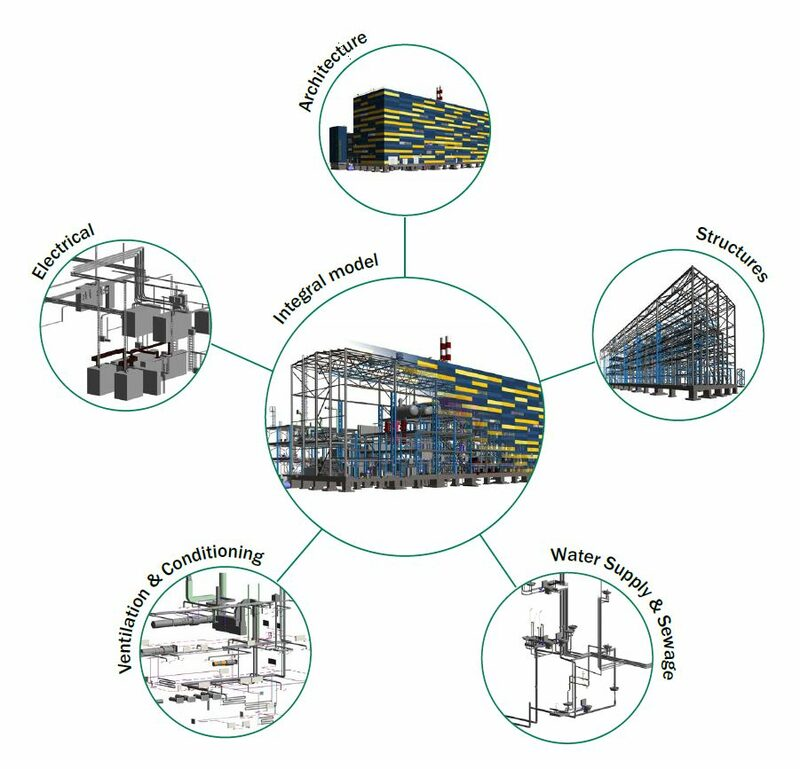
Nemetschek Software refers to a group of specialized BIM and engineering tools designed to support different stages of the building and infrastructure lifecycle. Instead of relying on a single, closed platform, Nemetschek follows a modular ecosystem where each application serves a specific engineering function.
For structural engineers, this approach aligns with real project delivery. Structural design typically moves through analysis, modeling, validation, and coordination phases. OpenBIM standards such as IFC allow data to flow between these stages without compromising structural intent or calculation logic.
This modular structure supports independent reviews, regulatory approvals, and long-term asset management. As a result, Nemetschek Software is commonly used on projects that require transparency, traceability, and collaboration across teams.
Must Check - Compare Nemetscheck With Autodesk - The Detailed Guide!
Key Nemetschek Software Structural Engineers Use and Why?
Structural engineering workflows extend beyond calculations. Engineers must translate analysis results into BIM models, coordinate with architects and MEP teams, and ensure compliance with safety and design standards.
Key reasons for multi-tool adoption include:
- Structural analysis and BIM modeling serve different technical purposes
- Independent model validation is required on regulated projects
- Coordination models must remain readable across disciplines
These factors explain why Nemetschek Software for Structural Engineers is implemented as an integrated but modular workflow rather than a single application.
1. SCIA Engineer for Structural Analysis and Design
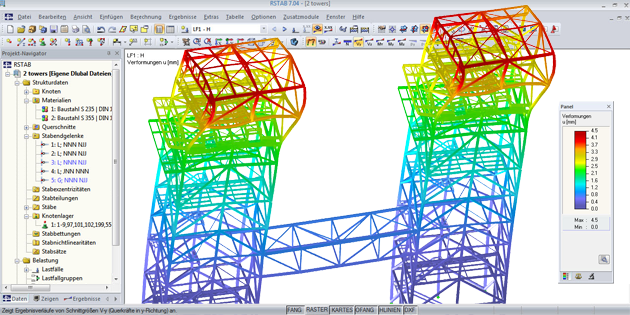
SCIA Engineer is used for structural analysis, load evaluation, and code-based design. Many professionals ask what is scia when comparing analysis tools for BIM-enabled workflows.
SCIA supports linear and nonlinear analysis, seismic and wind loads, and reinforced concrete and steel design based on international standards. Structural engineers use it to evaluate safety and serviceability before moving into BIM modeling.
A key advantage of SCIA Engineer is its ability to maintain a clear link between analytical assumptions and structural elements. This improves transparency during reviews and supports smoother transitions into BIM-based coordination.
2. Allplan Engineering for Structural BIM Modeling
Allplan Engineering is used to convert structural design intent into coordinated BIM models. Engineers often ask what is allplan when shifting from analysis-focused tools to BIM delivery.
Allplan BIM software enables detailed modeling of beams, columns, slabs, walls, and reinforcement. In practice, allplan in engineering supports both design development and construction documentation within a single environment.
Allplan also supports complex reinforcement detailing and parametric structural components. These capabilities are particularly valuable where detailing accuracy affects constructability and cost control. In allplan in construction, structural models remain closely aligned with execution requirements, reducing discrepancies between drawings and site conditions.
3. Solibri for Structural Model Validation and Coordination
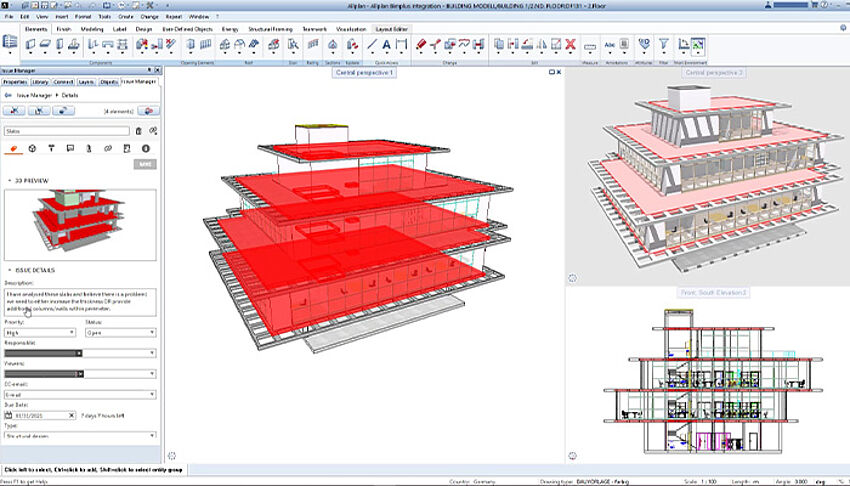
Solibri is used to validate and coordinate BIM models after design modeling. As a Solibri model checker, it allows structural engineers to review IFC-based models independently of authoring tools.
Structural teams use Solibri Model Checker by Nemetschek to verify model completeness and identify coordination issues. Solibri clash detection helps detect conflicts between structural elements and architectural or MEP systems early in the process.
Solibri also functions as a Solibri IFC optimizer, improving model quality by identifying missing data and classification issues. In comparisons such as Solibri vs Navisworks, Solibri is often selected for rule-based validation and OpenBIM compliance rather than construction sequencing.
Also Read: How does Civil Engineers Use Nemetscheck Softwares?
Structural Engineering Workflow Using Nemetschek
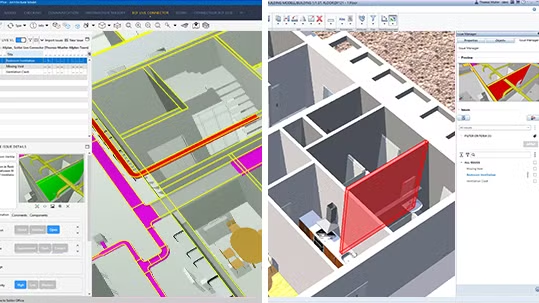
A Nemetschek-based structural workflow follows a seamless progression from analysis through modeling and coordination, with each tool supporting a specific stage while remaining interconnected through open standards.
The workflow typically progresses as follows:
- Structural analysis and load design in SCIA Engineer
- BIM-based structural modeling and detailing in Allplan
- IFC-based model validation and coordination in Solibri
This sequence allows engineers to maintain analytical accuracy while delivering coordinated BIM outputs suitable for construction and approvals.
How Structural Engineers Use Nemetschek on Infrastructure Projects?
On infrastructure projects such as bridges, transit structures, and public facilities, structural engineers face higher coordination and compliance demands. Nemetschek tools support these requirements through structured, interoperable workflows.
SCIA Engineer is used to assess complex loading conditions, including dynamic and long-span behavior. These results are translated into BIM models in Allplan, where geometry and reinforcement are coordinated with civil and architectural elements.
Solibri is then used to validate combined models before construction, ensuring alignment with clearance, safety, and coordination requirements. This workflow improves approval timelines and reduces site-level rework on infrastructure projects.
How Structural Engineers Can Upskill?
As BIM adoption increases, structural engineers benefit from expanding skills beyond analysis alone. Learning to connect analysis outputs with BIM workflows improves coordination and career flexibility.
Upskilling typically involves:
- Strengthening structural analysis fundamentals
- Developing BIM modeling skills for structural coordination
- Learning model validation and coordination workflows
Structured training helps engineers understand how analysis, modeling, and coordination interact rather than treating them as isolated tasks.
Programs focused on applied BIM workflows enable engineers to work confidently across multidisciplinary teams and evolving project delivery models.