.jpg)
-1.png)

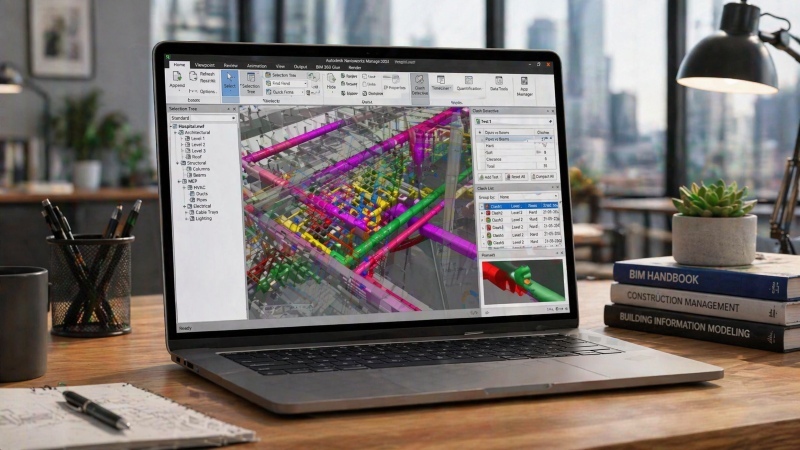
BIM clash detection has now become an industry-standard practice in most construction projects. It is implemented during the early stages of design, enabling teams to resolve potential clashes between different building systems or components before the construction begins. By leveraging the power of BIM technology, designers and engineers can create virtual 3D models of the proposed building, overlaying various disciplines such as architectural, structural, electrical, and plumbing systems. This integrated model allows for comprehensive clash detection, where conflicts can be flagged, identified, analysed, and resolved collaboratively by the project team.
What is BIM for Civil Engineers?

Traditionally, civil engineers relied on 2D drawings for construction projects, which were often prone to errors and inefficiencies. With BIM’s introduction in the AEC industry, the industry has undergone a fundamental change in this process by enabling the creation of 3D models of buildings, roads, and other infrastructure projects in a virtual environment with detailed information about project components. This advanced technology allowed engineers to accurately assess the physical and functional aspects of a project, like material requirements and estimated costs, along with strategic planning and design execution. This information-rich model allows engineers to visualise, simulate, and collaborate from the initial design process through construction, maintenance, and renovation.
Also Check out: Top 10 BIM Interview Questions for Civil Engineers and How To Ace Them
What is Clash Detection in BIM?
BIM clash detection is a critical process that identifies and resolves conflicts between different construction models within a virtual environment. These conflicts, or "clashes," occur when design components, such as structural elements, HVAC (Heating, Ventilation, and Air Conditioning) systems, or electrical conduits, intersect or interfere with one another.
Architects, MEP (Mechanical, Electrical, and Plumbing) engineers, and structural engineers often create their models independently during the design phase. When these models are combined into a single project model, there is a risk of unintended overlaps or interferences.
BIM clash detection highlights these clashes early in the preconstruction or design process, preventing costly adjustments and delays during construction. By pinpointing potential overlaps and constructability issues, clash detection ensures that teams can address and resolve conflicts before progressing to the next stage.
Types of Clashes in BIM
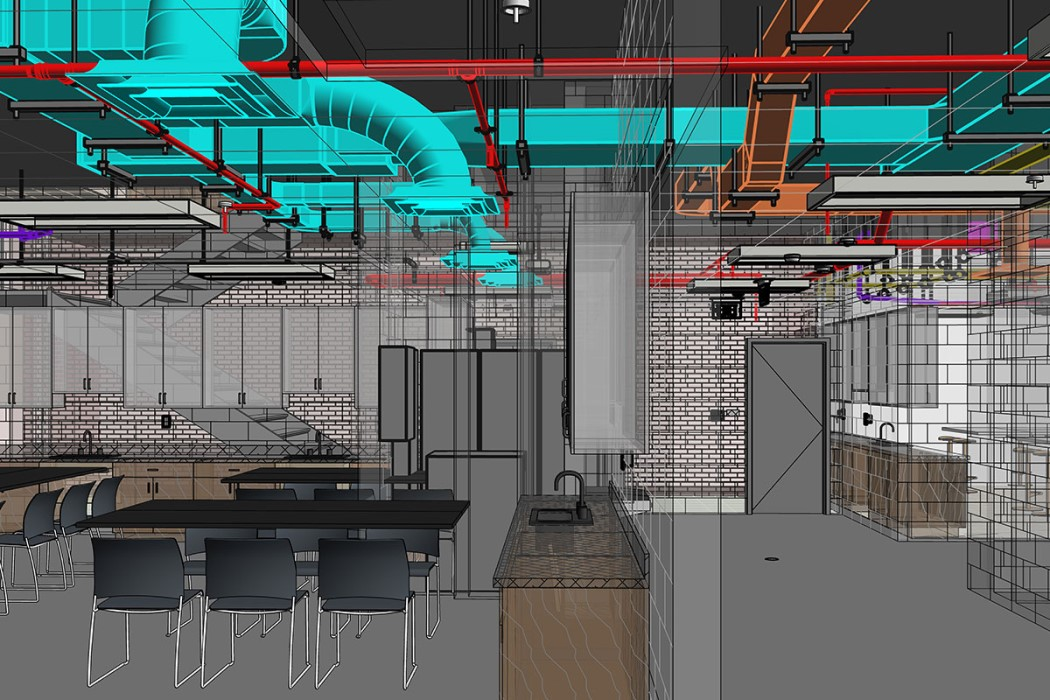
Optimising BIM clash detection requires understanding the different types of clashes that can occur in a construction project. Here’s a breakdown of these clashes and how they impact the workflow:
1. Soft Clash
A soft clash, also known as a clearance clash, happens when components don't have adequate space to function properly. This includes maintenance access, safety clearances, and operational spaces. For instance, if an AC unit lacks sufficient buffer space for servicing, it can lead to prolonged downtimes and reduced building efficiency. Similarly, if a high-voltage wire is placed too close to a plumbing line, it can pose safety risks such as electrical shorts or electrocution. Other examples include insufficient clearance between a pipe and a structural beam, overlapping of a duct with a cable tray or interference between a swing door and a wall.
Soft clashes don’t involve physical overlaps but still compromise safety, functionality, and maintainability. Early detection through BIM tools is crucial to resolve these issues before construction.
2. Hard Clash
A hard clash occurs when two components occupy the same physical space. For instance, a structural beam may intersect with an HVAC duct, a plumbing pipe might run through an electrical conduit, a duct may penetrate through a structural slab without a proper opening, or a pipe may run through a wall. These physical conflicts must be resolved before construction to avoid costly rework. Identifying hard clashes is straightforward, but missing them can lead to significant delays and expenses.
3. Workflow Clash
A workflow clash, also known as a sequencing, constructability or 4D clash, involves scheduling conflicts or project management misalignments. For example, scheduling the installation of electrical conduits simultaneously with pouring a concrete slab in the same area can lead to work delays. Similarly, delivering large equipment to a site before the installation area is ready can cause space constraints or equipment damage. Workflow clashes disrupt job site productivity, but identifying and addressing them through BIM ensures optimal scheduling and sequencing.
Causes of Clashes in a BIM Model
Clashes in a BIM model can arise from multiple factors, including:
1. Design Errors
- Inaccurate or incomplete design information provided by the project team
- Lack of coordination between different disciplines, such as architectural, structural, and MEP
- Failure to follow design standards or guidelines
2. Modelling Errors
- Incorrect placement or positioning of components within the BIM model
- Incorrect presentation of component dimensions or geometry
- Improper use of modelling tools or techniques
3. Communication Gaps
- Lack of effective communication and collaboration among project stakeholders
- Insufficient sharing of design intent or project requirements
- Inadequate review or coordinated processes
4. Project Complexity
- Large-scale or geometrically complex projects
- Multiple design iterations or changes
- Involvement of numerous stakeholders or disciplines
5. Software Limitations
- Compatibility issues between different software platforms or versions
- Limitations in software capabilities or functionalities
- Inadequate understanding or training in BIM tools
6. Data Management Issues
- Inconsistent or outdated data across different models or disciplines
- Lack of a centralised data repository or poor data management practices
- Inadequate version control or model synchronisation
Also Check out: 10 Best Structural Engineering Software You Need To Know
Process of Clash Detection in BIM
The clash detection process in BIM involves the following steps:
-
Model Integration: The individual 3D models from different disciplines are combined into a federated or integrated BIM model, allowing for a comprehensive view of the entire building.
-
Clash Detection Rules: Clash detection rules or parameters specify the types of clashes or interferences that need to be identified. These rules can include minimum clearance requirements, acceptable tolerances, or specific criteria based on project requirements or building codes.
-
Automated Clash Detection: BIM tools are used to automatically detect and report any clashes or interference between the various building components based on the defined rules. These clashes can be geometric (physical overlaps or intersections) or non-geometric (violations of clearance requirements or other constraints).
-
Clash Visualisation and Reporting: The identified clashes are typically visualised in the BIM model, allowing the project team to inspect and analyse the conflicts visually. Detailed reports can be generated, listing the clashes along with their locations, descriptions, and severity levels.
-
Clash Resolution: Once the clashes are identified, the project team collaborates to resolve them by modifying the design, adjusting component locations, or proposing alternative solutions. The BIM models can be iteratively updated and re-checked until all critical clashes are addressed.
BIM Tools Used for Clash Detection
Several popular BIM tools and software applications are widely used for clash detection and coordination in the construction industry, including:
1. Navisworks
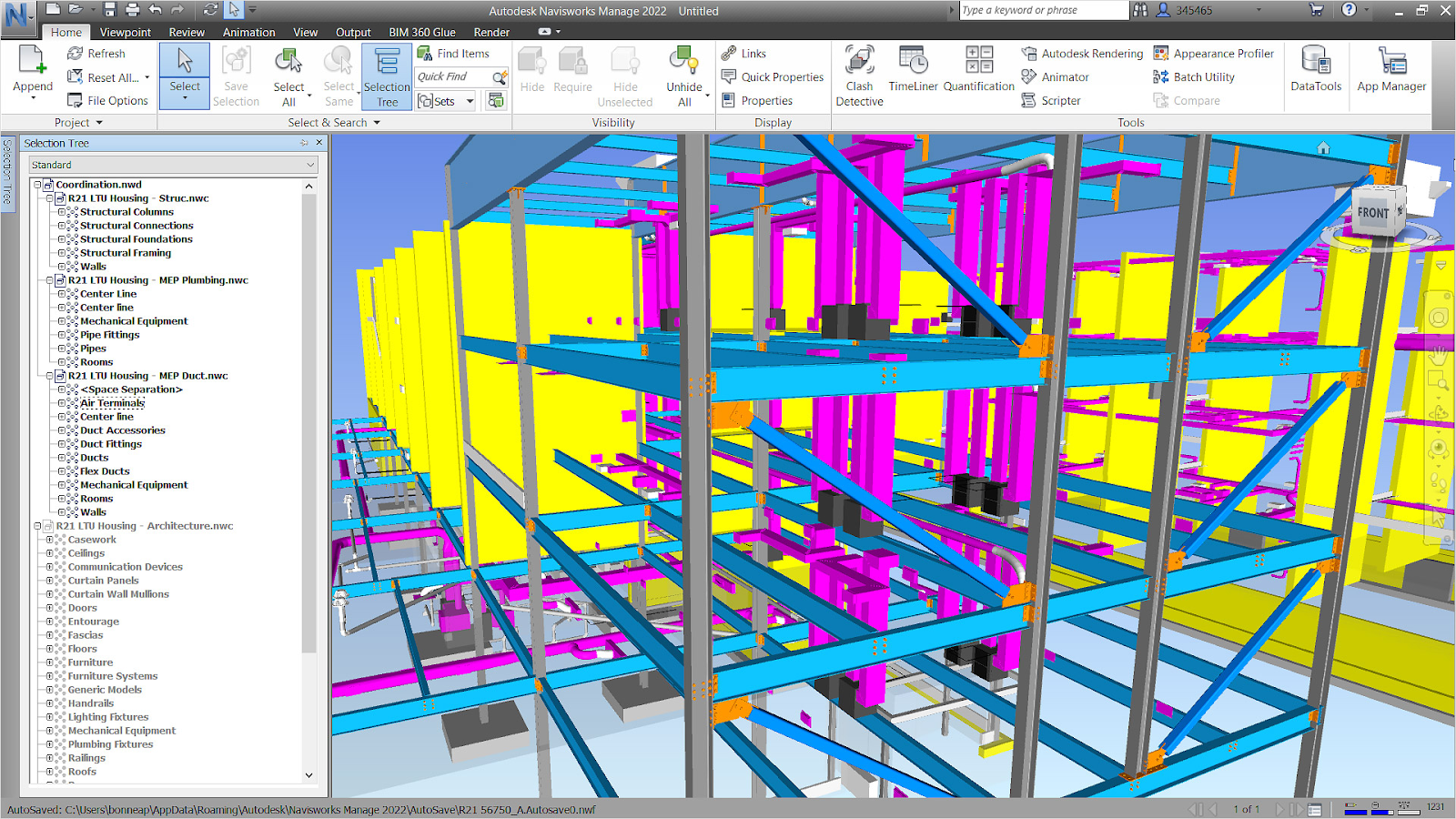
Navisworks by Autodesk is a widely adopted BIM review and coordination software that offers advanced clash detection capabilities. It allows users to combine models from various design software platforms (e.g., Revit, AutoCAD, and SketchUp) and perform comprehensive clash tests between different disciplines.
2. Revit
Revit by Autodesk, a popular BIM authoring tool for architecture, structure, and MEP design, has built-in clash detection functionality. It can identify clashes within the same Revit model or between linked Revit models from different disciplines.
3. BIM 360
BIM 360 by Autodesk is a cloud-based platform that integrates with Autodesk's BIM tools, including Revit and Navisworks. It provides collaborative clash detection capabilities, allowing multiple team members to coordinate and resolve clashes in a centralised environment.
4. Tekla Structures
Tekla Structures is a BIM software primarily used for structural steel detailing and fabrication. It includes clash detection functionality, allowing users to identify and resolve clashes between structural components and other disciplines.
5. Bentley Systems
Bentley Systems offers a range of BIM tools, including MicroStation and AECO4. Tekla Structures (H3)sim Building Designer, which provide clash detection and coordination capabilities for various disciplines.
6. Vectorworks Architect
Vectorworks Architect is a BIM software for architectural design and documentation. It includes built-in clash detection tools that allow users to identify and resolve conflicts within the architectural model or with linked models from other disciplines.
These tools often integrate with other BIM authoring software and enable the import and export of various file formats for effective collaboration and coordination among project teams. Some of these tools offer advanced features such as 4D (time) and 5D (cost) integration, which can further enhance the project’s coordination and constructability analysis.
It's important to note that the choice of clash detection tool often depends on the specific project requirements, the software platforms used by the project team, and the level of integration and interoperability needed among different disciplines.
Benefits of BIM Clash Detection

Harnessing the power of BIM clash detection offers numerous advantages that can upgrade the management of your construction projects. Consider the following benefits:
1. Saves Time and Cost
BIM clash detection is a game-changer in terms of cost and time savings for construction projects. By identifying and resolving conflicts before construction begins, project teams can avoid costly rework, material waste, and labour inefficiencies. This proactive approach eliminates the need for last-minute changes and associated delays, allowing teams to stay on schedule and within budget.
2. Mitigates Risks and Improves Productivity
Clash detection minimises the risk of on-site incidents and safety hazards by addressing potential issues upfront. This not only enhances job site safety but also improves overall productivity. With a clear understanding of potential clashes, project managers can optimize scheduling, material ordering, and installation processes, leading to reduced waste and increased efficiency.
3. Improves Planning and Project Coordination
Clash detection in BIM modelling significantly improves coordination among architects, engineers, construction workers, and other stakeholders. By sharing a comprehensive digital model with all teams, necessary changes can be made concurrently. Identifying and resolving potential errors early minimises the risk of on-site issues, ensuring that the construction phase progresses smoothly and efficiently. This seamless communication within the team guarantees a more streamlined and effective project execution.
4. Enhances Collaboration and Coordination
One of the significant advantages of BIM clash detection is its ability to foster collaboration and coordination among various disciplines involved in a construction project. When clashes are identified, stakeholders from different domains can work together to resolve conflicts. This collaborative approach promotes better communication, understanding, and coordination, ultimately leading to a more cohesive and successful project delivery.
5. Improves Design Quality
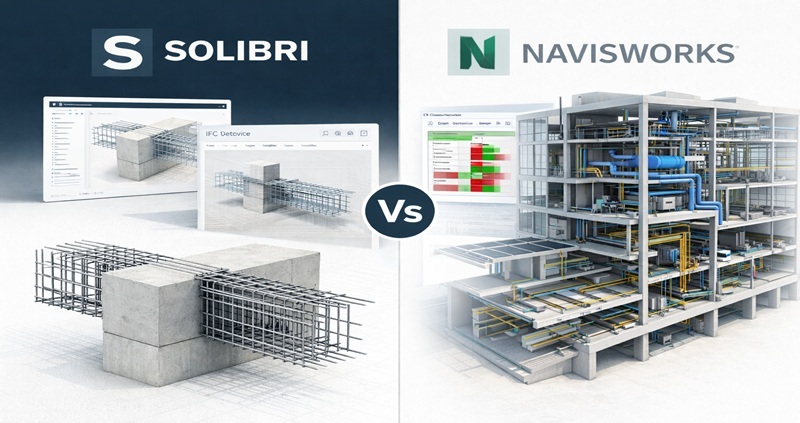
Clash detection in BIM modelling is crucial for improving design accuracy and construction quality. Tools like Navisworks provide comprehensive insights into potential issues, enabling precise and effective conflict resolution. This systematic approach ensures the final structure meets the highest standards and faithfully adheres to the original design intent by thoroughly identifying and addressing conflicts.
Also Check out: From Beginner to Expert: How BIM Civil Courses Can Advance Your Career
6. Optimised Communication
The design phase requires extensive communication and decision-making. BIM modelling and clash detection create a collaborative environment by clearly visualising the building and identifying potential issues. This transparency allows all stakeholders to communicate, resolve problems, and make informed decisions effectively. As a result, misunderstandings are minimised and everyone remains aligned with the common project goals.
Challenges of BIM Clash Detection
This section discusses key limitations such as software constraints, data management issues, skill gaps, and integration challenges in BIM-based clash detection.
While BIM clash detection significantly improves coordination in civil engineering projects, several challenges can limit its effectiveness if not addressed early.
- Software compatibility issues can arise when different disciplines use multiple BIM platforms or versions, leading to incomplete or inaccurate clash results.
- Limited workforce readiness remains a concern, as effective clash detection requires engineers to understand modeling standards, coordination rules, and the interpretation of clash reports.
- High initial investment in licensed software, hardware upgrades, and training can discourage smaller firms from fully adopting BIM-based clash detection workflows.
- Regulatory and safety requirements vary across regions, making it challenging to align clash detection rules with local codes and approval processes.
- Data security and privacy risks increase when federated models are shared across cloud-based platforms without strict access control and version management.
Addressing these challenges through standardized workflows, skill development, and clear coordination protocols helps teams fully realize the value of BIM clash detection in complex civil engineering projects.