
What is a BIM Project Workflow?
A BIM project workflow is a coordinated, data-driven process that governs the lifecycle of a project—defining how information is created, shared, and applied across every BIM lifecycle stage.
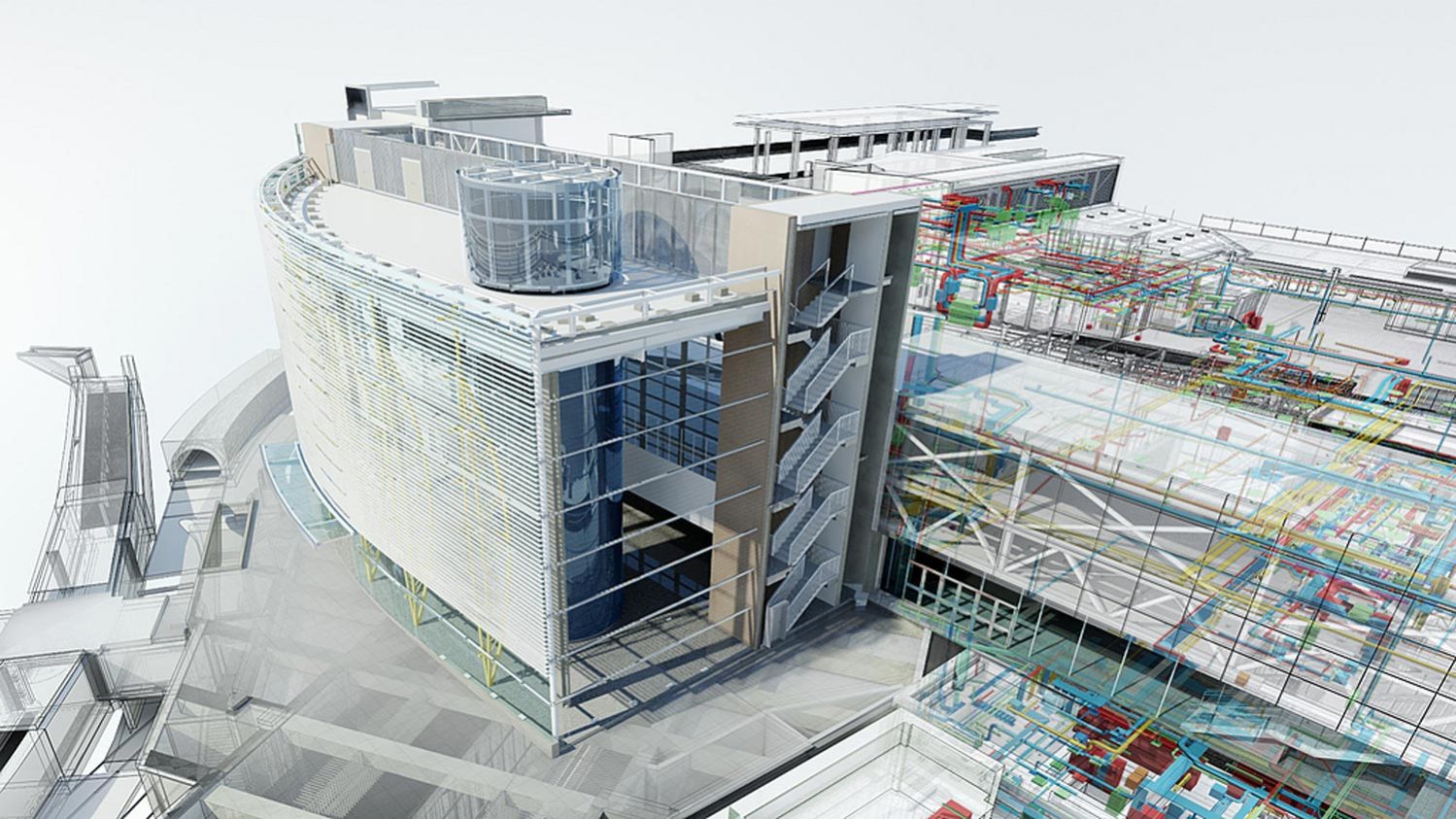
It defines how BIM works in real projects: each vertical contributes to the central BIM data model, guided by an execution plan that sets standards, roles, and responsibilities.
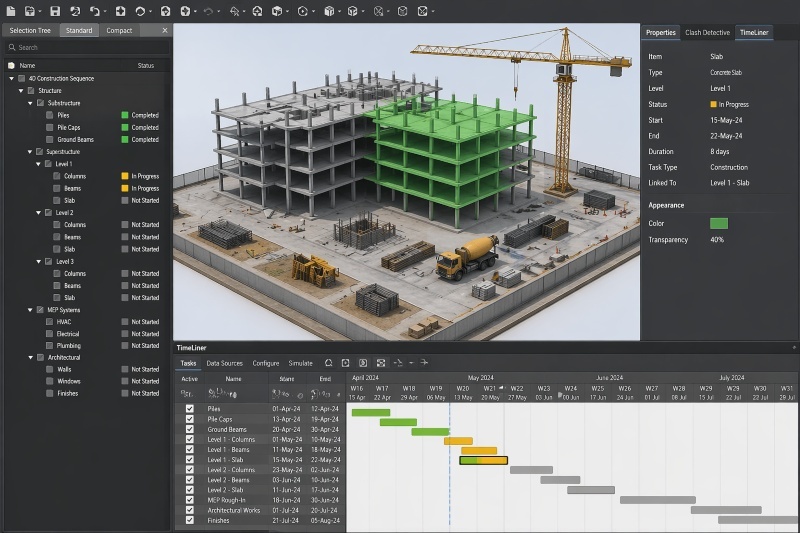
The coordination process ensures all systems align through 3D BIM coordination and clash detection, eliminating costly conflicts before the project begins. Integrated with 4D BIM planning, the workflow also connects design timelines to real-world scheduling.
Simply put, a structured BIM project workflow transforms disconnected data into one intelligent, collaborative framework.
BIM Stages in a Real Project
A BIM project workflow unfolds in clearly defined stages, each working in collaboration with the last. Here's how a real project moves from concept to completion using BIM.
Stage 1: Design and 3D Modeling
Every BIM project workflow starts with a 3D model. Unlike traditional drafting, a model in BIM carries embedded data, materials, dimensions, and specifications, which gives architects and engineers a shared, coordinated base to work on from day one.
Stage 2: BIM Coordination and Clash Detection
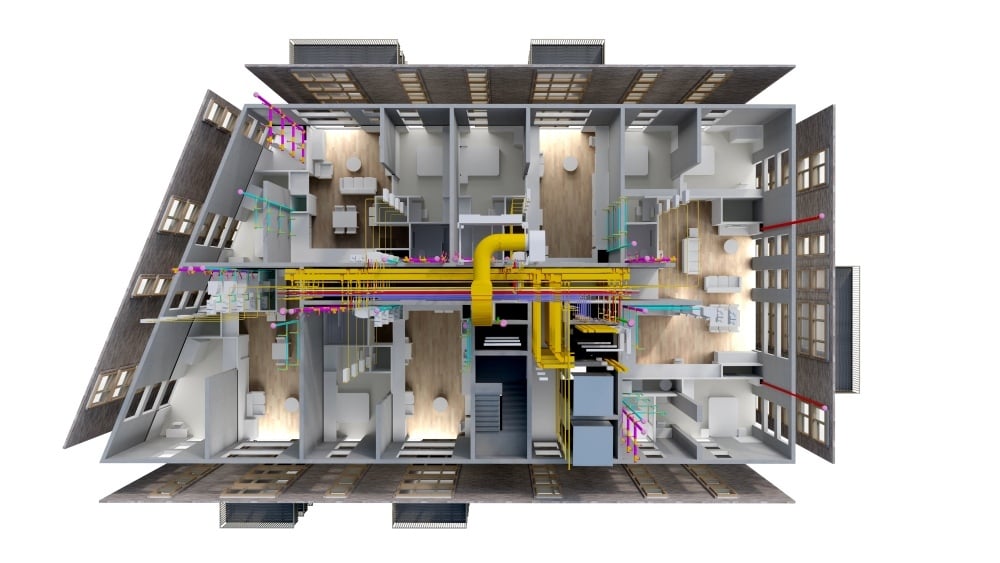
Here, individual models are reviewed together. The BIM coordination process uses clash detection to flag conflicts automatically. The benefits of BIM coordination are clear: less rework, faster approvals, and stronger alignment.
Stage 3: 4D Planning and Construction Sequencing
4D BIM scheduling links the coordinated model to the project timeline, creating visual simulations of the build sequence. Teams identify scheduling conflicts early, optimise resources, and clearly communicate the construction plan before breaking ground.
Stage 4: Construction Execution Using BIM
On-site, teams working in the field can access live model data to verify layouts, track progress, and resolve issues in real time. The model serves as a single source of data, keeping teams working cross-functionally aligned with what was designed throughout execution.
Stage 5: Project Handover and Asset Management
At handover, the completed model, packed with equipment specs, maintenance schedules, and warranty data, is transferred to the owner or facilities team. Guided by a BIM execution plan, this as-built model becomes a digital asset that supports maintenance and management long after construction ends.
Tools Used in a BIM Project Workflow
A BIM project workflow relies on a reliable set of interoperable tools that streamline design, coordination, and delivery across all project phases. A few of those are:
1. Autodesk Revit: Core tool for 3D modelling, structural documentation, and information management.
2. Autodesk Civil 3D: Used for civil infrastructure design and site modelling.
3. Navisworks: Enables clash detection, 4D construction sequencing, and multi-disciplinary coordination.
4. Autodesk Construction Cloud (ACC): Covers Docs, Coordination & Collaboration for project communication and data management.
5. Dynamo: Visual programming tool for automation and workflow optimization.
Job Roles Involved in a BIM Project
A successful BIM project workflow depends on the right people working it, each with a defined role. Here's who drives the process from model to site.
1. BIM Modeler
The BIM Modeler is responsible for building and maintaining the 3D model. Working from drafting and specification documents, they create accurate, data-rich elements in BIM software. Their work forms the digital foundation that every downstream process, from BIM-based clash detection to construction execution, depends on entirely.
2. BIM Coordinator
The BIM Coordinator manages design coordination across all verticals. They federate models from different teams, run clash detection, and lead conflict resolution meetings. By ensuring structural, architectural, and MEP systems align before construction begins, they play a critical role in keeping projects on schedule and within budget.
3. BIM Manager
The BIM Manager oversees the entire BIM project workflow from start to finish. They author and enforce the execution plan, establish modeling standards, manage software, and align the team around project goals. Their leadership ensures consistent BIM delivery, smooth collaboration, and a model that's reliable at every stage.
4. BIM Engineer
The BIM Engineer connects technical design with construction demands. They apply data to solve complex engineering challenges, support 4D BIM planning, and validate constructability across project phases. By ensuring the model accurately reflects site conditions, they help teams avoid costly errors and maintain precision throughout execution.
Learn BIM While Working on Real ISO Projects
Civil engineers already understand structures, systems, and site execution. BIM is what gives that expertise a digital edge. If you're looking to move beyond traditional workflows and lead projects the way modern construction demands, Novatr's BIM Professional Course for Civil Engineers is your next step.
The course is designed with working engineers in mind, covering the complete BIM project workflow from design modeling and clash detection to 4D BIM scheduling and project handover. You won't just learn the tools; you'll learn how to apply them across real construction projects.
Here's what makes it the right fit for civil engineers specifically:
- Hands-on software training in Autodesk Revit, Navisworks, and Construction Cloud; the exact tools used across infrastructure and construction firms
- Live mentorship from practising BIM managers and AEC professionals who understand on-site realities
- End-to-end workflow coverage across all BIM lifecycle stages, directly relevant to civil and structural project execution
- Career support built around roles that civil engineers naturally grow into, such as BIM Coordinator, BIM Engineer, and BIM Manager
- Flexible learning that works around full-time jobs or ongoing projects