

Comparing Core Capabilities of Revit, Archicad, and Tekla
Each BIM tool offers distinct strengths, especially when viewed from an architectural perspective. Understanding these differences helps beginners align their learning with industry needs.
The strengths of each tool can be summarized as follows:
-
Revit: Strong in multidisciplinary coordination, documentation, and integration with other Autodesk tools
-
Archicad: Focused on architectural design flexibility and intuitive modeling workflows
-
Tekla: Highly specialized for structural modeling and detailed fabrication-level accuracy
These tools differ significantly in how they handle design, documentation, and coordination. Revit supports a centralized model where multiple disciplines work together. Archicad emphasizes design freedom and efficiency in early-stage modeling. Tekla focuses on precision and is commonly used in structural and engineering-heavy projects.
Revit also supports extensive plugin ecosystems, while Archicad offers smoother design navigation. Tekla, on the other hand, excels in producing fabrication-ready outputs.
For first-time BIM learners, the most suitable tool often depends on learning goals. Revit is commonly recommended due to its widespread industry use and strong coordination capabilities. Archicad is a good choice for those who want to focus on design workflows, while Tekla is better suited for those interested in structural specialization.
Understanding these core capabilities allows architects to choose a tool that aligns with both their current needs and future goals.
Choosing a Tool Based on Project Type and Workflow Needs
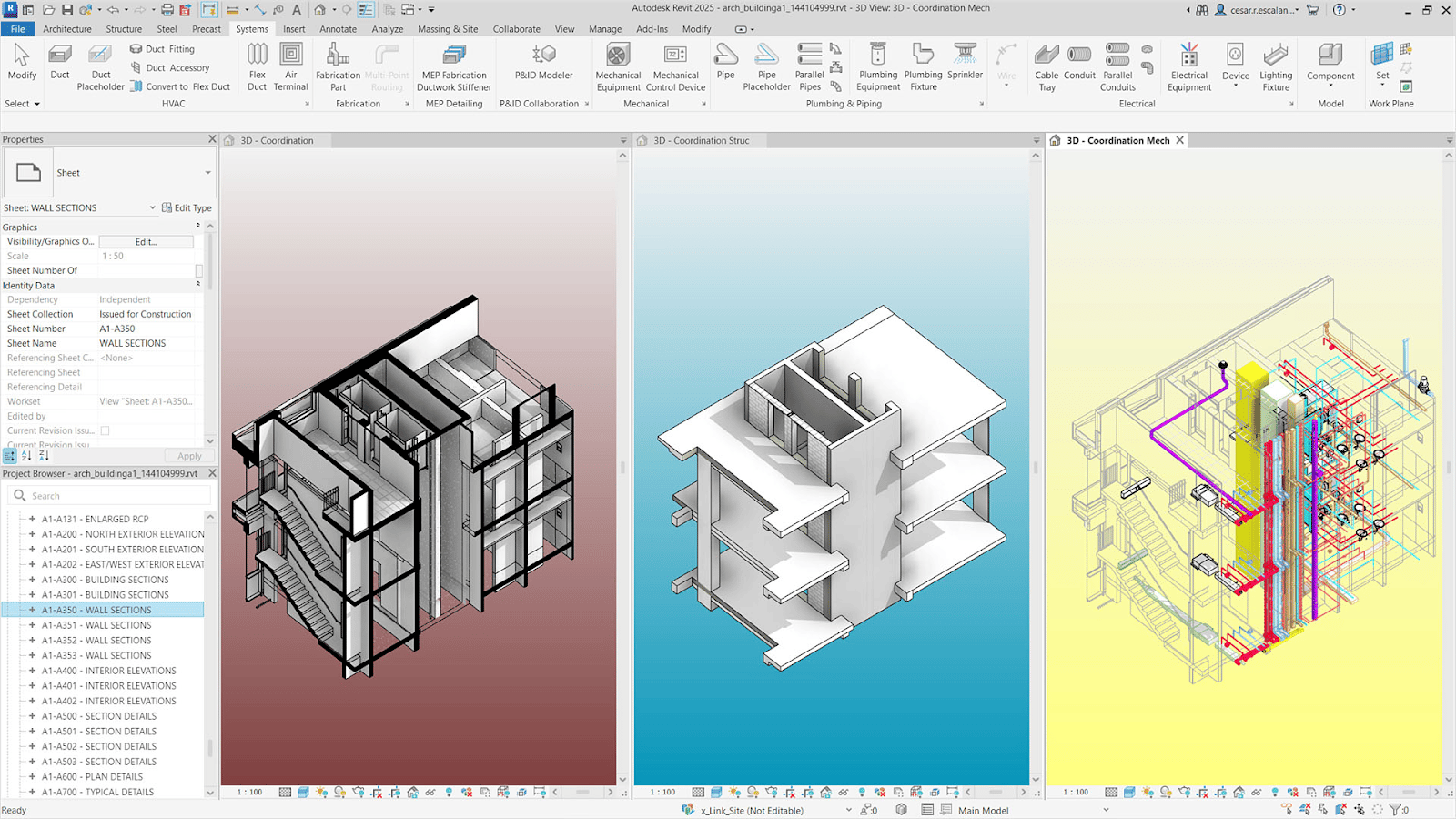
The type of project an architect works on plays a major role in selecting the right BIM tool. Different tools are better suited for different project requirements and workflows.
Project type influences tool selection in the following ways:
-
Residential projects: Archicad is often preferred for its design flexibility and ease of use
-
Commercial projects: Revit is widely used due to its coordination capabilities
-
Infrastructure and industrial projects: Tekla is commonly used for structural precision
Each tool also performs differently depending on the stage of the project. Some are better suited for conceptual design, while others excel in detailed modeling and documentation.
Tools suited for different workflow stages include:
-
Early design and concept development: Archicad
-
Detailed design and coordination: Revit
-
Fabrication and structural detailing: Tekla
In practice, many firms combine tools depending on workflow needs, especially in larger projects.
Collaboration demands also influence software choice. Projects involving multiple disciplines require tools that support coordination and data sharing.
Factors related to collaboration include:
-
Number of stakeholders involved
-
Complexity of coordination between disciplines
-
Need for real-time collaboration and updates
For example, large commercial projects often rely on Revit due to its ability to support multiple teams working on a shared model.
Selecting a tool based on workflow needs ensures better project outcomes and smoother collaboration.
Learning Curve, Accessibility, and Industry Demand
Learning a BIM tool involves more than understanding its features. Accessibility, community support, and industry demand all play important roles in the learning process.
The learning curve for each tool varies based on its complexity and interface:
-
Revit: Moderate learning curve with structured workflows
-
Archicad: More intuitive for beginners, especially for design tasks
-
Tekla: Steeper learning curve due to technical complexity
Beginners often find Archicad easier to start with, while Revit becomes more valuable as project complexity increases.
Industry demand in 2026 continues to favor tools that support large-scale collaboration and standardized workflows. Revit remains highly востребված due to its widespread adoption, while Archicad maintains strong presence in design-focused firms. Tekla is in demand in structural and engineering roles.
Ecosystem support is another critical factor when choosing a tool. A strong ecosystem helps learners progress faster and solve problems more effectively.
Important ecosystem elements include:
-
Availability of tutorials and training resources
-
Active user communities and forums
-
Certification programs and professional recognition
For example, Revit has extensive online resources and certifications, making it easier for beginners to build skills and validate expertise.
Considering these factors helps architects choose a tool that supports both learning and career development.
Real-World Scenarios: Tool Suitability Based on Context
Real-world scenarios highlight how different BIM tools perform in practical situations. Each tool has contexts where it delivers stronger results.
Examples of tool performance in specific scenarios include:
-
Revit: Large commercial buildings requiring coordination between multiple disciplines
-
Archicad: Design-driven residential projects with frequent design iterations
-
Tekla: Industrial or structural projects requiring high levels of detail
In some cases, architects may choose to use more than one tool. This approach allows teams to leverage the strengths of each platform.
Situations where multiple tools are used include:
-
Combining Archicad for design and Revit for coordination
-
Using Tekla alongside Revit for structural detailing
This hybrid approach is increasingly common in global projects where different teams use specialized tools.
Interoperability plays a key role in enabling these workflows. Tools must be able to exchange data effectively to ensure consistency across the project.
Key interoperability considerations include:
-
Compatibility between file formats
-
Use of open standards such as IFC
-
Integration with other project tools
For instance, a project team may use Archicad for design and export models to Revit for coordination, ensuring that each tool is used where it performs best.
Understanding real-world applications helps architects make more informed decisions about tool selection.
SME Recommendations: Where to Begin and How to Advance
Starting with the right BIM tool is important, but long-term success depends on how architects build and expand their skillset over time.
If an architect can start with only one tool in 2026, the most functional choice is:
-
Revit, due to its widespread industry use, strong coordination capabilities, and extensive learning resources
After mastering the first tool, architects should follow a structured progression path:
-
Expand into coordination tools such as Navisworks
-
Learn automation tools like Dynamo
-
Explore visualization and analysis platforms
This progression helps architects build a comprehensive BIM skillset that supports different project needs.
When expanding their software skills, architects should consider:
-
Relevance to their career goals
-
Compatibility with existing workflows
-
Industry demand for specific tools
Another important consideration is avoiding tool overload. Focusing on mastering workflows rather than learning too many tools at once leads to better long-term results.
By following a clear learning path, architects can develop a strong and adaptable BIM skillset.