
What Is Drofus?
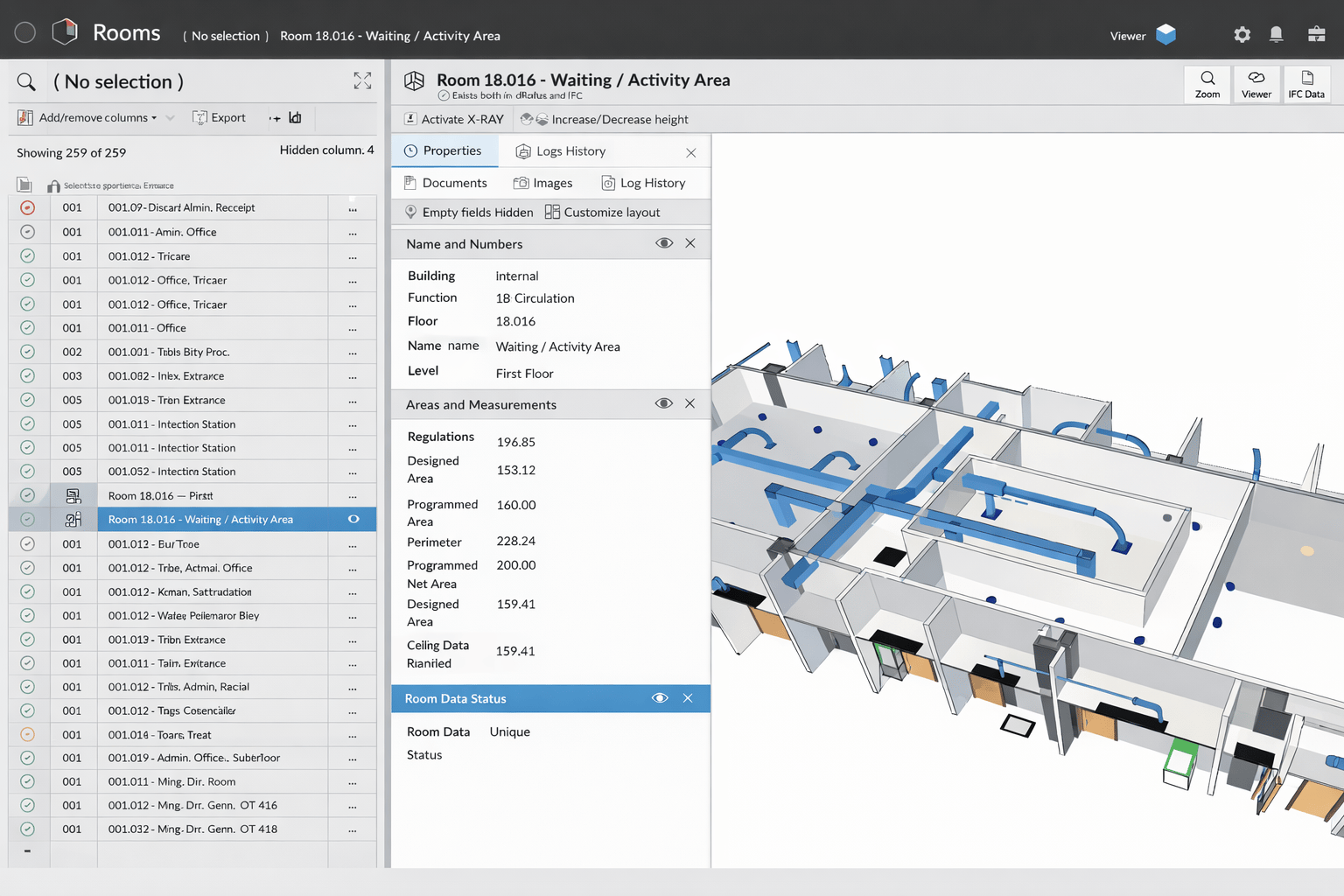
To understand what is Drofus, it is a database-driven BIM information platform designed to manage room data, equipment lists, and building program requirements throughout the project lifecycle.
The platform is often described as dRofus BIM software because it connects structured data directly with BIM models. It allows BIM managers to:
- Manage room data sheets
- Track equipment and asset information
- Control design requirements
- Link program data to BIM models
- Maintain consistency between documentation and models
Unlike coordination platforms, Drofus functions primarily as one of the most structured BIM information management tools available. It focuses on data accuracy rather than geometric clash detection.
In applications, Drofus helps project teams compare design intent with actual room configurations. If a department requires specific equipment or compliance standards, BIM managers can validate that requirements are reflected correctly in the model. This structured validation process reduces costly revisions during later design stages.
For example, in a hospital project, BIM managers use Drofus to verify that room sizes, equipment requirements, and department specifications align with client standards. This makes it a powerful tool for managing building information beyond visual modeling.
Understanding what is Drofus shows its strength in program validation and structured data control.
What Is Autodesk Construction Cloud?
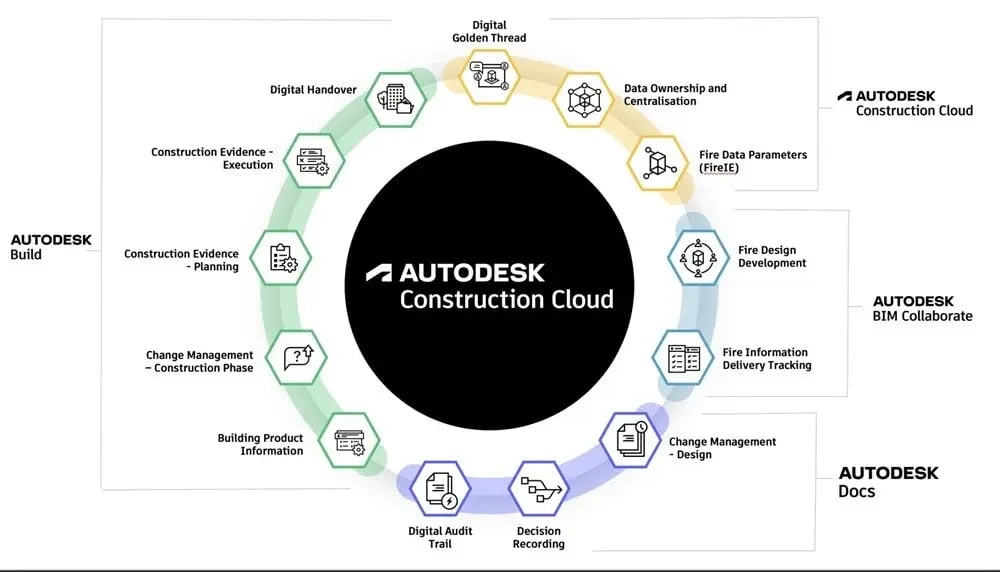
To clarify what is Autodesk Construction Cloud, it is a cloud-based coordination and collaboration platform that integrates model coordination, document control, and field workflows. It connects project teams through centralized access to shared BIM data and documentation.
Unlike database-driven systems, Autodesk Construction Cloud emphasizes coordination and execution. BIM managers use it to:
- Manage model coordination
- Track clashes and issues
- Control document versions
- Oversee field reports
- Monitor project dashboards
It is widely recognized as one of the leading tools for BIM managers when coordination across multiple disciplines is required. While Drofus manages structured program data, Autodesk Construction Cloud manages shared project models and real-time collaboration.
The platform also supports integration with BIM authoring tools, strengthening project-wide BIM data management software workflows. It enables centralized access for design teams, contractors, and site managers.
In real-world implementation, BIM managers use Autodesk Construction Cloud to streamline coordination meetings. Instead of exchanging multiple files through email, teams access a shared cloud environment where updates are visible instantly. This reduces miscommunication and supports consistent decision-making across disciplines.
Understanding what is Autodesk Construction Cloud clarifies its role as a coordination-driven platform focused on collaboration and execution.
How BIM Manager Uses Each Tool?

BIM managers rely on both structured data systems and coordination platforms. The choice depends on whether the project requires program control or multidisciplinary model coordination.
Below is a breakdown of how each tool supports BIM management workflows.
1. Drofus
When working with Drofus, BIM managers focus on information accuracy and program validation.
They use dRofus BIM software to:
- Define room requirements early in design
- Link room data sheets with BIM models
- Track furniture, fixtures, and equipment
- Validate area compliance
- Maintain structured data consistency across revisions
In large healthcare projects, BIM managers use Drofus to ensure that every room meets technical specifications before construction begins. The system tracks data changes throughout the lifecycle, reducing inconsistencies between design intent and documentation.
Drofus functions as one of the most structured BIM information management tools for handling non-geometric building data. It ensures that information remains consistent even when models are updated.
Additionally, BIM managers use Drofus to generate reports that compare programmed requirements with actual design outputs. These reports support client approvals and compliance checks, especially in projects where documentation accuracy is contractually required.
2. Autodesk Construction Cloud
When using Autodesk Construction Cloud, BIM managers focus on coordination and collaboration.
They use it to:
- Aggregate discipline models
- Track clashes and assign issues
- Manage document revisions
- Monitor coordination progress
- Share updates with field teams
In multidisciplinary projects, BIM managers rely on Autodesk Construction Cloud to ensure alignment between architectural, structural, and MEP models. It acts as a coordination hub where teams can resolve conflicts before construction.
As one of the leading tools for BIM managers, Autodesk Construction Cloud supports collaborative decision-making and structured project oversight.
BIM managers also use dashboards to monitor project health indicators such as open issues, clash resolution status, and document approvals. This structured oversight supports accountability and helps prevent delays caused by unresolved coordination conflicts.
While Drofus manages structured data requirements, Autodesk Construction Cloud manages coordination and execution workflows.
Key Differences: Drofus Vs Autodesk Construction Cloud
Understanding the differences between these platforms helps BIM managers select the right system based on project needs.
|
Feature |
Drofus |
Autodesk Construction Cloud |
|
Core Purpose |
Structured program and room data management |
Cloud-based model coordination and collaboration |
|
Primary Focus |
Data accuracy and requirement tracking |
Clash detection, issue tracking, and coordination |
|
Project Stage |
Early planning and design validation |
Design coordination through construction |
|
Model Interaction |
Links structured data to BIM models |
Aggregates and coordinates discipline models |
|
Data Type |
Non-geometric building data |
Geometric models and coordination data |
|
Collaboration |
Database-driven access control |
Real-time cloud collaboration across teams |
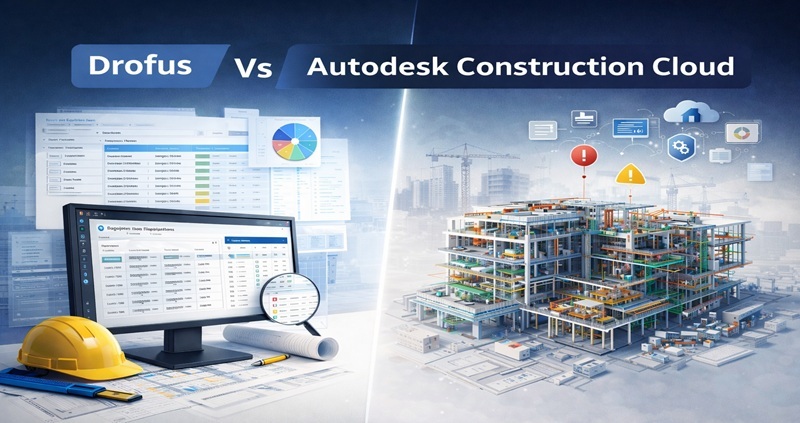
This comparison shows that Drofus focuses on structured information control, while Autodesk Construction Cloud emphasizes coordination and workflow management.
Drofus Vs Autodesk Construction Cloud: Which Is Best?
When comparing Drofus Vs Autodesk Construction Cloud (ACC), the answer depends on project priorities.
Drofus is highly effective for managing structured building data, especially in projects where room validation, asset tracking, and program compliance are critical. It is widely used in healthcare and institutional projects requiring strict documentation control.
Autodesk Construction Cloud, however, provides broader coordination capabilities. It supports integrated collaboration, issue management, and multidisciplinary model aggregation. For projects requiring real-time coordination and execution oversight, it offers greater flexibility.
Many BIM managers use both systems together. Drofus manages structured program requirements, while Autodesk Construction Cloud handles coordination and execution.
Selecting between Drofus Vs Autodesk Construction Cloud (ACC) ultimately depends on whether the project demands deep information validation or large-scale coordination across teams.
For professionals aiming to strengthen their expertise in coordination platforms and structured BIM data management software, developing skills in both systems can enhance career opportunities.