



What are the essential SketchUp workflows architects should master in 2026?
What SketchUp is: It is a practical 3D modeling software built to complete projects faster and work seamlessly across functions. However, what matters most is mastering the right SketchUp workflow for each project phase. Here are the essential ones:
-
Concept Massing: SketchUp software makes it easy to test forms early. A well-organised SketchUp file from the outset saves considerable time as the project grows.
-
Detailed Modeling: Use SketchUp features like components, groups, and section cuts to build out details efficiently and reduce repetition.
-
Plugin Integration: Extend your SketchUp workflow with SketchUp plugins like Enscape, V-Ray, and Profile Builder to handle what native tools cannot.
-
Rendering: Integrate SketchUp rendering software early rather than treating it as a final step. Easy render for SketchUp allows quick visual checks throughout the process.
-
BIM Coordination: Integrating SketchUp with BIM workflows requires clean, well-structured SketchUp 3D models that import without errors across platforms.
-
Team Collaboration: A clear process around the SketchUp file, including version control, file ownership, and update protocols, keeps projects and teams aligned.
How can SketchUp streamline early conceptual design and iteration?
Early-stage design is where ideas shift constantly, and SketchUp is built to keep up with that. A good SketchUp workflow at the concept stage isn't about making it precise; it's about speed, flexibility, and keeping iteration flexible.
Here's how SketchUp supports that process:
-
Quick Massing: SketchUp 3D modeling software allows architects to push, pull, and reshape forms in minutes, making it easy to compare multiple design directions without starting over.
-
Geo-Location Setup: Placing the model in its real-world context early helps test light angles, shadows, and site response, all within the same SketchUp workflow.
-
Lightweight File Management: Keeping the SketchUp file clean and simple during early stages ensures the model stays fast and easy to adjust as the design evolves.
-
Scene-Based Iteration: Using scenes within SketchUp tools lets architects save and revisit different design states without duplicating files or losing previous work.
-
Early Rendering Checks: SketchUp render options, like easy render for SketchUp, allow quick visual feedback on massing and light before the design is fully resolved.
-
Plugin Support: SketchUp plugins can automate repetitive modeling tasks, freeing up time for design thinking.
What techniques improve model organisation for documentation and detailing?
A well-organised model is what separates a SketchUp workflow that scales from one that crashes. When documentation and detailing are done using SketchUp 3D modelling software, any structural issue becomes immediately visible.
Here's what keeps the model clean and production-ready:
-
Groups and Components: In SketchUp, a component is a reusable element (a window, a door, a structural column). Once placed, it can be replicated across the model, and any edit made to one automatically applies to all. This keeps the SketchUp file accurate without having to update each element manually.
-
Layer and Tag Management: Assigning tags by building element, floor level, or drawing type allows scenes to display exactly what's needed for each sheet without manually adjusting visibility every time.
-
File Naming and Version Control: Clear naming conventions and a consistent folder structure ensure the team can navigate the SketchUp file seamlessly through all stages of the project.
-
Separate Detail Files: Keeping high-complexity geometry in separate SketchUp 3D models and referencing them into the main file prevents performance from slowing down as the project grows.
-
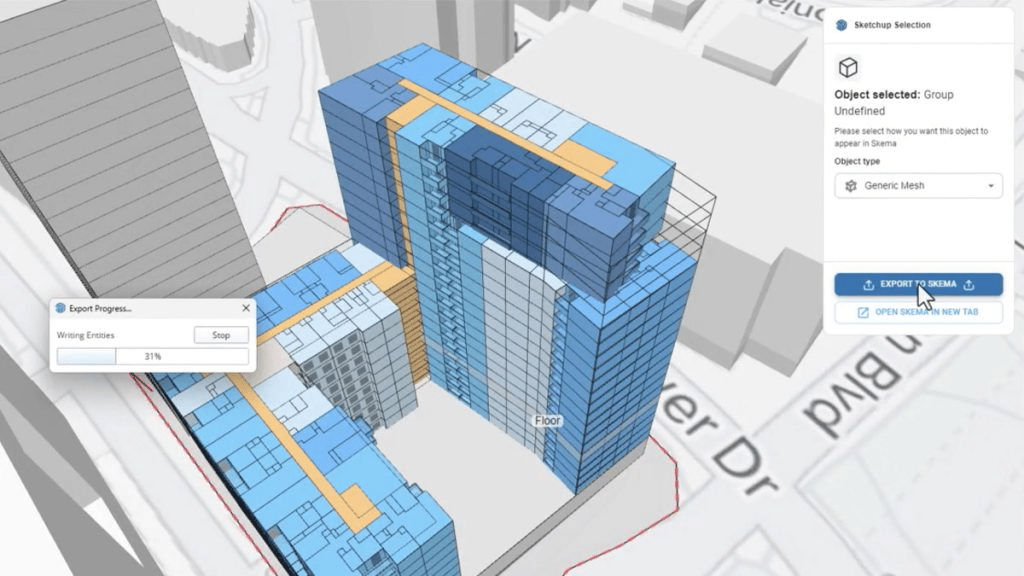
Plugin Support: Large imported files, such as furniture, trees, or manufacturer components, can slow the SketchUp file down significantly. Plugins like Skimp compress that geometry to a manageable size without affecting how it looks in the model, keeping the SketchUp workflow running smoothly even on detail-heavy projects.
How do rendering and presentation workflows enhance architectural communication?
An architectural drawing communicates structure, but a render helps communicate the intent of the project. Integrating SketchUp render into the workflow gives architects a way to present ideas that clients can understand without needing to decode technical drawings.
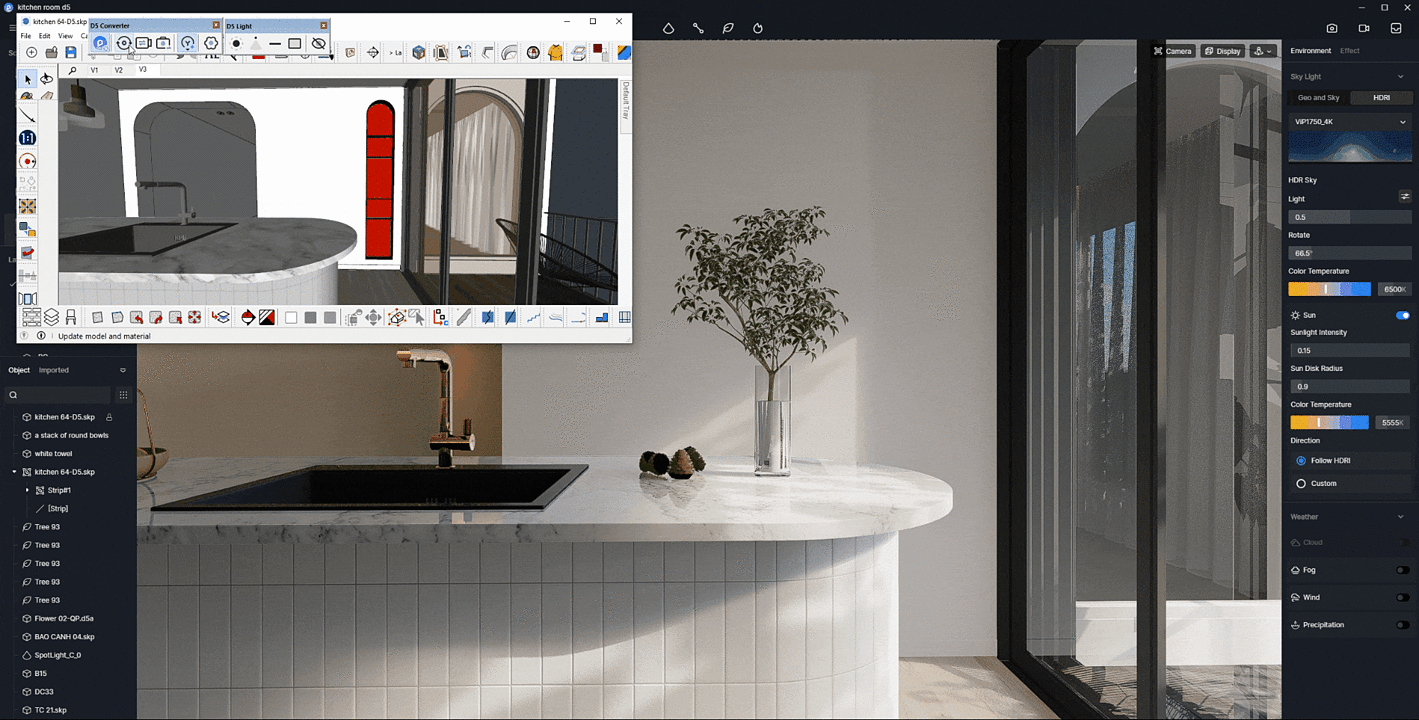
SketchUp rendering software options like Enscape, V-Ray, and easy render for SketchUp sit directly within the modeling environment, meaning renders can be produced at any stage, not just at the end. This makes the SketchUp workflow more responsive, allowing visual feedback to inform design decisions earlier in the process.
SketchUp plugins extend this further by automating lighting setups, material libraries, and camera configurations, removing repetitive manual steps from the presentation process.
How architects use SketchUp from concept to presentation is shifting significantly. Scenes, styles, and section cuts within SketchUp software allow teams to build a full presentation directly from the working model no need to rebuild geometry in a separate tool. This keeps the SketchUp workflow consolidated and ensures that what the client sees accurately reflects what the team is designing. Better visuals lead to clearer feedback, faster approvals, and fewer misunderstandings throughout the life of the project.
Which collaboration and cloud features support team and client workflows?
Collaboration has always been a challenge in architectural practice, and SketchUp software has built its cloud features around solving that directly. Trimble Connect (integrated within the Sketchup 3D software ecosystem) allows teams to store, share, and reference files from a central location, so everyone is working from the same version at all times.
Another feature is the SketchUp collaboration workflow for teams. This means project files aren't sitting on individual desktops or getting emailed back and forth, making cloud access imperative. Understanding how architects use SketchUp from concept to presentation ultimately determines how efficiently a practice moves. Consultants, clients, and internal team members can access 3D models through a browser without needing the full software installed, which is a practical advantage when sharing work with non-technical stakeholders.
Moreover, features like shared scenes and presentation mode allow project leads to walk clients through the model in real time, using the same SketchUp file the team is actively working on.
For firms maintaining an efficient SketchUp workflow for professional architects across multiple projects, cloud access also simplifies version control. Whether you're following a step-by-step SketchUp workflow for architecture projects or managing a fast-moving team, file history, access permissions, and project organisation handled in one place reduces the administrative load that typically slows practices down, keeping the entire process more connected.
What plugins and integrations help optimise SketchUp for architectural projects?
The right combination of SketchUp plugins and integrations can transform a project for the better. Knowing which tools to add, and when, is a core part of building an efficient SketchUp workflow for professional architects.
Important plugins for SketchUp cover a range of requirements:
-
V-Ray and Enscape are the go-to SketchUp rendering software options for creating high-quality visuals directly from the working model, without rebuilding elsewhere.
-
Easy render for SketchUp offers a faster, more accessible alternative for teams that need quick client-facing visuals without a steep learning curve.
-
Profile Builder automates the creation of complex architectural elements like walls, roofing, and facades, significantly reducing manual modeling time within the SketchUp workflow.
-
Trimble Connect supports integrating SketchUp with BIM workflows, allowing SketchUp files to be referenced and coordinated alongside Revit or ArchiCAD models.


.png)
.png)
