
What Is Revit Fatigue and Why Do MEP Engineers Face It During Long Projects?
Revit fatigue occurs when prolonged engagement with complex modeling tasks leads to reduced focus, slower work, and increased errors. Continuous repetition of detailed operations strains both cognitive and visual attention. Incorporating strategies for Revit workflow improvement in the middle of these projects can help manage workload and maintain accuracy.
Here are key reasons why MEP engineers experience fatigue during extended Revit projects:
-
High model complexity requires constant attention to detail, making extended sessions mentally taxing and increasing the risk of errors.
-
Frequent design changes demand repeated revisions, which accumulate over time and intensify cognitive strain.
-
Coordination across multiple disciplines leads to constant model checking, adding to the workload and slowing progress.
-
Manual, repetitive tasks increase fatigue and slow progress, but using Revit automation tools during modeling can streamline work and reduce strain.
-
Managing large datasets and numerous system components strains system performance, causing frustration and fatigue.
-
Learning and adapting to additional features or third-party extensions can be demanding, but well-chosen Revit plugins for MEP engineers can ease the effort.
How Can Smarter Modeling Techniques Speed Up MEP Workflows?
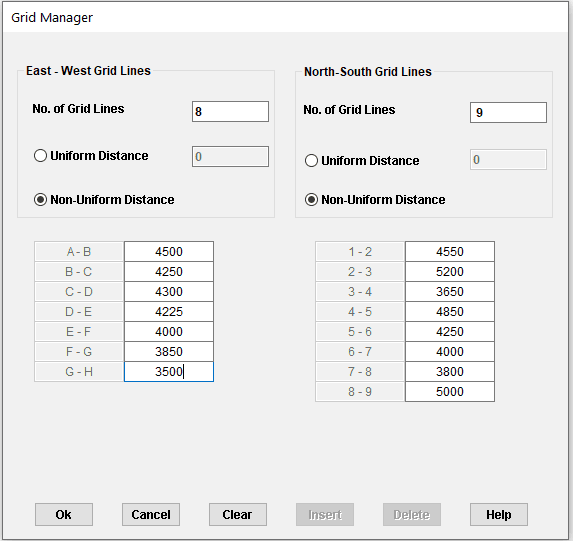
Efficient modeling requires careful planning and consistent methods to reduce errors and improve clarity across complex projects. Applying organized approaches enhances collaboration, minimizes wasted effort, and maintains model integrity. Integrating Revit modeling best practices in workflows ensures that updates are smoother, errors are easier to identify, and project timelines remain realistic.
The following points highlight how smarter modeling techniques can speed up MEP workflows:
-
Breaking projects into manageable sections prevents overloading models, improving speed and reducing processing delays.
-
Repetitive modeling tasks slow progress and increase errors, but by learning how to automate repetitive Revit modeling tasks, workflows become more efficient, freeing time for higher-value work.
-
Standardizing naming conventions and system layouts ensures teams can navigate and update models efficiently.
-
Using linked models strategically helps coordinate multiple disciplines without slowing individual work sessions.
-
Leveraging top Revit plugins to boost MEP productivity can streamline complex operations and reduce manual effort.
Did You Know?
In 2026 , more than 55% of large construction firms using Revit and BIM workflows report applying clash detection regularly, highlighting how digital coordination has become a core practice in modern project delivery.
Which Best Practices Help Reduce Clash Detection Time and Improve Accuracy?
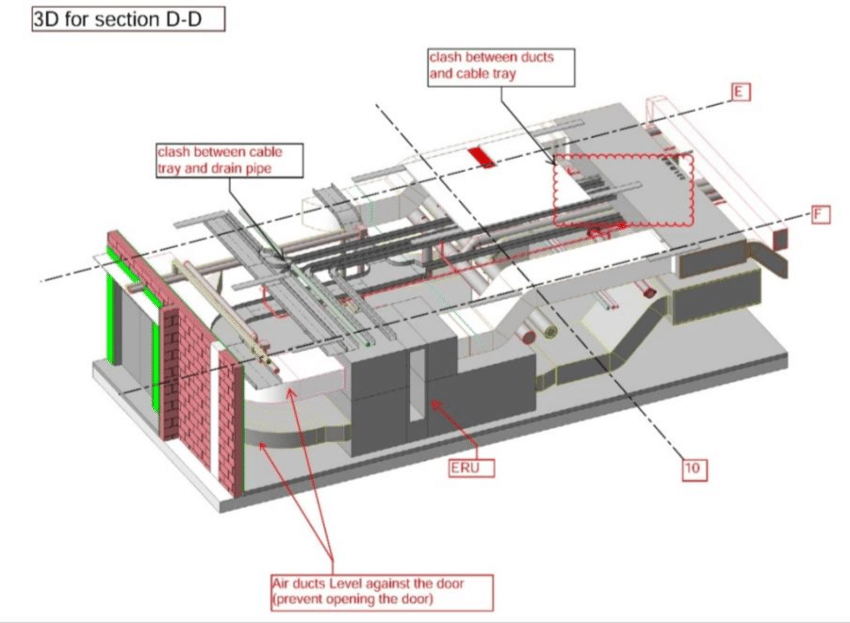
Efficient clash detection relies on structured workflows, clear communication, and accurate modeling to minimize errors and delays. Incorporating organized processes helps teams maintain consistency and improves confidence in project data. Understanding how to speed up MEP modeling in Revit ensures smoother collaboration, fewer conflicts, and more accurate outcomes throughout the project lifecycle.
Here are the best practices for faster MEP modeling workflows that help reduce clash detection time and improve overall accuracy:
-
Hold regular coordination meetings to identify and address potential clashes early, reducing last-minute corrections.
-
Schedule clash detection reviews at important milestones to keep models accurate and support MEP engineering efficiency.
-
Use visual tagging or color-coding for systems to quickly highlight areas of possible interference.
-
Apply consistent tolerance and interference rules across the model, and systematically record and monitor resolved clashes to ensure accurate detection, prevent recurring conflicts, and maintain overall model quality.
What Revit Plugins and Automation Tools Can Boost Efficiency?
Revit plugins and automation tools help streamline repetitive tasks, improve accuracy, and accelerate project workflows. They enable engineers to manage complex models efficiently while reducing errors and wasted effort. Incorporating strategic enhancements supports better collaboration and offers effective tips to improve Revit performance for large MEP models.
The following Revit plugins and automation tools are proven to boost efficiency and optimize MEP workflows:
-
Dynamo for Revit: Enables visual scripting to automate repetitive modeling processes and simplify complex design tasks.
-
Navisworks Manage: Integrates model review and clash detection capabilities for large-scale MEP coordination.
-
Revit Add-in: MEPcontent: Provides a centralized library of components to streamline MEP systems modeling efficiently.
-
COINS Auto-Section Box: Speeds up sectioning and visualization, improving focus on specific model areas.
-
BIM Track: Facilitates communication and issue tracking between disciplines, enhancing coordination with MEP software platforms.
How Can Improved BIM Coordination Minimize Errors and Rework Across Teams?
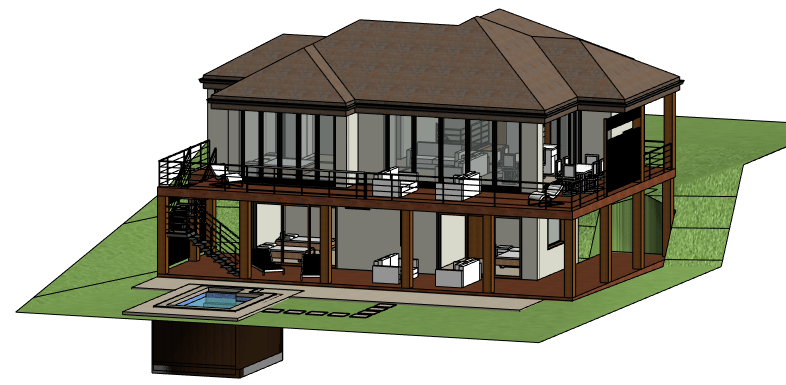
Effective BIM coordination ensures teams work from accurate, up-to-date models, reducing miscommunication and rework. Structured workflows and shared standards enhance collaboration across disciplines, saving time and effort. Incorporating BIM productivity tips helps maintain focus and model quality, while guidance from programs such as the BIM Course for MEP Engineers by Novatr offers structured approaches to improving coordination.
Here are ways improved BIM coordination can minimize errors and reduce rework across project teams:
-
Implement centralized model management to ensure all team members have access to the latest updates, reducing errors from outdated information.
-
By holding regular coordination meetings to spot conflicts early, teams can learn how to reduce clash detection time in BIM coordination.
-
Standardize modeling conventions across disciplines to make model navigation and updates seamless and less error-prone.
-
Use clear communication protocols for issue resolution to prevent misunderstandings and repeated mistakes.
-
Monitor workload and provide support for team members, following ways to avoid burnout while working long Revit projects, maintaining productivity and focus.
-
Maintain thorough documentation of decisions and design changes to ensure consistency and reduce the likelihood of repeated corrections.
.png)