---
title: "Allplan Vs Revit: What Civil, Structural and BIM Engineers Should Know?"
description: Compare Allplan Vs Revit for civil and structural engineers. Learn key differences, real use cases, and how to upskill in BIM workflows.
image: https://blog.novatr.com/hubfs/AllPlan%20Vs%20Revit.jpg
---
[Blogs](https://www.novatr.com/learning-hub)
- [Architecture & Construction](https://www.novatr.com/learning-hub?category=Architecture+%26+Construction)
- [BIM](https://www.novatr.com/learning-hub?category=BIM)
- [Computational Design](https://www.novatr.com/learning-hub?category=Computational+Design)
- [Company News](https://www.novatr.com/learning-hub?category=Company+News)
- [Expert Talks](https://www.novatr.com/learning-hub?category=Expert+Talks)
Explore Courses
[Just Launched  BIM Professional Program v.2026 Take your career to the next level by mastering the real-world application of BIM. Know More](https://www.novatr.com/courses/bim-professional-program)
[ Master Computational Design Course Break into an advanced career by learning to apply the power of computation to the art of design. Know More](https://www.novatr.com/courses/computational-design)
[Blogs](https://www.novatr.com/learning-hub)
Explore Blogs
- [Architecture & Construction](https://www.novatr.com/learning-hub?category=Architecture+%26+Construction)
- [BIM](https://www.novatr.com/learning-hub?category=BIM)
- [Computational Design](https://www.novatr.com/learning-hub?category=Computational+Design)
- [Company News](https://www.novatr.com/learning-hub?category=Company+News)
- [Expert Talks](https://www.novatr.com/learning-hub?category=Expert+Talks)
Courses
- [BIM Professional Program v.2026](https://www.novatr.com/courses/bim-professional-program)
- [Master Computational Design](https://www.novatr.com/courses/computational-design)
- [CIVIL/](https://www.novatr.com/learning-hub?category=BIM)
Featured Article
# Allplan Vs Revit: What Civil, Structural and BIM Engineers Should Know?

Deependra Dobriyal
February 19, 2026
6 min read


When comparing **Allplan Vs Revit**, engineers should understand that both platforms support Building Information Modeling but serve slightly different strengths in civil, structural, and multidisciplinary workflows. The right choice depends on project type, detailing requirements, and collaboration standards.
According to [Penn State](https://psu.pb.unizin.org/bimprojectexecutionplanningv2x2/back-matter/appendix-b-19-bim-use-programming/?), federal and public projects commonly require BIM for spatial program validation and coordinated 3D model-based workflows to support project delivery standards. In addition, the [National Institute of Building Sciences](https://nibs.org/our-work/resources/reports/bim-cad-design/) emphasizes the importance of open standards in BIM execution. These federal frameworks highlight why engineers must evaluate software carefully before adopting it for infrastructure and building projects.
Understanding **allplan Vs Revit** helps civil, structural, and BIM engineers select tools that align with reinforcement detailing, multidisciplinary coordination, and compliance-driven delivery.
Unlock High-Paying Careers With BIM
Master BIM workflows, software and skills on real projects.
Apply Now
\*Limited seats available
## **What Is Allplan?**
To answer **What is allplan**, it is a BIM-based design and detailing software developed for architecture, structural engineering, and infrastructure projects. It is particularly strong in reinforcement modeling, precast detailing, and civil works documentation.
The **allplan BIM software** environment supports advanced [3D modeling](https://www.novatr.com/blog/bim-modeling-software), parametric components, and integrated quantity takeoffs. Structural engineers often use it for reinforced concrete detailing and complex structural geometry.
### Key capabilities include:
- Reinforcement and rebar detailing
- Precast concrete modeling
- Infrastructure and bridge modeling
- Automated drawing generation
- IFC-based collaboration
In many European and infrastructure-heavy markets, **allplan in engineering** is widely adopted for detailed structural design workflows. The platform allows engineers to move from conceptual modeling to fabrication-level outputs within one coordinated system.
Its strength lies in precision and constructability. For example, in a bridge project, engineers can model reinforcement cages and generate shop drawings directly from the model. This makes **allplan construction** workflows efficient for projects requiring fabrication-ready detail.
Understanding **What is allplan** is important before comparing it with Revit, because its specialization in structural detailing sets it apart in certain project types.
## **What Is Revit?**
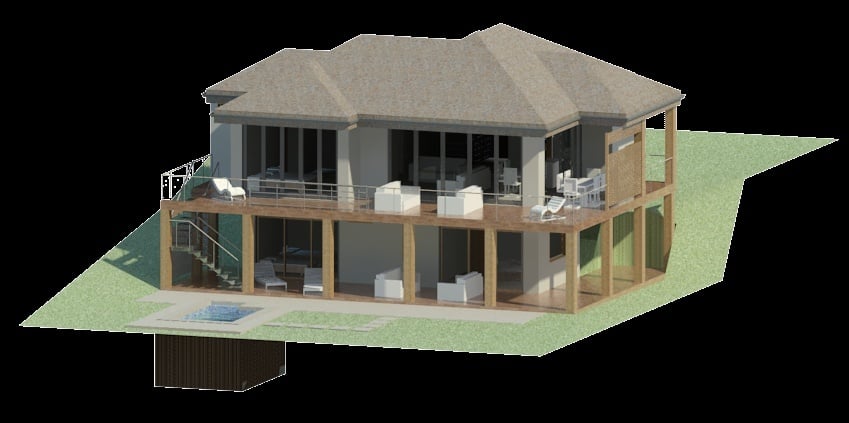
When discussing [**what is Revit**](https://www.novatr.com/blog/detailed-revit-guide)**,** it refers to Autodesk’s BIM software that enables architects, structural engineers, and MEP professionals to design, model, and coordinate projects within a single integrated platform.
Many professionals ask **what is revit software used for** in functional terms. It is used to create coordinated building models, generate construction documentation, perform clash detection, and support multidisciplinary collaboration.
Revit allows teams to:
- Model architectural layouts
- Develop structural framing systems
- Coordinate MEP systems
- Produce schedules and documentation
- Integrate with cloud collaboration platforms
For infrastructure and building teams, **Revit for civil engineers** is often used in coordination with [Civil 3D](https://www.novatr.com/blog/autocad-civil-3d-features-benefits-applications-online-courses). Civil engineers may model site layouts and terrain externally, then integrate structural or building components in Revit.
Revit’s advantage lies in centralized modeling and widespread adoption. It is commonly used on large commercial and public projects, especially where cloud-based collaboration and multidisciplinary workflows are required.
Understanding **What is Revit** clarifies how it differs from Allplan in focus and implementation.
## **Key Differences between AllPan Vs Revit**
Comparing **Allplan Vs Revit** requires examining workflow structure, detailing depth, and collaboration flexibility. Both tools support BIM, but their strengths differ.
Below are the primary differences engineers should consider:
- **Structural Detailing Depth**
- **Infrastructure Capabilities**
- **Collaboration Ecosystem**
- **Market Adoption**
- **Fabrication Readiness**
When evaluating **Allplan vs Revit**, engineers must align software choice with project goals. For example, in a high-rise with heavy reinforcement detailing, Allplan may provide stronger structural control. In a mixed-use development requiring tight MEP coordination, Revit may offer better integrated collaboration.
The decision between **allplan Vs Revit** depends less on which software is superior and more on which workflow matches project complexity.
## **How AllPlan Is Used by Civil, Structural and BIM Engineers?**
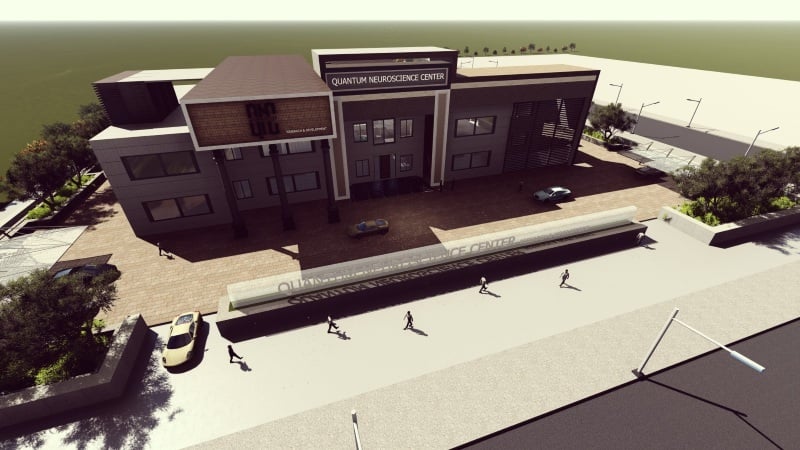
In practice, **allplan in engineering** supports structural precision and construction focused modeling. [Structural engineers](https://www.novatr.com/blog/top-trends-in-structural-engineering) use it for reinforcement detailing, while civil engineers use it for infrastructure components such as bridges and retaining structures.
### Typical applications include:
- Modeling reinforced concrete elements
- Generating rebar bending schedules
- Producing precast shop drawings
- Creating quantity takeoffs directly from models
- Delivering IFC-compliant files for coordination
For example, in a bridge project, civil engineers may develop geometry and load paths, while structural teams detail reinforcement cages within **allplan BIM software**. The model then feeds into construction planning systems.
In **allplan construction** workflows, contractors benefit from accurate rebar placement drawings and material quantities.
[BIM engineers](https://www.novatr.com/blog/guide-to-become-bim-engineer) managing multidisciplinary coordination often export IFC models from Allplan to clash detection or compliance platforms. This open collaboration method makes Allplan valuable in infrastructure and structurally heavy programs.
By understanding how **allplan in engineering** operates, professionals can determine when it provides a strategic advantage.
## **How Revit Is Used by Civil, Structural and BIM Engineers?**
Revit plays an important role in building-focused BIM coordination. Many firms rely on **Revit for civil engineers** to integrate site development, structural framing, and architectural layouts into one shared model.
In building projects, Revit supports:
- Structural framing and slab modeling
- Foundation coordination
- MEP system integration
- Schedule generation
- Cloud-based model sharing
When considering **what is revit software used for**, the answer extends beyond modeling. It supports multidisciplinary coordination, clash detection, and documentation control.
For instance, in a hospital project, structural engineers may design framing systems in Revit while MEP teams model ducting and piping. [BIM managers](https://www.novatr.com/blog/guide-to-become-bim-manager) then coordinate these systems to reduce clashes before construction begins.
Revit also integrates with analysis tools and quantity takeoff plugins. Civil engineers working on commercial developments often connect Revit with Civil 3D for terrain and utility modeling.
Understanding **What is Revit** in this context highlights its collaborative strength in complex building environments.
## **How Engineers Can Upskill Beyond Allplan or Revit?**
Software proficiency alone does not define BIM expertise. Engineers working with **allplan Vs Revit** must also understand interoperability, coordination standards, and digital project delivery principles.
Key skills to develop include:
- IFC-based collaboration
- Clash detection workflows
- Quantity extraction and cost planning
- Model validation and compliance checking
- ISO 19650-based documentation standards
Engineers should also expand into areas such as:
- 4D and 5D BIM integration
- Automation using scripting tools
- Infrastructure modeling coordination
- Data-driven project reporting
For example, a structural engineer skilled in **allplan BIM software** can enhance career opportunities by learning cloud coordination platforms. Similarly, professionals using **Revit for civil engineers** benefit from understanding open BIM standards. Upskilling beyond a single platform ensures adaptability across global projects.
Master BIM and Get Hired Faster
Join a community of 8500+ Architects and Engineers.
Explore Now
\*Limited seats available
## **Conclusion**
The comparison of **allplan Vs Revit** shows that both platforms serve distinct roles within BIM-driven project delivery. Allplan offers strong reinforcement detailing and infrastructure precision, while Revit supports multidisciplinary coordination and centralized building modeling. Civil, structural, and BIM engineers should evaluate project scope, detailing complexity, and collaboration requirements before selecting a workflow.
To build these capabilities in a structured way, consider enrolling in the [BIM professional Course for Civil Engineers](https://www.novatr.com/us/courses/bim-for-civil-engineers) by [Novatr](https://www.novatr.com/us). The program focuses on hands-on workflows, coordination standards, and real-world project applications that prepare engineers for advanced BIM roles.
Visit our [resource page](https://www.novatr.com/learning-hub) to explore detailed software coverage, certification pathways, and career guidance designed for civil and structural professionals.
Was this content helpful to you
Like Yes
Dislike No

TABLE OF CONTENTS
BIM Is The New Standard. Are You Certified?
Get Certified in BIM
SHARE ON YOUR SOCIALS
Link Copied Successfully
Related articles
[ CIVIL How Nemetschek Software Is Used Alongside Autodesk on Real Projects? 19 February 2026 4 min read](https://blog.novatr.com/blog/how-nemetschek-software-is-used-alongside-autodesk-on-real-projects) [ CIVIL 10 Leading Structural Engineering Firms in Atlanta Geogia 12 June 2025 11 min read](https://blog.novatr.com/blog/10-leading-structural-engineering-firms-in-atlanta-geogia) [ CIVIL Nemetschek vs Autodesk: Which BIM Ecosystem Should Engineers Choose? 19 February 2026 7 min read](https://blog.novatr.com/blog/nemetschek-vs-autodesk-which-bim-ecosystem-should-engineers-choose) [ CIVIL Top 10 Structural Engineering Firms in Seattle (To Work For) 10 June 2025 15 min read](https://blog.novatr.com/blog/top-10-structural-engineering-firms-in-seattle-to-work-for)
Download Syllabus
## BIM Professional Program
Next Cohort
June 2026
Program Duration
7 Months
Premium Program benefits
8 Credentials from Autodesk, NSDC, Novatr
1 program. 10 career paths. Infinite Growth.
40+ ISO 19650 & RIBA real-world projects to practice
1-on-1 guidance. Access 400+ industry experts.
Access the biggest AEC-Tech community on the planet. 8500+ and counting
Curated for you by 100+ global BIM leaders.
Lifelong access to course content
Enter your details to download the program syllabus.
##### BIM Professional Program
June 2026, 7 Months
Your Name Invalid name.
Phone Number Enter a valid phone number
Email Please enter a valid email address.
Select years of experience\* Currently studying 0-1 years 1-2 years 2-4 years 4-8 years 8-10 years 10-12 years 12+ years Invalid selection.
Specialisation Select your background\* Architecture Civil Engineering Mechanical Engineering Electrical Engineering Invalid selection.
Are you professionally trained in interior design?
Yes
No
I agree to the [Terms of Use](https://www.novatr.com/terms-and-conditions) and [Privacy Policy](https://www.novatr.com/privacy-policy), and consent to be contacted by Email, Call, WhatsApp, or SMS.
Submit
Ready to skyrocket your career?
Begin your next chapter in AEC
with Novatr!
We are here to help you take the industry by storm with advanced, tech-first skills.
[Explore Courses](https://www.novatr.com/#courses)
Join our newsletter
Submit
Thank you for signing up.
We’ll send you a nice letter once per week. No spam.

Dare to Disrupt.
Join thousands of people who organise
work and life with Novatr.
Company
- [About Us](https://www.novatr.com/about)
- [BIM Professional Program v.2026](https://www.novatr.com/courses/bim-professional-program)
- [Masters Computational Design](https://www.novatr.com/courses/computational-design)
- [Become a Mentor](https://www.novatr.com/apply-as-mentor)
- [Hiring from Us](https://www.novatr.com/hire-from-us)
- [Careers at Novatr](https://www.novatr.com/career)
Resources
- [Blog](https://www.novatr.com/learning-hub)
- [Media Room](https://www.novatr.com/media-room-home-page)
- [Career Builder](https://www.novatr.com/career-navigator)
- [Events & Webinars](https://www.novatr.com/webinars)
- [FAQs & Support Center](https://www.novatr.com/contact-us)
- [Contact Us](https://www.novatr.com/contact-us)
- [Privacy Policy](https://www.novatr.com/privacy-policy)
- [Terms of Use](https://www.novatr.com/terms-and-conditions)
©2023 Oneistox Network Pvt. Ltd.
All Rights Reserved
```json
{
"@context" : "https://schema.org",
"@type" : "BlogPosting",
"author" : {
"@type" : "Person",
"name" : "Deependra Dobriyal",
"url" : "https://blog.novatr.com/blog/author/deependra-dobriyal"
},
"dateModified" : "2026-02-19T12:16:35.303Z",
"datePublished" : "2026-02-19T12:09:29.000Z",
"headline" : "Allplan Vs Revit: What Civil, Structural and BIM Engineers Should Know?",
"image" : [ "https://blog.novatr.com/hubfs/AllPlan%20Vs%20Revit.jpg" ],
"mainEntityOfPage" : {
"@id" : "https://blog.novatr.com/blog/allplan-vs-revit-what-civil-structural-and-bim-engineers-should-know",
"@type" : "WebPage"
},
"publisher" : {
"@type" : "Organization",
"logo" : {
"@type" : "ImageObject",
"url" : "https://blog.novatr.com/hubfs/Novatr%20Prev%20OX-2.svg"
}
}
}
```