---
title: What Jobs Can You Get After Mastering AutoCAD Software? 2026
description: Explore AutoCAD jobs, salaries, and career paths in 2026. Learn how AutoCAD skills help you build a strong career in architecture.
image: https://blog.novatr.com/hubfs/Blog%20Image%20(2).png
---
[Blogs](https://www.novatr.com/learning-hub)
- [Architecture & Construction](https://www.novatr.com/learning-hub?category=Architecture+%26+Construction)
- [BIM](https://www.novatr.com/learning-hub?category=BIM)
- [Computational Design](https://www.novatr.com/learning-hub?category=Computational+Design)
- [Company News](https://www.novatr.com/learning-hub?category=Company+News)
- [Expert Talks](https://www.novatr.com/learning-hub?category=Expert+Talks)
Explore Courses
[Just Launched  BIM Professional Program v.2026 Take your career to the next level by mastering the real-world application of BIM. Know More](https://www.novatr.com/courses/bim-professional-program)
[ Master Computational Design Course Break into an advanced career by learning to apply the power of computation to the art of design. Know More](https://www.novatr.com/courses/computational-design)
[Blogs](https://www.novatr.com/learning-hub)
Explore Blogs
- [Architecture & Construction](https://www.novatr.com/learning-hub?category=Architecture+%26+Construction)
- [BIM](https://www.novatr.com/learning-hub?category=BIM)
- [Computational Design](https://www.novatr.com/learning-hub?category=Computational+Design)
- [Company News](https://www.novatr.com/learning-hub?category=Company+News)
- [Expert Talks](https://www.novatr.com/learning-hub?category=Expert+Talks)
Courses
- [BIM Professional Program v.2026](https://www.novatr.com/courses/bim-professional-program)
- [Master Computational Design](https://www.novatr.com/courses/computational-design)
- [Archi/](https://www.novatr.com/learning-hub?category=BIM)
Featured Article
# What Jobs Can You Get After Mastering AutoCAD Software?

Neha Singh
April 20, 2026
8 min read
.png)

Learning AutoCAD software often raises an important question: what comes next? Many learners understand what is AutoCAD, but struggle to connect it to real job roles.
The U.S. Bureau of Labor Statistics projects [16,200](https://www.bls.gov/ooh/architecture-and-engineering/drafters.htm?ad=semD&am=broad&an=msn_s&askid=ec19587d-8a9e-4011-8e6f-c35fb58cd307-0-ab_msb&l=sem&o=12612&q=Architectural+Draftsman&qsrc=999&utm) drafter job openings each year for the next 10 years. The need is not about new job openings but about replacing current drafters. It highlights the profession's continued importance despite technological changes in the field
From basic drafting to advanced AutoCAD design and AutoCAD 3D modeling, there are multiple AutoCAD jobs available. This article explains the career opportunities after AutoCAD, industries hiring in 2026, salary expectations, and how to build a strong career using these skills.
Unlock High-Paying Careers With BIM
Master BIM workflows, software and skills on real projects.
Apply Now
\*Limited seats available
## **What Career Options Open Up After You Master AutoCAD?**

***Image:*** [*AI Generated*](https://drive.google.com/file/d/1toKNHs_kMUtrStvydhsglAwm3P__YuqB/view?usp=drive_link)
***Alt text:*** *Different career options after learning AutoCAD.*
As a professional, you can start your career as a drafter to build your understanding of technical detailing and precision. After gaining confidence in AutoCAD, career options expand as follows:
- With experience, one gradually moves into design roles where they contribute to layouts and overall AutoCAD design decisions instead of just following instructions.
- In architecture companies, you can be of service to senior architecture workers in AutoCAD architecture processes, assisting in preparation of plans, sections and working drawings.
- If you are interested in visualization, learning autocad 3D allows you to create models that make design ideas easier to communicate.
- There is also a rise of freelance AutoCAD jobs, where specialists work independently on field-related projects.
These paths clearly show the career opportunities after AutoCAD and answer the question, "What jobs can you get after learning AutoCAD?" Your growth depends on how you develop your skills.
## **Which Industries Hire AutoCAD Professionals the Most in 2026?**
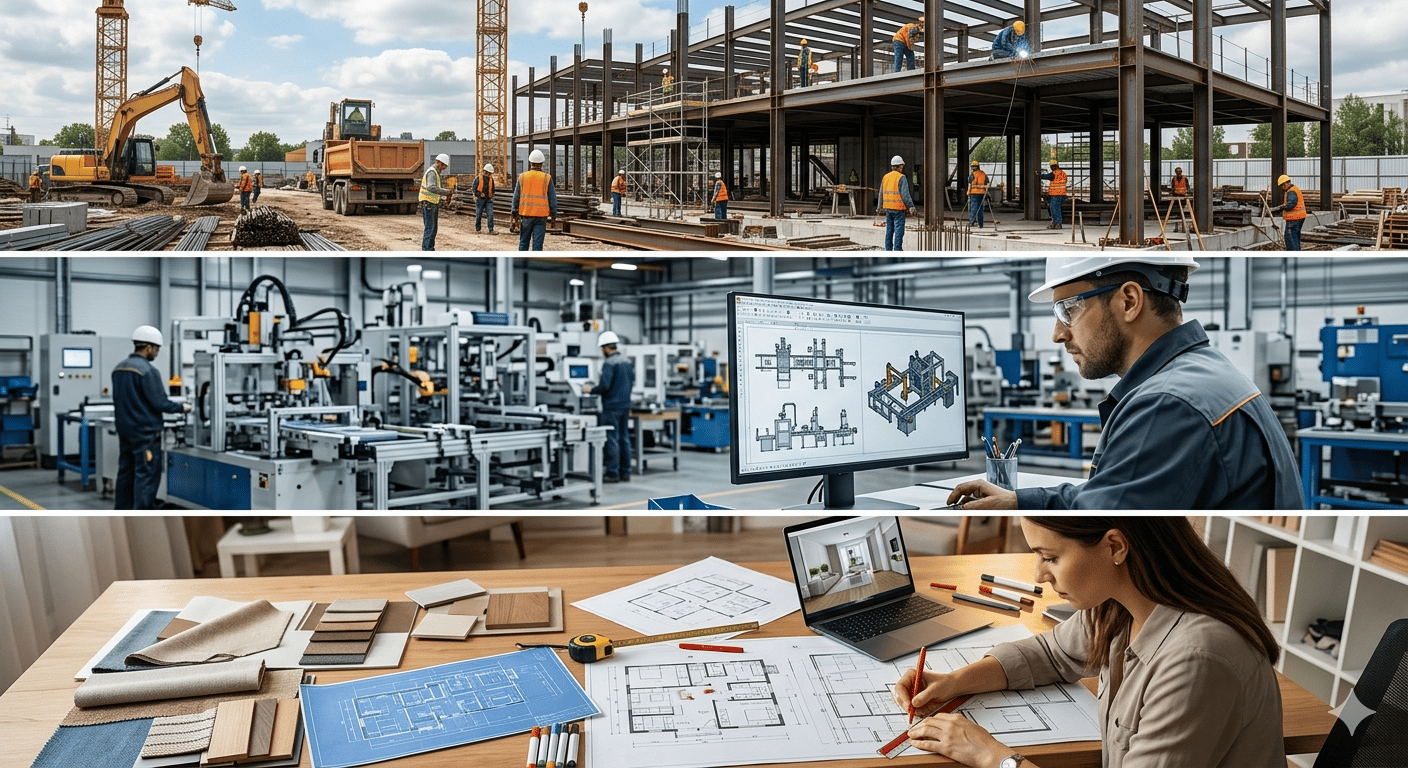
AutoCAD is widely used across industries, not just in architecture. The software is mainly used in these sectors:
- Architecture and construction remain the primary sectors, especially for AutoCAD jobs for architects, where detailed drawings are essential.
- Civil engineering projects rely on CAD for infrastructure planning, including roads, drainage, and utilities.
- Manufacturing sectors rely on AutoCAD to create designs for products, machines, and the layout of their production facilities.
- Interior design firms depend on CAD for space planning and furniture arrangements.
- Mechanical and electrical sectors use CAD for system layouts and technical documentation.
- Urban planning projects use CAD for mapping, zoning, and infrastructure proposals.
- Remote platforms have expanded jobs using CAD software skills, allowing professionals to work with global clients.
These examples clearly explain which industries hire AutoCAD professionals and show how versatile the skill is across sectors.
## **What Is the Average Salary of an AutoCAD Professional Across Different Roles?**
Knowing salary expectations gives individuals realistic career expectations. Beginners often wonder, "What is the salary after learning AutoCAD?" The answer depends on experience and specialization.
Here's the table describing the pay range:
| **Role** | **Average Salary** | **Typical Range** |
| --- | --- | --- |
| CAD Drafter | ~[$26/hour (~$54,000/year)](https://www.indeed.com/career/cad-drafter/salaries?utm) | $36,000 – $73,000 |
| CAD Technician | ~$65,061/year | $53,000 – $84,000 |
| AutoCAD Technician | ~$69,227/year | $57,000 – $79,000 |
| Senior CAD Specialist | ~$117,910/year | $99,000 – $131,000 |
Those working on freelance AutoCAD jobs may earn differently depending on project volume and clients.
Your ability to capitalize on your skills is the key to unlocking your earning potential. It is there that employment opportunities of AutoCAD skills become long-term.
## **How Does AutoCAD Proficiency Improve Your Chances of Getting Hired as an Architect?**
AutoCAD remains an essential requirement in architecture, especially for entry-level roles.
- It enables you to produce precise, easily understood drawings, which are vital for both building projects and obtaining necessary approvals.
- It improves coordination with engineers and consultants through standardized documentation.
- A strong CAD-based portfolio often increases your chances of getting shortlisted.
- It also acts as a foundation for learning advanced tools such as BIM.
## **What Is the Difference Between an AutoCAD Drafter, Designer, and BIM Technician?**
These roles delineate how careers require AutoCAD skills to advance, moving from basic drafting to advanced coordination and project involvement.
| **Role** | **Key Responsibilities** | **Skill Level** | **Tools Used** | **Career Growth** |
| --- | --- | --- | --- | --- |
| AutoCAD Drafter | Prepares 2D drawings and technical documentation | Beginner | AutoCAD | Can move to design roles |
| CAD Designer | Works onlayouts, detailing, and some 3D tasks | Intermediate | AutoCAD, 3D tools | Can become a senior designer |
| BIM Technician | Handles 3D models with data and coordination | Advanced | Revit, BIM tools | Can grow into a BIM manager |
## **How Do AutoCAD Skills Combined With Revit or BIM Boost Your Career Growth?**
Combining AutoCAD with BIM tools significantly improves your career prospects because:
- BIM-based roles are in higher demand, especially for large and complex projects.
- The construction industry hires professionals proficient in both AutoCAD and Revit because these tools enable them to manage various aspects of a project.
- It increases your chances of earning a higher salary.
- It opens up opportunities for worldwide projects in which BIM is widely employed.
This combination strengthens your profile when applying for jobs using CAD software skills and helps you stay competitive in the industry.
## **What Should Your Portfolio Look Like When Applying for AutoCAD-Based Jobs?**
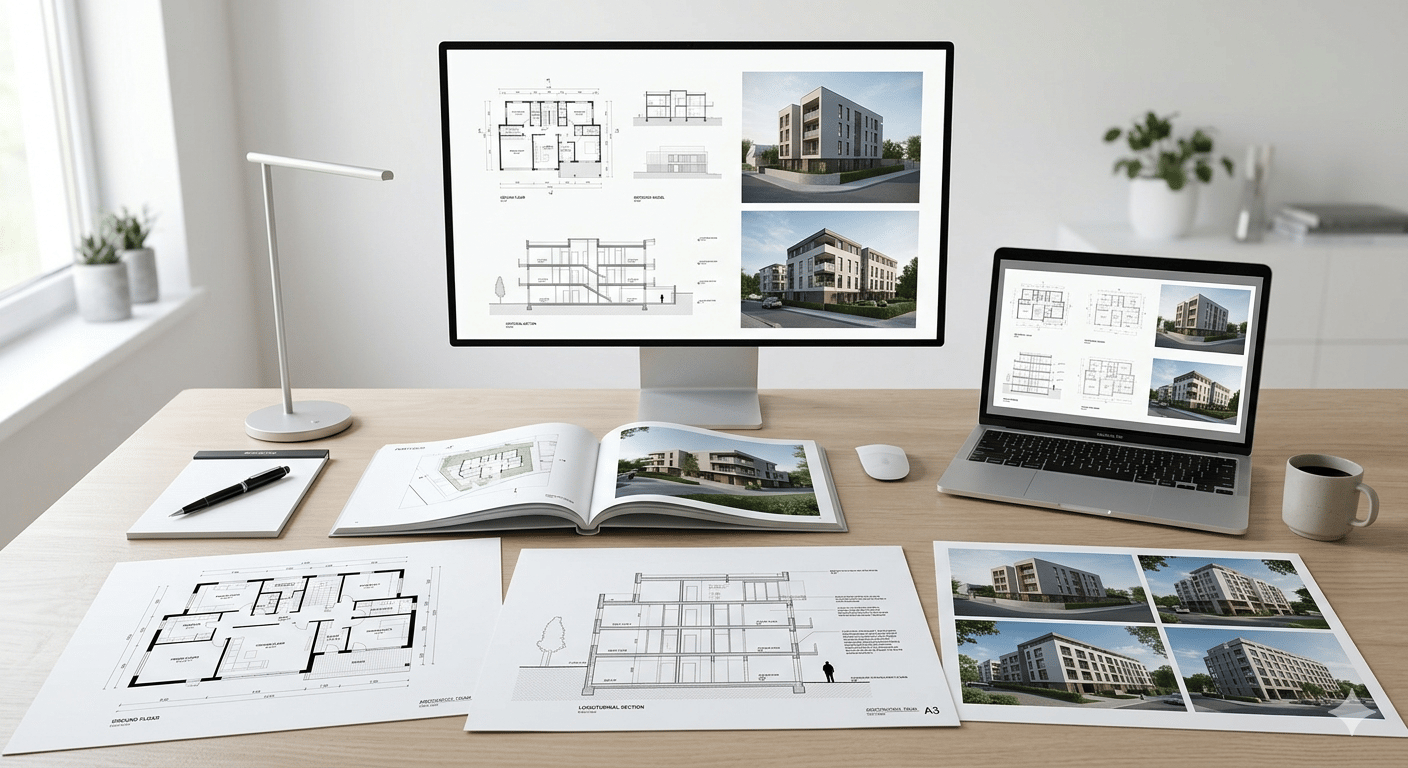
A strong portfolio is a must-have when you're looking for work in AutoCAD. To showcase your practical skills, make sure to include:
- Include clear 2D drawings such as plans, sections, and elevations to demonstrate drafting ability.
- Add AutoCAD 3D models, if available, to demonstrate your understanding of spatial design.
- Showcase detailed technical drawings with proper dimensions and annotations.
- Include academic or real projects to reflect practical experience.
- Present a variety of work, including residential and commercial projects.
- The layout should be simple so that employers can easily understand it.
- List the tools that were used, such as AutoCAD software and any other software used.
Master BIM and Get Hired Faster
Join a community of 8500+ Architects and Engineers.
Explore Now
\*Limited seats available
## **Conclusion**
AutoCAD still offers excellent work opportunities in a variety of industries. It provides a solid base for careers in design, drafting, and related areas. The combination of AutoCAD and BIM tools can give professionals an advantage as the industry evolves.
To boost your skills, consider taking the[Revit and BIM Online Certification Course](https://www.novatr.com/courses/building-information-modelling) offered by [Novatr.](https://www.novatr.com/) It will boost your confidence, allowing you to apply your abilities in real-world scenarios and ultimately improve your job prospects in the AEC sector.
You may also check out our [resources page](https://www.novatr.com/learning-hub) for additional information and materials to support your professional development.
## **FAQs**
### **1. Which industries beyond architecture hire professionals with strong AutoCAD skills?**
Manufacturers use them to develop products and machines, while civil engineers use them to plan infrastructure. CAD is used for layout planning in interior design and technical drawings in mechanical and electrical engineering. It is also used in urban planning, demonstrating its versatility.
### **2. What is the difference between a CAD drafter, CAD technician, and CAD engineer in terms of job role?**
A CAD drafter makes drawings based on what they are told to do. A CAD technician performs more detailed work and may also review and improve drawings. A CAD engineer works at a higher level, making design choices and conducting technical analysis. Responsibility and technical knowledge are the primary differences.
### **3. How does AutoCAD expertise combined with BIM knowledge improve your chances of getting hired?**
Combining AutoCAD with BIM shows that you can work with both traditional drawings and advanced digital models. It makes you more useful to employers, especially for hard tasks. It also makes it more likely that you'll secure higher-paying jobs and work on foreign projects where BIM is often employed.
Was this content helpful to you
Like Yes
Dislike No
.png)
TABLE OF CONTENTS
BIM Is The New Standard. Are You Certified?
Get Certified in BIM
SHARE ON YOUR SOCIALS
Link Copied Successfully
Related articles
[ Lessons from Experience – How to Transition from AutoCAD Drafting to BIM Roles 25 November 2025 5 min read](https://blog.novatr.com/blog/how-to-transition-from-autocad-drafting-to-bim-roles) [.png) Revit vs AutoCAD MEP: Which Software Should You Learn First? 25 June 2025 26 min read](https://blog.novatr.com/blog/revit-mep-vs-autocad-mep-which-software-to-learn-first) [.png) What Are the Most Common AutoCAD Queries & How to Fix Them? 20 April 2026 7 min read](https://blog.novatr.com/blog/common-autocad-queries-and-how-to-fix-them) [.png) What Is AutoCAD and Why Do Architects Use It? 20 April 2026 5 min read](https://blog.novatr.com/blog/what-is-autocad-and-why-do-architects-use-it)
Download Syllabus
## BIM Professional Program
Next Cohort
June 2026
Program Duration
7 Months
Premium Program benefits
8 Credentials from Autodesk, NSDC, Novatr
1 program. 10 career paths. Infinite Growth.
40+ ISO 19650 & RIBA real-world projects to practice
1-on-1 guidance. Access 400+ industry experts.
Access the biggest AEC-Tech community on the planet. 8500+ and counting
Curated for you by 100+ global BIM leaders.
Lifelong access to course content
Enter your details to download the program syllabus.
##### BIM Professional Program
June 2026, 7 Months
Your Name Invalid name.
Phone Number Enter a valid phone number
Email Please enter a valid email address.
Select years of experience\* Currently studying 0-1 years 1-2 years 2-4 years 4-8 years 8-10 years 10-12 years 12+ years Invalid selection.
Specialisation Select your background\* Architecture Civil Engineering Mechanical Engineering Electrical Engineering Invalid selection.
Are you professionally trained in interior design?
Yes
No
I agree to the [Terms of Use](https://www.novatr.com/terms-and-conditions) and [Privacy Policy](https://www.novatr.com/privacy-policy), and consent to be contacted by Email, Call, WhatsApp, or SMS.
Submit
Ready to skyrocket your career?
Begin your next chapter in AEC
with Novatr!
We are here to help you take the industry by storm with advanced, tech-first skills.
[Explore Courses](https://www.novatr.com/#courses)
Join our newsletter
Submit
Thank you for signing up.
We’ll send you a nice letter once per week. No spam.

Dare to Disrupt.
Join thousands of people who organise
work and life with Novatr.
Company
- [About Us](https://www.novatr.com/about)
- [BIM Professional Program v.2026](https://www.novatr.com/courses/bim-professional-program)
- [Masters Computational Design](https://www.novatr.com/courses/computational-design)
- [Become a Mentor](https://www.novatr.com/apply-as-mentor)
- [Hiring from Us](https://www.novatr.com/hire-from-us)
- [Careers at Novatr](https://www.novatr.com/career)
Resources
- [Blog](https://www.novatr.com/learning-hub)
- [Media Room](https://www.novatr.com/media-room-home-page)
- [Career Builder](https://www.novatr.com/career-navigator)
- [Events & Webinars](https://www.novatr.com/webinars)
- [FAQs & Support Center](https://www.novatr.com/contact-us)
- [Contact Us](https://www.novatr.com/contact-us)
- [Privacy Policy](https://www.novatr.com/privacy-policy)
- [Terms of Use](https://www.novatr.com/terms-and-conditions)
©2023 Oneistox Network Pvt. Ltd.
All Rights Reserved
```json
{
"@context" : "https://schema.org",
"@type" : "BlogPosting",
"author" : {
"@type" : "Person",
"name" : "Neha Singh",
"url" : "https://blog.novatr.com/blog/author/neha-singh"
},
"dateModified" : "2026-04-20T09:06:03.300Z",
"datePublished" : "2026-04-20T08:46:34.000Z",
"headline" : "What Jobs Can You Get After Mastering AutoCAD Software? {{year}}",
"image" : [ "https://blog.novatr.com/hubfs/Blog%20Image%20(2).png" ],
"mainEntityOfPage" : {
"@id" : "https://blog.novatr.com/blog/what-jobs-can-you-get-after-mastering-autocad",
"@type" : "WebPage"
},
"publisher" : {
"@type" : "Organization",
"logo" : {
"@type" : "ImageObject",
"url" : "https://blog.novatr.com/hubfs/Novatr%20Prev%20OX-2.svg"
}
}
}
```