
What Is the DiRoots One Plugin?
The DiRoots One plugin is a collection of free tools designed to extend the capabilities of Autodesk Revit. It is widely used by engineers, architects, and BIM professionals to automate tasks, manage data, and improve workflow efficiency.
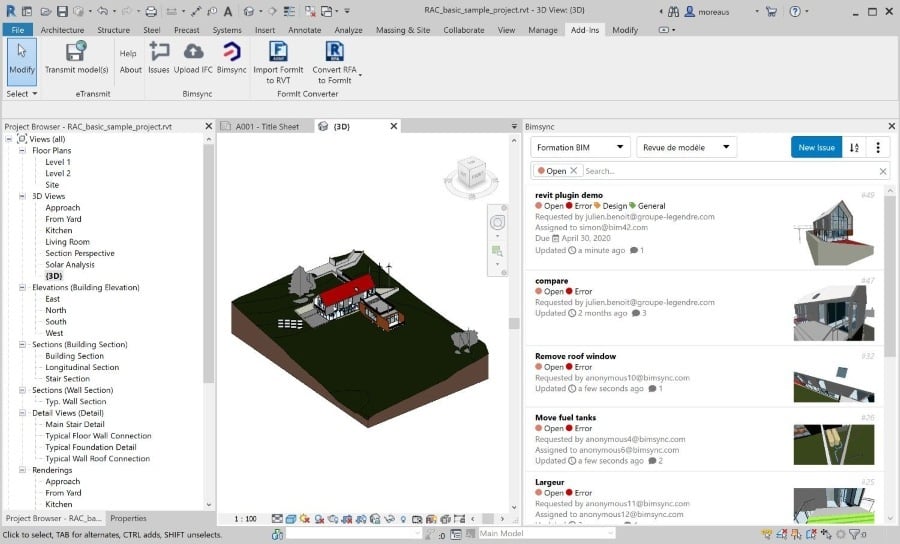
The Revit DiRoots add-in integrates directly into the Revit interface, making it easy to access its features without disrupting existing workflows. Unlike standalone software, it works within Revit, allowing users to perform complex operations with minimal effort.
The plugin includes multiple tools that address specific needs, such as data extraction, sheet management, parameter control, and file organization. These tools are designed to reduce repetitive manual work and improve accuracy.
One of the reasons the DiRoots Revit plugin is widely adopted is its accessibility. It is among the most popular free Revit plugins, making it a functional choice for professionals and students.
By using the DiRoots One plugin, engineers can focus more on design and coordination instead of repetitive tasks, improving efficiency.
Why Revit Users Install DiRoots One Plugins?
Revit users install DiRoots tools to improve efficiency, reduce errors, and streamline complex workflows. These tools address common challenges faced during modeling, documentation, and coordination.
The key reasons why professionals rely on these tools are:
- Automation of Repetitive Tasks
The plugin reduces manual work by automating tasks such as renaming elements, exporting data, and organizing sheets. This is one of the primary reasons users adopt Revit automation tools. - Improved Data Management
Managing large datasets is easier with DiRoots. It allows users to extract, edit, and update data efficiently, improving accuracy across the model. - Enhanced Documentation Workflow
Creating and managing sheets becomes faster and more consistent. This supports better project documentation and reduces time spent on manual adjustments. - Better Coordination Across Teams
The plugin helps standardize processes, making it easier for teams to collaborate on shared models. - Accessibility and Cost Efficiency
Being one of the widely used free Revit plugins, DiRoots provides advanced functionality without additional investment.
These reasons explain why the DiRoots tools for Revit are widely used across BIM projects. They enable users to work more efficiently while maintaining consistency and accuracy.
Key DiRoots One Plugins Every Revit User Should Know
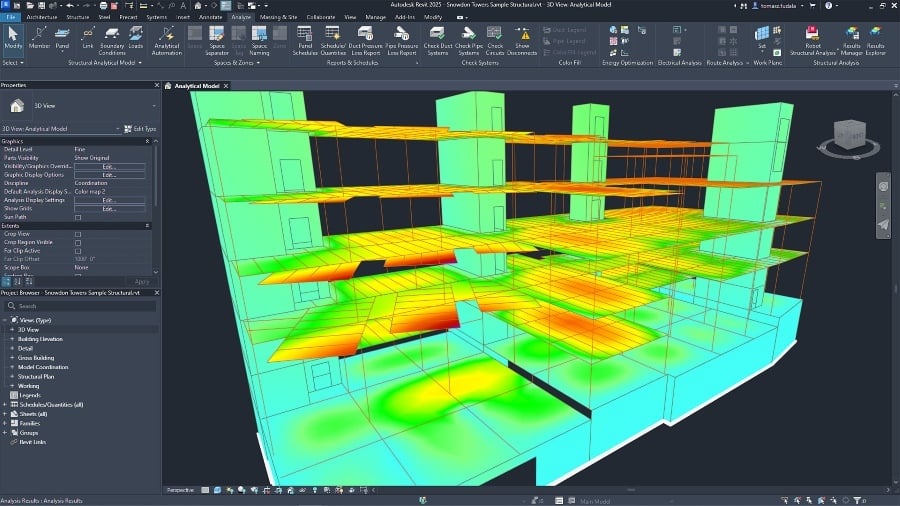
The DiRoots One plugin includes several tools, each designed to solve specific workflow challenges. Understanding these tools helps users maximize their productivity within Revit.
The following are some of the most important tools included in the plugin:
- SheetLink - Allows users to export and edit Revit data in Excel and then re-import it. This simplifies parameter management and data updates.
- ProSheets - Automates the process of exporting sheets and views. It reduces the time required for documentation and ensures consistency.
- DiRootsOne Parameter Tools - Helps manage and standardize parameters across the model, improving data consistency.
- FamilyReviser - Enables batch editing of Revit families, saving time when working with multiple components.
- View and Sheet Management Tools - Simplify the creation, organization, and naming of views and sheets.
- Data Extraction Tools - Allow users to extract project data for analysis and reporting, improving decision-making.
Each of these tools contributes to making the Revit DiRoots add-in a powerful solution for improving workflow efficiency. They are particularly useful for professionals working on large and complex projects.
Overall, these tools demonstrate how the DiRoots tools for Revit support automation, data management, and documentation processes.
How Civil Engineers Use DiRoots One in BIM Projects?
Civil engineers use DiRoots to improve efficiency, coordination, and data management within BIM workflows.
To understand its application, consider the following use cases:
- Managing Large Models
Engineers use DiRoots to organize and optimize large models, ensuring smooth performance and easier navigation. - Automating Documentation
Tools like ProSheets help generate drawings and export documentation quickly, reducing manual effort. - Handling Data and Parameters
SheetLink allows engineers to manage large datasets efficiently, ensuring accurate information across the model. - Improving Coordination
Standardizing processes helps teams collaborate more effectively, reducing errors and conflicts. - Supporting Design Changes
DiRoots tools enable quick updates across multiple elements, making it easier to implement revisions.
These use cases show how Revit plugins for BIM engineers support faster and more accurate project delivery. The DiRoots Revit plugin plays a central role in enabling these improvements.
Benefits of Using DiRoots One Plugins

Using DiRoots tools provides clear advantages that improve productivity and project outcomes.
- Time Savings: Automation reduces time spent on repetitive tasks.
- Improved Accuracy: Minimizes manual errors and ensures consistency.
- Enhanced Workflow Efficiency: Streamlines processes for faster project delivery.
- Better Collaboration: Standardized workflows improve team coordination.
- Cost Efficiency: As part of free Revit plugins, it offers high value without additional investment.
These benefits show why Revit plugins for civil engineers are essential for modern BIM workflows.
Learn Diroots One With 8+ BIM Softwares

Learning how to use tools like the DiRoots One plugin effectively requires structured training and hands-on experience. Civil engineers looking to build strong BIM skills can benefit from learning multiple tools together.
Take your civil engineering career to the next level with Novatr’s BIM Professional Course for Civil Engineers, a project-based program that prepares you to plan, design, and manage construction projects using 8+ industry software and essential BIM plugins.
Learn how to work with Autodesk Revit, Navisworks, construction cloud, and key plugins like DiRoots.One, pyRevit, EF-Tools, ProSheets, Issue, and Model Checker for Revit to improve automation, accuracy, and project efficiency.
Here’s what you’ll gain:
- End-to-end understanding of BIM workflows, including modeling, estimation, coordination, sequencing, and documentation
- Hands-on training aligned with ISO 19650 standards and real residential and commercial projects
- Globally recognized certifications:
- Novatr Course Certificate
- Autodesk User Certification
- NSDC Skill Certificate
- Novatr Specialization Certificate (optional)
After completing the core modules, learners can choose additional specializations such as:
- Visual Programming with Dynamo for automation workflows
- 4D, 5D, and 6D BIM for time, cost, and facility integration
- Tekla for RCC modeling
- Civil 3D for infrastructure projects
- Project strategy and optimization with Plannerly
This structured learning approach helps engineers understand how to use Revit automation tools and other plugins effectively in real-world projects.