---
title: Top 5 Common BIM Workflow Mistakes and Their Solution 2026
description: Discover common BIM workflow mistakes and how to avoid them. Learn how teams can build better workflows and efficiently complete AEC projects.
image: https://blog.novatr.com/hubfs/ChatGPT%20Image%20Jul%2024%2c%202026%2c%2003_19_20%20PM.png
---
[Blogs](https://www.novatr.com/learning-hub)
- [Architecture & Construction](https://www.novatr.com/learning-hub?category=Architecture+%26+Construction)
- [BIM](https://www.novatr.com/learning-hub?category=BIM)
- [Computational Design](https://www.novatr.com/learning-hub?category=Computational+Design)
- [Company News](https://www.novatr.com/learning-hub?category=Company+News)
- [Expert Talks](https://www.novatr.com/learning-hub?category=Expert+Talks)
Explore Courses
[Just Launched  BIM Professional Program v.2026 Take your career to the next level by mastering the real-world application of BIM. Know More](https://www.novatr.com/courses/bim-professional-program)
[ Master Computational Design Course Break into an advanced career by learning to apply the power of computation to the art of design. Know More](https://www.novatr.com/courses/computational-design)
[Blogs](https://www.novatr.com/learning-hub)
Explore Blogs
- [Architecture & Construction](https://www.novatr.com/learning-hub?category=Architecture+%26+Construction)
- [BIM](https://www.novatr.com/learning-hub?category=BIM)
- [Computational Design](https://www.novatr.com/learning-hub?category=Computational+Design)
- [Company News](https://www.novatr.com/learning-hub?category=Company+News)
- [Expert Talks](https://www.novatr.com/learning-hub?category=Expert+Talks)
Courses
- [BIM Professional Program v.2026](https://www.novatr.com/courses/bim-professional-program)
- [Master Computational Design](https://www.novatr.com/courses/computational-design)
- [BIM/](https://www.novatr.com/learning-hub?category=BIM)
Featured Article
# 5 Common BIM Workflow Mistakes and How to Avoid Them

Pragya Sharma
July 24, 2026
8 min read


Building Information Modelling (BIM) is essentially a collaborative workflow. It is a process that supports construction and infrastructure projects from design to implementation. This simplifies project delivery, improves communication, and accelerates decision-making.
However, BIM is a state-of-the-art design and construction technology. It’s still making a place in the AEC industry and is hence prone to execution challenges. Understanding these generic BIM workflow issues is the first step toward building a more efficient, collaborative, and successful project delivery.
Whether you are new to BIM or looking to refine your existing methods, identifying these pitfalls can help improve coordination, reduce rework, and keep projects on schedule. So, let’s explore the most common BIM mistakes and how to bypass them.
## **Key Takeaways**
- BIM workflow is a methodology of planning, constructing, and managing AEC projects through a digital-first approach.
- Architects, engineers, MEP consultants, and contractors can work on a shared source of information using BIM processes.
- The breakdown of BIM workflows happens due to poor planning, inconsistent standards, and ineffective collaboration.
- BIM workflow efficiency improves with tools that support 3D modelling, clash detection, document management, and real-time collaboration.
Master BIM Before You Fall Behind
Join 8500+ AEC professionals building BIM careers.
Explore the Program
## **Why Do BIM Workflows Break Down?**
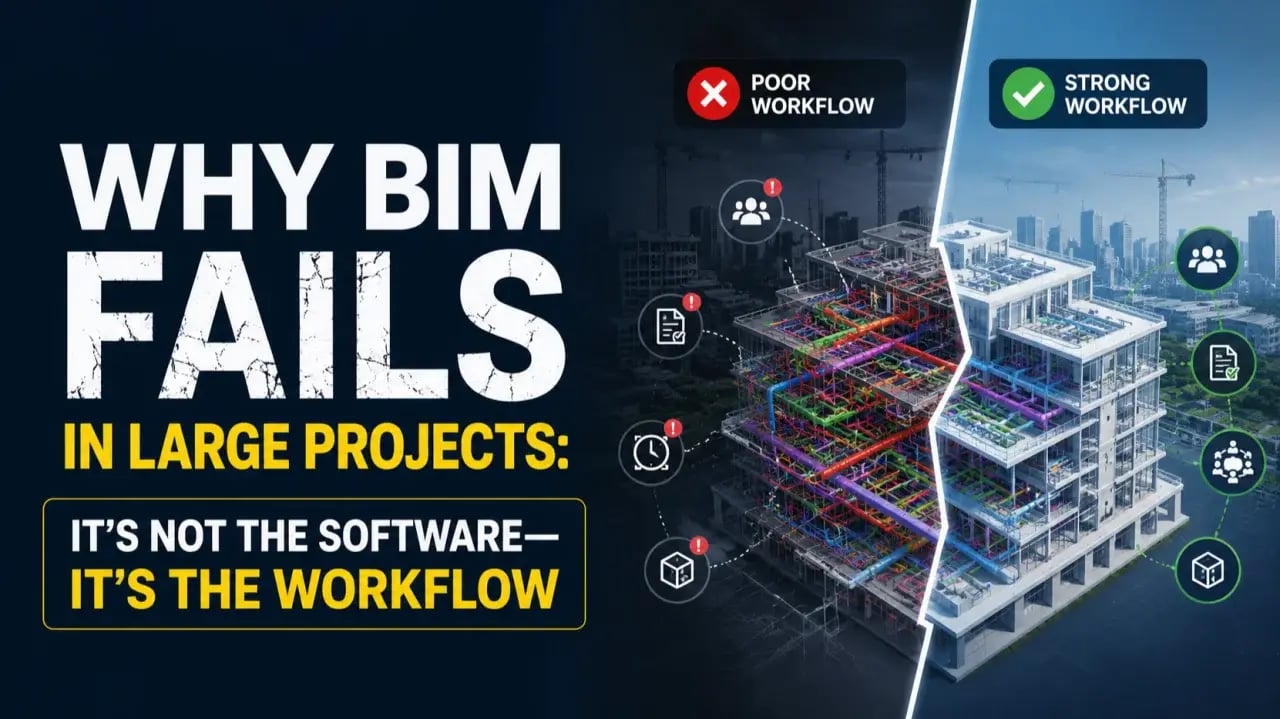
BIM workflows disintegrate when the technology and the people using it do not align. So, while [BIM enables seamless coordination](https://www.novatr.com/blog/bim-coordination-vs-traditional-coordination-and-why-bim-coordination-is-better), here are the most common reasons why it can fail:
**Lack of BIM Standards:** In the absence of accurate modelling standards, naming conventions, and documentation protocols, every team may follow a different approach. This often leads to confusion, chaos, and patchy coordination across the project lifecycle.
**Poor Collaboration:** BIM relies on architects, engineers, contractors, and consultants working together. Delayed communication, isolated workflows, or limited data sharing can cause design conflicts and project delays.
**Incorrect Models:** When teams do not update the central model regularly, others may continue working with outdated information. This raises the likelihood of errors and discrepancies during construction.
**Limited BIM Skills:** BIM software is only as effective as the professionals using it. Insufficient training or a lack of understanding of BIM processes can lead to inaccurate modelling, weak workflows, and missed project requirements.
**Resistance to Process Changes:** Implementing BIM coordination requires organisations to change long-established workflows. When teams continue following traditional methods instead of adopting collaborative [BIM practices](https://www.novatr.com/blog/what-is-building-information-modeling-bim), the workflow becomes fragmented and loses efficiency.
## **What Are the 5 Most Common BIM Workflow Mistakes?**
Even with the right [BIM software](https://www.novatr.com/blog/8-popular-bim-software) stack and skilled professionals, AEC projects can experience workflow issues. Let’s explore the 5 most common BIM workflow mistakes and how to dodge them:
| **Mistake** | **Impact** | **How to Avoid** |
| --- | --- | --- |
| Underutilizing BIM | Limits BIM to 3D modelling, reducing collaboration, coordination, and project insights. | Use BIM across design, coordination, documentation, and project management. |
| Poor Quality Modelling | Creates inaccurate models, leading to coordination issues and costly rework. | Follow BIM standards, conduct regular model reviews, and maintain data accuracy. |
| Inconsistent Data Management | Causes outdated information, duplicate files, and version conflicts. | Use a Common Data Environment (CDE) with standardised naming and version control. |
| Irregular Communication | Delays decision-making and increases the risk of design conflicts. | Hold regular coordination meetings and share model updates consistently. |
| Integration with Other Workflows such as 4D BIM and 5D BIM | Results in manual work, disconnected data, and reduced project efficiency. | Integrate BIM with scheduling, costing, and project management tools. |
## **How Do Standards and Collaboration Prevent Costly Errors?**
BIM projects rely on multiple teams working on the same project data throughout the design and construction lifecycle. This applies using proper software, [BIM standards](https://www.novatr.com/blog/bim-standards-and-best-practices-for-architects), and BIM collaboration processes that help avoid expensive rework. Here’s how this can be achieved:
**Uniform Modelling Methods:** Setting a project-wide modelling protocol for object parameters, detailing, and documentation ensures that every team member creates and interprets models in the same way. Aligning these standards with frameworks such as ISO 19650 improves model quality and abates coordination mistakes.
**Common Data Environment (CDE):** A Common Data Environment such as Autodesk Cloud Collaboration provides a central location where project information, models, drawings, and documents are stored. Using a single point of information helps teams avoid duplicate files, outdated information, and version conflicts.
**Regular Coordination Meetings:** Frequent coordination sessions allow project stakeholders to review project progress and resolve issues before they affect downstream activities. This keeps the entire team in sync throughout the BIM workflow.
**Clash Detection:** Routine BIM model coordination helps identify conflicts between architectural, structural, and [MEP systems](https://www.novatr.com/blog/top-common-mep-engineering-challenges) before construction starts. Resolving these issues reduces rework, delays, and unexpected project costs.
**Defined Roles:** Assigning responsibilities for model creation, review, and approvals ensures accountability across the project team. When everyone understands their job, information flows more efficiently, and collaboration becomes more effective.
## **Which Tools Help Improve BIM Workflow Efficiency?**
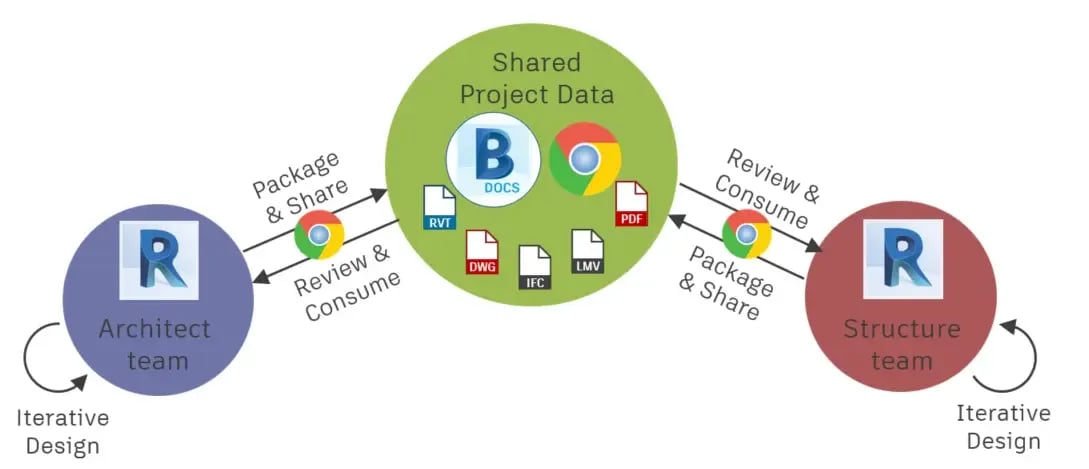
BIM modelling software offers a dashboard where professionals can view, modify, and manage project components. They also help in enhancing construction documentation and keep project information consistent across teams. Let’s explore the key BIM tools that enhance operational efficiency:
**Revit:** It is one of the most widely used BIM authoring tools for architectural, structural, and MEP modelling. [Revit software](https://www.novatr.com/blog/detailed-revit-guide) can generate coordinated drawings, schedules, and quantities from a unified model and maintain precise project documentation.
**Navisworks:** It enables teams to combine discipline-specific models for coordination, clash detection, and construction simulation. Identifying design conflicts before construction helps minimise rework and project delays.
**Revizto:** Revizto streamlines BIM coordination by bringing drawings and issue tracking onto a collaborative platform. It allows project teams to assign tasks, monitor progress, and resolve design conflicts more efficiently.
**Autodesk Forma:** This software supports conceptual and schematic phases of architecture and urban design projects. Its key features include site analysis, study of environmental factors, and building performance.
**Autodesk Model Checker:** Conceived on Forge, a cloud-based developer platform, this tool automates BIM model validation. It allows professionals to check BIM files against predefined standards and project requirements to streamline BIM workflow.
**Solibri:** Solibri is a quality assurance tool that validates BIM models for rule compliance, data accuracy, and coordination issues. It enables project teams to identify errors early and improve the reliability of project information.
**Autodesk Construction Cloud (ACC):** [ACC](https://www.novatr.com/blog/autodesk-construction-cloud-acc-complete-guide) provides a cloud-based CDE where teams can store and manage project information. It improves collaboration by ensuring all stakeholders always work on the latest project data.
## **How Can Teams Build Better BIM Workflows?**
Building a practical BIM workflow depends on set processes, project coordination standards, and clear communication. Below are the key measures that can aid professionals in creating their workflow:
**Define Project Guidelines:** Establish modelling standards, file structures, and documentation protocols before commencing the project. A uniform approach helps teams work with clarity of thought and achieve timely milestones.
**Assign Responsibilities:** Every stakeholder should understand their scope, deliverables, and timelines. Explaining responsibilities for architects, engineers, contractors, and [BIM managers](https://www.novatr.com/blog/guide-to-become-bim-manager) improves accountability and prevents duplication of work.
**Use a Common Data Environment:** An integrated platform ensures all project information and documents can be accessed from one location. This confirms every team member works with the latest project data and reduces version control issues.
**Host Coordination Reviews:** Schedule coordination meetings to review models, discuss design changes, and resolve clashes. Frequent reviews help identify issues early and keep the project aligned with its objectives.
**Leverage BIM Collaboration Tools:** Software such as Autodesk Construction Cloud, Revizto, and [Navisworks](https://www.novatr.com/blog/navisworks-type) streamlines model sharing, clash detection, issue tracking, and communication between disciplines. These tools improve coordination and support informed decision-making.
**Invest in Continuous BIM Training:** BIM workflows continue to evolve alongside new software capabilities and industry standards. Regular upskilling helps teams stay competent and follow best practices, adopt efficient workflows, and make better use of BIM technologies.
Enrolling in a comprehensive BIM training such as [Novatr’s BIM Professional Program](https://www.novatr.com/courses/bim-professional-program?utm_source=organic_search&utm_medium=blog&utm_campaign=) can also enhance workflows and offer practical tips for real-world projects.
BIM is Advancing. Are You?
Get BIM certified and open doors to a better career.
Join the Program
## **Conclusion**
The most ambitious AEC projects in the world are deploying BIM workflows to streamline their processes. Therefore, companies such as Foster + Partners, AECOM, and Populous actively hire BIM professionals who can lead their projects. This means individuals skilled in BIM are more likely to bag lucrative job roles with higher pay opportunities.
We suggest you explore the [BIM Professional Program](https://www.novatr.com/courses/bim-professional-program?utm_source=organic_search&utm_medium=blog&utm_campaign=) by [Novatr](https://www.novatr.com/). The course curriculum covers BIM fundamentals, data-driven workflows, cross-disciplinary impact, project documentation, and client-ready deliverables. The program is taught by seasoned professionals who share insights in the form of case studies and real-world challenges in digital construction. Students also learn how to apply their knowledge through capstone projects, while also receiving placement support in top AEC firms.
Explore the [course](https://www.novatr.com/courses/bim-professional-program?utm_source=organic_search&utm_medium=blog&utm_campaign=) today!
For additional industry insights and learning resources, join us on our **[WhatsApp channel](https://whatsapp.com/channel/0029Vb7Gy2LBFLgMx79j7B1b)** or visit our **[Resources Page](https://www.novatr.com/learning-hub)** to learn about the latest trends in architecture and engineering.
## **FAQs**
### **1. Why do BIM workflows fail?**
BIM workflows often fail due to poor planning, inconsistent modelling standards, communication gaps, and ineffective collaboration among project teams.
### **2. What causes BIM coordination issues?**
BIM coordination issues arise when project models are not regularly updated, reviewed, or shared using a common set of standards and workflows.
### **3. How can BIM workflow mistakes be avoided?**
BIM workflow mistakes can be prevented by establishing clear standards, using collaborative BIM tools, conducting regular model reviews, and maintaining effective team communication.
Was this content helpful to you
Like Yes
Dislike No

TABLE OF CONTENTS
BIM Is The New Standard. Are You Certified?
Get Certified in BIM
SHARE ON YOUR SOCIALS
Link Copied Successfully
Related articles
[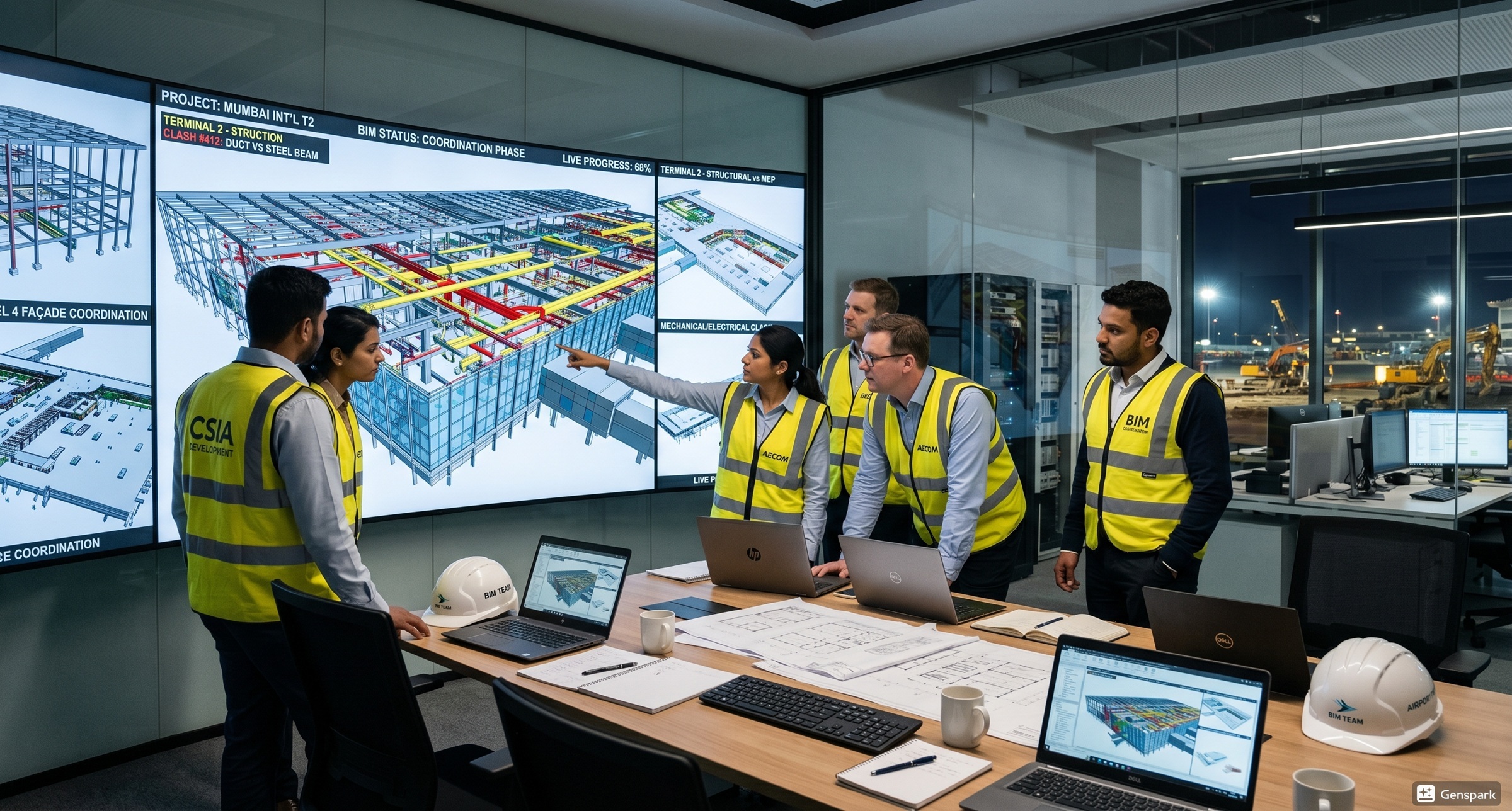 BIM Civil How Mumbai Airport Use BIM for Coordination? 28 May 2026 7 min read](https://blog.novatr.com/blog/bim-in-mumbai-airport-t2-coordination-explained) [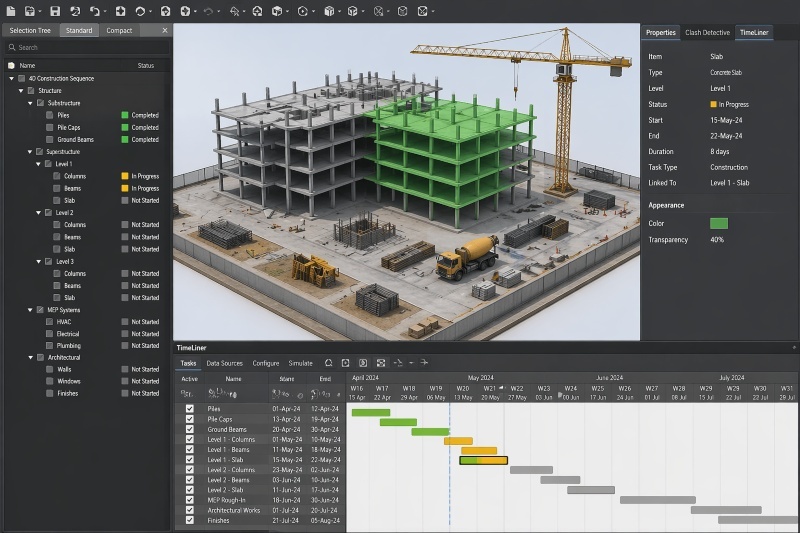 BIM Civil How Construction Sequencing Works in BIM: A Practical Guide 30 April 2026 6 min read](https://blog.novatr.com/blog/how-construction-sequencing-works-in-bim-a-practical-guide) [.png) BIM Archi Keyboard Shortcuts and Productivity Hacks in Autodesk Construction Cloud 12 May 2026 4 min read](https://blog.novatr.com/blog/autodesk-construction-cloud-shortcuts-for-productivity) [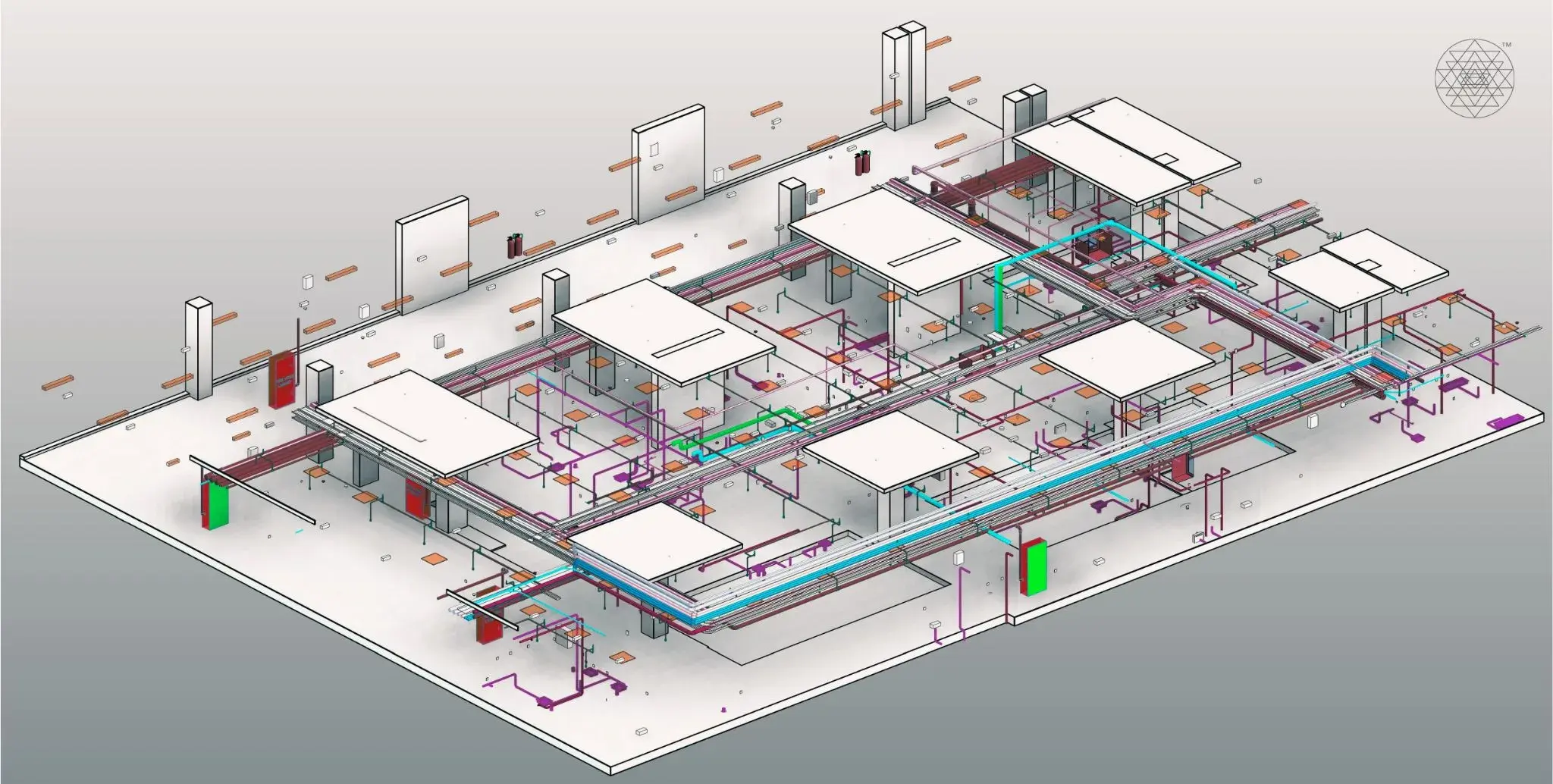 BIM Civil BIM Coordination vs Traditional Coordination? And Why BIM Coordination is better? 28 April 2026 5 min read](https://blog.novatr.com/blog/bim-coordination-vs-traditional-coordination-and-why-bim-coordination-is-better)
Download Syllabus
## BIM Professional Program
Next Cohort
June 2026
Program Duration
7 Months
Premium Program benefits
8 Credentials from Autodesk, NSDC, Novatr
1 program. 10 career paths. Infinite Growth.
40+ ISO 19650 & RIBA real-world projects to practice
1-on-1 guidance. Access 400+ industry experts.
Access the biggest AEC-Tech community on the planet. 8500+ and counting
Curated for you by 100+ global BIM leaders.
Lifelong access to course content
Enter your details to download the program syllabus.
##### BIM Professional Program
June 2026, 7 Months
Your Name Invalid name.
Phone Number Enter a valid phone number
Email Please enter a valid email address.
Select years of experience\* Currently studying 0-1 years 1-2 years 2-4 years 4-8 years 8-10 years 10-12 years 12+ years Invalid selection.
Specialisation Select your background\* Architecture Civil Engineering Mechanical Engineering Electrical Engineering Invalid selection.
Are you professionally trained in interior design?
Yes
No
I agree to the [Terms of Use](https://www.novatr.com/terms-and-conditions) and [Privacy Policy](https://www.novatr.com/privacy-policy), and consent to be contacted by Email, Call, WhatsApp, or SMS.
Submit
Ready to skyrocket your career?
Begin your next chapter in AEC
with Novatr!
We are here to help you take the industry by storm with advanced, tech-first skills.
[Explore Courses](https://www.novatr.com/#courses)
Join our newsletter
Submit
Thank you for signing up.
We’ll send you a nice letter once per week. No spam.

Dare to Disrupt.
Join thousands of people who organise
work and life with Novatr.
Company
- [About Us](https://www.novatr.com/about)
- [BIM Professional Program v.2026](https://www.novatr.com/courses/bim-professional-program)
- [Masters Computational Design](https://www.novatr.com/courses/computational-design)
- [Become a Mentor](https://www.novatr.com/apply-as-mentor)
- [Hiring from Us](https://www.novatr.com/hire-from-us)
- [Careers at Novatr](https://www.novatr.com/career)
Resources
- [Blog](https://www.novatr.com/learning-hub)
- [Media Room](https://www.novatr.com/media-room-home-page)
- [Career Builder](https://www.novatr.com/career-navigator)
- [Events & Webinars](https://www.novatr.com/webinars)
- [FAQs & Support Center](https://www.novatr.com/contact-us)
- [Contact Us](https://www.novatr.com/contact-us)
- [Privacy Policy](https://www.novatr.com/privacy-policy)
- [Terms of Use](https://www.novatr.com/terms-and-conditions)
©2023 Oneistox Network Pvt. Ltd.
All Rights Reserved
```json
{
"@context" : "https://schema.org",
"@type" : "BlogPosting",
"author" : {
"@type" : "Person",
"name" : "Pragya Sharma",
"url" : "https://blog.novatr.com/blog/author/pragya-sharma"
},
"dateModified" : "2026-07-24T11:21:18.973Z",
"datePublished" : "2026-07-24T09:49:57.000Z",
"headline" : "Top 5 Common BIM Workflow Mistakes and Their Solution {{year}}",
"image" : [ "https://blog.novatr.com/hubfs/ChatGPT%20Image%20Jul%2024%2c%202026%2c%2003_19_20%20PM.png" ],
"mainEntityOfPage" : {
"@id" : "https://blog.novatr.com/blog/top-5-common-bim-workflow-mistakes-and-their-solution",
"@type" : "WebPage"
},
"publisher" : {
"@type" : "Organization",
"logo" : {
"@type" : "ImageObject",
"url" : "https://blog.novatr.com/hubfs/Novatr%20Prev%20OX-2.svg"
}
}
}
```