---
title: Everything You Need to Know About Best Revit Plugins & Add-Ins in 2026
description: Learn about the process of installing Revit plugins and add-ins. Discover the best plugins for BIM professionals to improve productivity and workflow.
image: https://blog.novatr.com/hubfs/Revit%20render%20of%20a%20structure.webp
---
[Blogs](https://www.novatr.com/learning-hub)
- [Architecture & Construction](https://www.novatr.com/learning-hub?category=Architecture+%26+Construction)
- [BIM](https://www.novatr.com/learning-hub?category=BIM)
- [Computational Design](https://www.novatr.com/learning-hub?category=Computational+Design)
- [Company News](https://www.novatr.com/learning-hub?category=Company+News)
- [Expert Talks](https://www.novatr.com/learning-hub?category=Expert+Talks)
Explore Courses
[Just Launched  BIM Professional Program v.2026 Take your career to the next level by mastering the real-world application of BIM. Know More](https://www.novatr.com/courses/bim-professional-program)
[ Master Computational Design Course Break into an advanced career by learning to apply the power of computation to the art of design. Know More](https://www.novatr.com/courses/computational-design)
[Blogs](https://www.novatr.com/learning-hub)
Explore Blogs
- [Architecture & Construction](https://www.novatr.com/learning-hub?category=Architecture+%26+Construction)
- [BIM](https://www.novatr.com/learning-hub?category=BIM)
- [Computational Design](https://www.novatr.com/learning-hub?category=Computational+Design)
- [Company News](https://www.novatr.com/learning-hub?category=Company+News)
- [Expert Talks](https://www.novatr.com/learning-hub?category=Expert+Talks)
Courses
- [BIM Professional Program v.2026](https://www.novatr.com/courses/bim-professional-program)
- [Master Computational Design](https://www.novatr.com/courses/computational-design)
- [BIM/](https://www.novatr.com/learning-hub?category=BIM) [BIM/](https://www.novatr.com/learning-hub?category=BIM)
Featured Article
# Best Plugins and Add-Ins of Revit in 2026
.jpg)
Sukanya Bhattacharjee
July 15, 2024
17 min read


[**Autodesk Revit**](https://blog.novatr.com/blog/detailed-revit-guide) is a powerful [**BIM (Building Information Modelling)**](https://www.novatr.com/blog/detailed-bim-guide) tool being extensively used in the AEC (Architecture, Engineering, and Construction) industry. Architects, engineers, and construction professionals use Revit for detailed creation of 3D models. While comes with robust in-built features and capabilities, professionals can significantly enhance its functionalities by integrating Revit plugins and add-ins.
From [**Dynamo for Revit**](https://blog.novatr.com/blog/dynamo-for-revit) to TwinMotion, these plugins and add-ins can take your projects to the next level. So, whether you are looking to automate repetitive tasks or improve design accuracy, these tools can help you do just that.
Read the blog further to delve into the world of the best Revit add-ins and plugins to optimise your workflow and improve project outcomes.
Unlock High-Paying Careers With BIM
Master BIM workflows, software and skills on real projects.
Apply Now
\*Limited seats available
## **Best Revit Plugins & Add-Ins for BIM Professionals (Free)**
Here is our curated list of top Revit add-ins and plugins that are available for free. Each plugin is accompanied by a description of its capabilities, making it easy to identify the ones that suit your specific needs.
### **1. Dynamo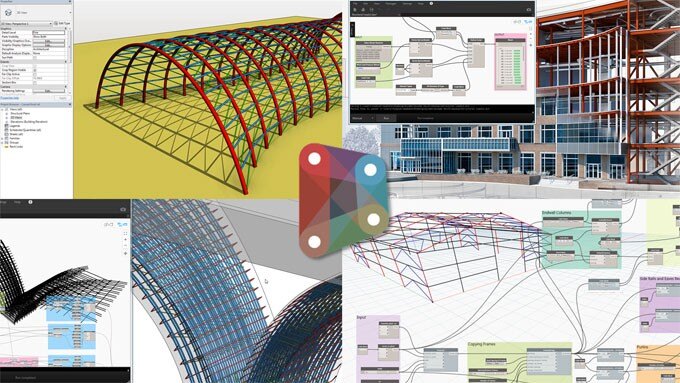**
Dynamo for Revit is a popular plugin among Revit users, serving as a visual programming language tailored for Revit. It helps create parametric designs and automate various processes. With Dynamo, users can design models with intricate geometries, reduce human error, and efficiently automate and export data.
Dynamo requires minimum programming knowledge. So, instead of writing code, users can create programs by manipulating 'nodes.' These nodes establish relationships and action sequences, leading to the final design. It can be used as an open-source tool in stand-alone mode or as a Revit plugin, making it an essential tool in the BIM workflow.
**Pros:**
- Requires minimum coding knowledge
- User-friendly node-based interface
- Automates repetitive tasks
- Supports easy adjustment with parametric design
- Free to use
**Cons:**
- Steep learning curve
- Requires a powerful system
- Potential compatibility issues with updates
### **2. PyRevit**
Have you ever noticed small issues in Revit that seem irrelevant yet hinder your workflow? PyRevit, a Rapid Application Prototyping (RAD) environment for Revit, offers solutions to such common challenges faced by Revit users. It is by far one of the best free plugins for Revit. Many users favour pyRevit because:
- **Batch Sheet Maker:** Quickly produces multiple sheets, addressing a task that Revit alone struggles to handle efficiently.
- **Revisions on Multiple Sheets:** Allows you to activate revisions across multiple sheets simultaneously.
- **Sync Views to Zoomed Area:** Ensures all views are aligned to the same zoomed area, eliminating the need to repeatedly zoom and pan.
Moreover, pyRevit allows users to sketch out any automation process or add-on ideas using its APIs (Application Programming Interfaces). It also supports tool distribution across the team through a unified interface.
**Pros:**
- Easily creates custom tools and scripts
- Supports collaboration
- Free and open-source
- Requires minimum coding knowledge
- User-friendly node-based interface
- Automates repetitive tasks
**Cons:**
- Dependence on Revit for functionality
- Steep learning curve
- Requires a robust computer system
- Potential issues with Revit updates
> *Also Check out: [Advanced Revit and BIM Techniques](https://www.novatr.com/blog/advanced-revit-and-bim-techniques)*
### **3. Rhino.Inside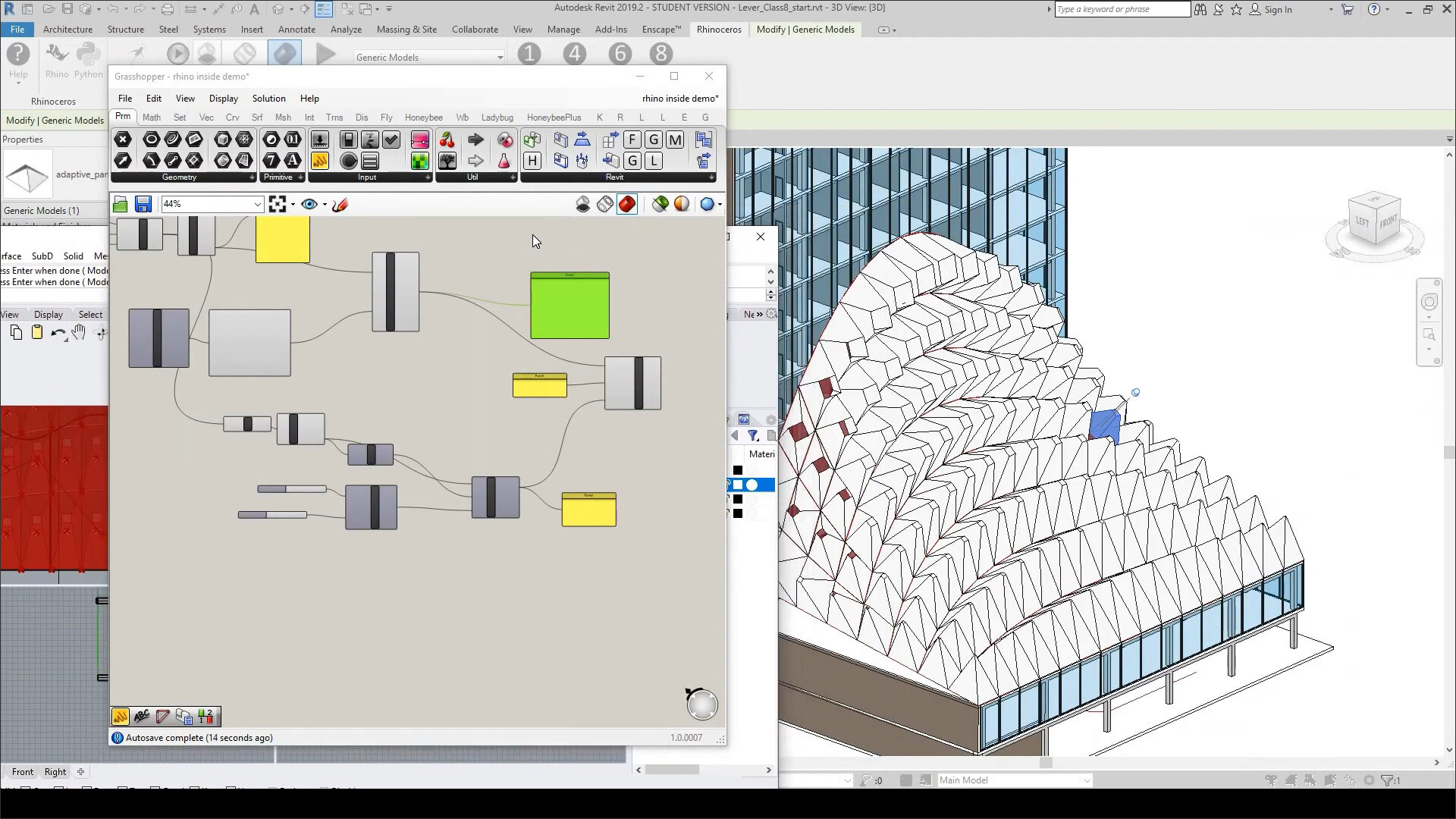**
[**Rhino.Inside**](https://blog.novatr.com/blog/rhino-inside-revit) offers a powerful integration of Rhino and Revit, enhanced by Grasshopper, Rhino's most popular plugin. This combination provides essential tools to link BIM technology with Rhino’s free-form modelling, unlocking numerous design possibilities and workflows.
With [**Rhino.Inside**](https://www.novatr.com/blog/rhino-inside-revit), architects can use Revit’s APIs alongside Grasshopper and Rhino plugins. This integration allows the creation of native models using Revit components and Grasshopper scripts, streamlining the BIM workflow for parametric design. It ensures smooth and intuitive information transfer between these tools. The best part? Architects don’t need to know coding languages or be computational design experts to leverage Rhino.Inside for their projects.
**Pros:**
- Enhances design possibilities with free-form modelling
- Streamlines parametric design workflows
- Requires no coding knowledge
- Free to use
**Cons:**
- Steep learning curve
- May slow down with complex models and large projects
- Potential issues with software updates
- Dependence on multiple software platforms for full functionality
### **4. BIMprove**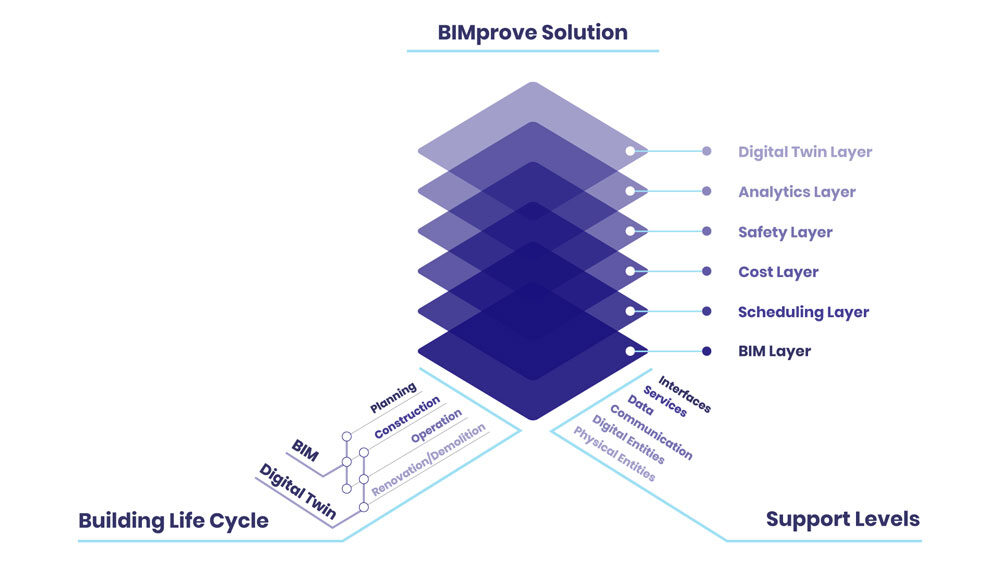
BIMprove is a versatile toolset available in the Revit add-ons market, offering a range of applications that address specific needs. Unlike other tool combinations, BIMprove's capabilities cover six distinct areas:
- **Geometry Converter:** Converts almost any geometry in a Revit model into a [**Revit Family**](https://www.novatr.com/blog/revit-families-guide)element.
- **Bind Leader:** Enhances the accuracy and clarity of annotations by aligning text leader arrows to the nearest point of a specific element.
- **Hide DWG:** Allows you to remove visual clutter during element placement by hiding all DWG links with a single button.
- **Ribbon Manager:** Organises interface elements by consolidating all buttons in a Revit ribbon into a single tab, drastically reducing clutter.
- **Set Point Cloud Normals:** Improves model visualisation by converting point clouds to a specific colour mode (Normals).
- **Wipe View Template:** Simplifies the process of removing all view templates from a Revit model.
**Pros:**
- Automates repetitive tasks, leading to faster project completion
- Offers customisation options to fit specific project requirements
- Helps maintain consistency and standardisation across projects
- Easy to navigate and use
- Provides advanced visualisation options
- Frequent updates ensure compatibility with the latest Revit versions
- Free to use
**Cons:**
- Requires time to understand and use all features effectively
- Potential slowdown with complex tasks or large models
### **5. Naviate LT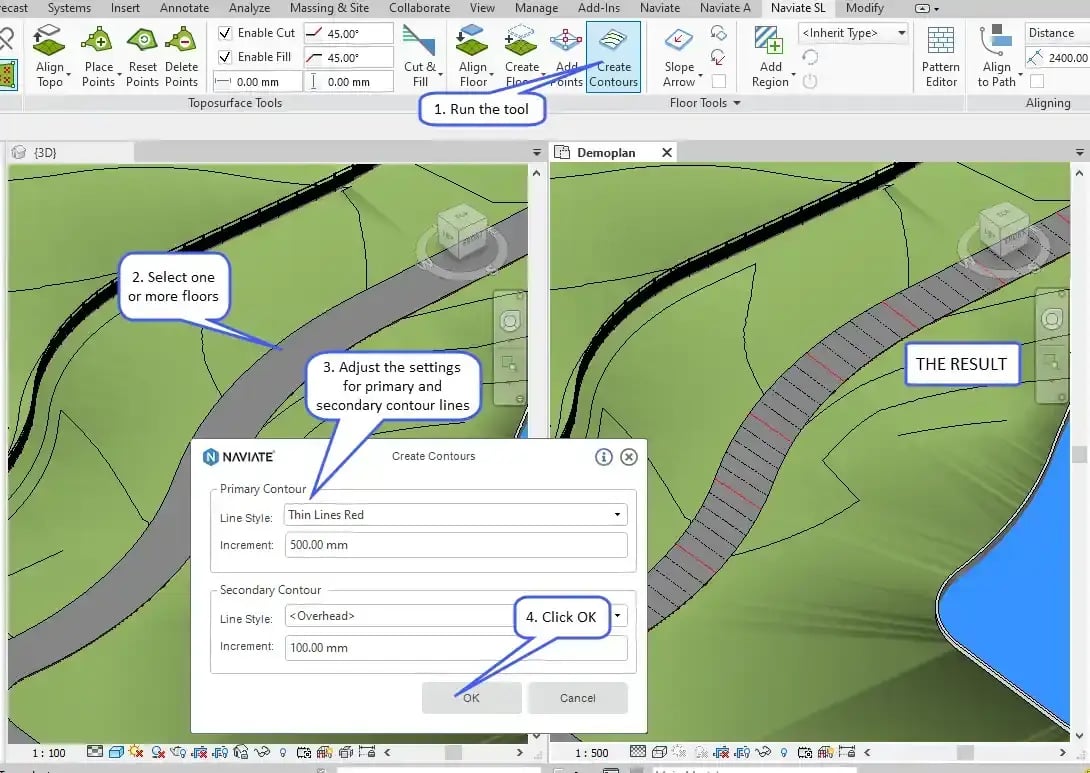**
Naviate LT is technically a suite of applications, though it is commonly presented as a single solution. This add-on enhances workflow management by automating various tasks, streamlining the production of MEP (Mechanical, Electrical, and Plumbing) models, improving documentation processes, and boosting overall project efficiency. Naviate LT is among the few solutions in this market that has undergone rebranding; it was formerly known as Microdesk Accelerator, demonstrating its ability to evolve and adapt to market needs.
**Pros:**
- Automates repetitive tasks, saving time and effort
- Increased efficiency through various integrated tools
- Improves documentation workflows
- Supports collaboration
- Offers customisation templates and settings
- Regular updates and support from the developer
- Free to use
**Cons:**
- Complex to learn and navigate for new users
- Potential compatibility issues with other software or specific workflows
- Requires time and training to fully leverage its capabilities
- Resource intensive
- May be expensive compared to other tools
### **6. Family Editor Interface**
The Family Editor Interface is a specialised Revit add-on developed by the renowned Revit software creator, Archilizer. This tool simplifies the process of creating and editing Families in Revit by offering a straightforward and intuitive interface. It allows for seamless parameter modification at any time, significantly improving user experience and efficiency. Additionally, the tool can automatically detect newly added Families and prompt users to refresh their documents, ensuring they always have the most current information on Revit Families across various projects.
**Pros:**
- Automatically detects newly added Families and prompts users to refresh
- User-friendly interface, making it easier to create and edit Families
- Allows for quick modification of parameters, enhancing workflow efficiency
- Maintains consistency across projects by keeping Family data current and synchronised
- Streamlines the process of managing Families
- Free to use
**Cons:**
- Steep learning curve
- Potential compatibility issues with certain versions of Revit or other add-ons
- Resource intensive
- While it enhances Family editing, it may not address other aspects of Revit project management
- May add additional costs for users needing to purchase the add-on separately
## **Best Revit Add-Ins & Plugins for BIM Professionals (Paid)**
### **1. Enscape**
Enscape is user-friendly a Revit plugin and provides seamless control without needing to export files. By integrating high-quality visualisation with [**BIM modelling**](https://www.novatr.com/blog/what-is-bim-for-architects), Enscape offers real-time rendering and walkthroughs, enabling immediate assessments during meetings with stakeholders and clients, thus expediting the problem-solving process.
Operating directly within [**Revit**](https://www.novatr.com/blog/detailed-revit-guide), Enscape utilises Revit materials and includes features for adjusting grass, clouds, and time of day, eliminating the need for separate rendering materials. Its export function allows users to create standalone render files, panoramas, and videos for team and client sharing, including batch export capabilities. Enscape also enhances Revit’s collaboration features with an annotation tool, ensuring continuous communication within the team.
**Pros:**
- Real-time rendering with immediate visual feedback
- Intuitive with a minimum learning curve
- Offers various export options, including standalone render files, panoramas, videos, and batch export
- Supports collaboration
- Produces high-quality visualisations
**Cons:**
- Requires a robust system
- Limited advanced features
- Steep learning curve
- May slow down with complex models and large projects
**Price:**
- Starting at $46/month for a fixed-seat licence or $79/month for a single floating licence per year
### **2. TwinMotion**
[**TwinMotion is an emerging rendering engine**](https://www.novatr.com/blog/dynamo-for-revithttps://www.novatr.com/blog/twinmotion-software) that offers high-quality renders and impressive accuracy compared to more well-known software. One of its standout features is its integration with Unreal Engine, which allows users to elevate their renders to an even higher level of detail and realism. It provides a user-friendly interface and robust toolset, making it a compelling choice for those seeking an alternative to V-Ray or similar competitors. Its features include real-time rendering, seamless navigation, and an extensive library of materials and assets. Additionally, [**TwinMotion**](https://www.novatr.com/blog/twinmotion-vs-lumion) supports direct synchronisation with various BIM and CAD software, including Revit, [**SketchUp**](https://www.novatr.com/blog/revit-vs-sketchup), and [**ArchiCAD**](https://www.novatr.com/blog/revit-vs-archicad), enhancing its versatility in different design environments. The software is capable of producing photorealistic images, panoramas, and VR content, making it a versatile tool for architectural visualisation, [**urban planning**](https://www.novatr.com/blog/benefits-of-bim-in-urban-planning), and landscaping.
**Pros:**
- Instant visual feedback with premium real-time rendering
- User-friendly interface
- Offers an extensive asset library
- Frequent updates
- Seen as a budget-friendly alternative to other high-end rendering engines
**Cons:**
- Demands powerful hardware for optimal performance
- Limited advanced features and customisation options
- May experience slowdowns with large models
- While basic use is straightforward, mastering advanced features and managing complex projects can take time
- While it supports many file types, some users might experience compatibility issues with less common formats.
**Price:**
- The free plan comes with generous features for individuals and small businesses
- TwinMotion seats plan costs $367/seat/year
- The unreal plan costs $1527/seat/year and comes with Unreal Engine and Reality Capture
> *Also Check out: [Everything You Need to Know About BIM and Architectural Visualisation](https://www.novatr.com/blog/bim-and-architectural-visualisation)*
### **3. Ideate**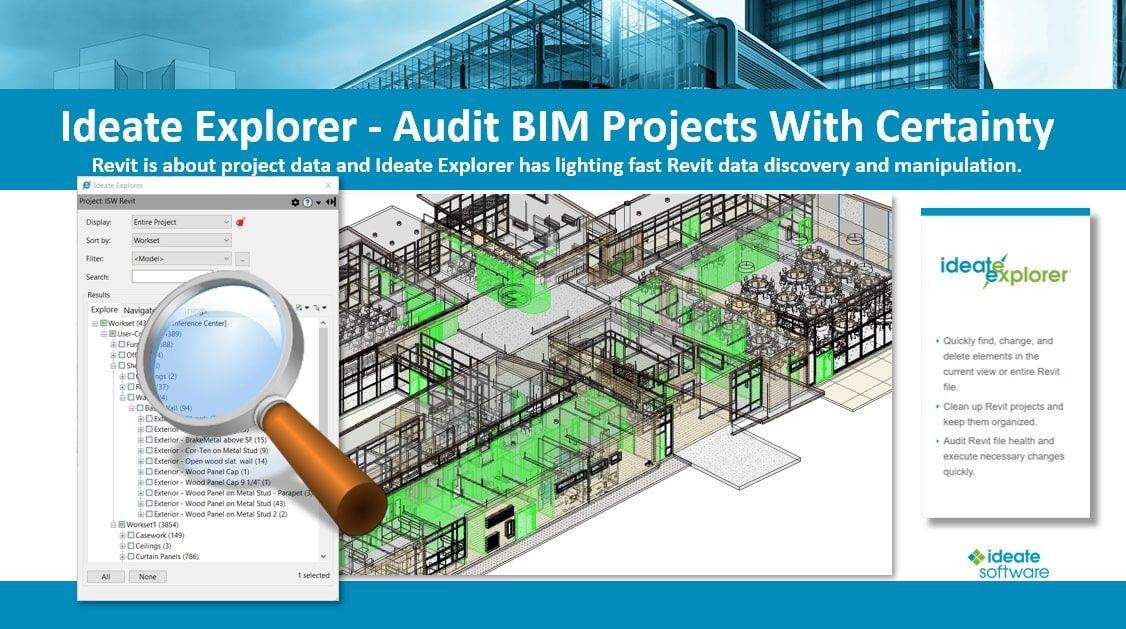
Ideate is a powerful Revit plugin renowned for its array of features that enhance workflows. While not an official Autodesk Revit plugin, Ideate integrates dynamically with Revit to streamline processes and improve efficiency. Its standout tool, Warnings Manager, provides a comprehensive overview of project warnings, such as overlapping walls or geometry issues, and allows users to efficiently sort and prioritise them. A key highlight is the ability to colour-code warnings, enabling quick identification of critical problems that need immediate attention.
The Ideate plugin suite addresses a variety of Revit needs and enhances overall productivity. Key plugins include:
- **Ideate Sticky**: This tool simplifies data linking with Revit models, which is particularly useful for integrating non-BIM data from Excel or Word files.
- **Ideate BimLink**: Facilitates seamless data export and import between Revit and Excel, ensuring accurate and efficient data management.
- **Ideate Apps**: A versatile collection of smaller apps designed to tackle specific, repetitive tasks in Revit, significantly boosting efficiency and productivity.
- **Ideate StyleManager**: Streamlines the organisation of style issues, reducing clutter and making it easier to maintain a clean and error-free model.
**Pros:**
- User-friendly interface
- Improved collaboration
- Robust management and organisation capabilities
- Automates repetitive tasks
- Offers a range of customisable features
- Provides extensive support resources
**Cons:**
- Features and tools may be overwhelming for beginners
- May lead to a performance slowdown
- Limited advanced features
- Requires frequent updates
- As a premium set of tools, Ideate plugins may be expensive for smaller firms or individual users
**Price: **
- Costs $495 per year for a single licence with a 30-day free trial
### **4. V-ray**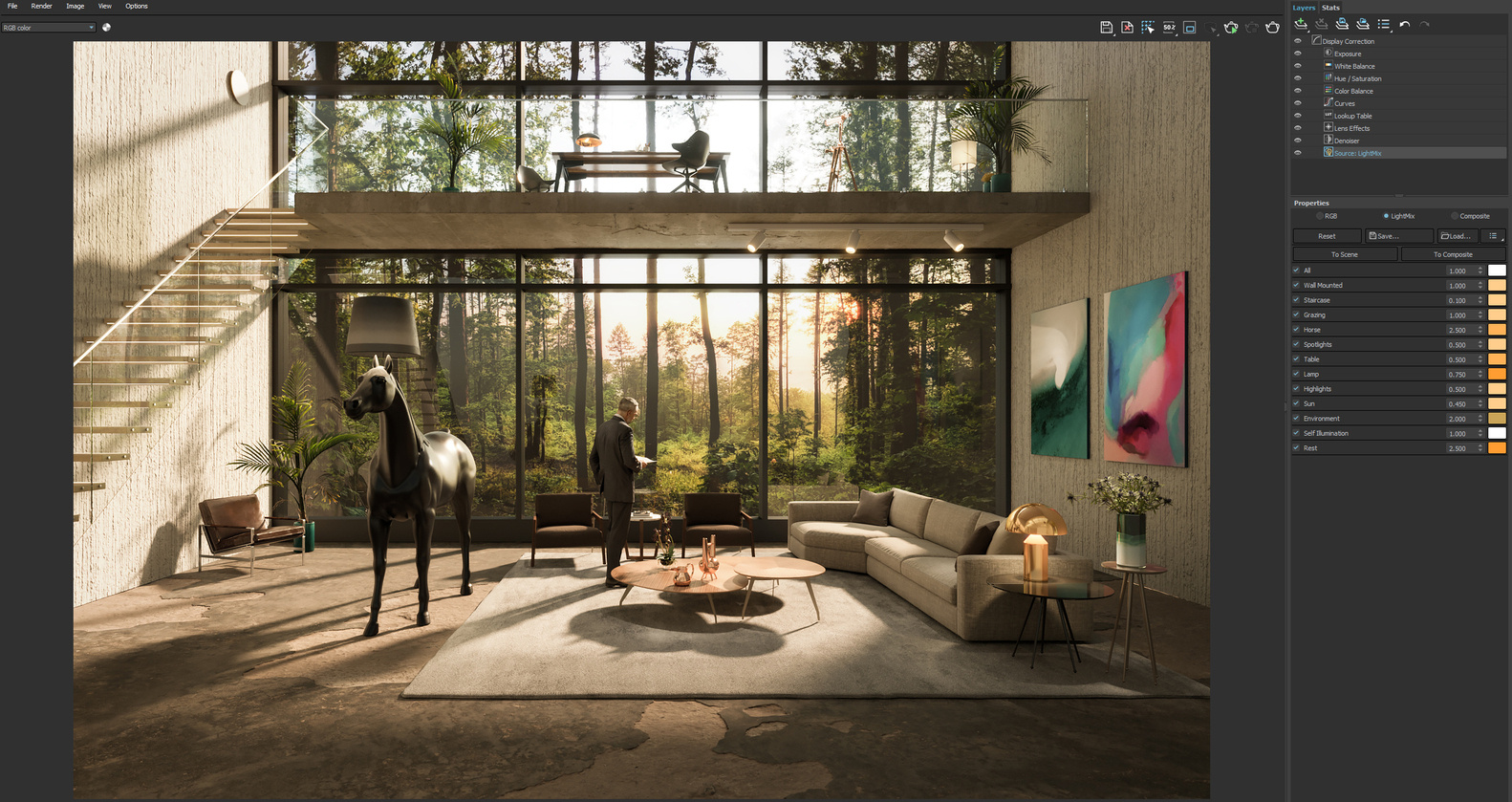
V-Ray is a renowned third-party [**3D architectural rendering**](https://www.novatr.com/blog/3d-architecture-rendering) engine widely recognised for its speed and detail, producing nearly photorealistic renders efficiently. Available for Revit, SketchUp, 3ds Max, and other platforms, V-Ray integrates seamlessly as a plugin, allowing users to perform all rendering tasks within their preferred software environment—a significant advantage for many. Despite its high level of detail, V-Ray is optimised for speed, allowing users to generate high-quality renders quickly. It supports a wide range of software applications beyond Revit, SketchUp, and [**3ds Max**](https://www.novatr.com/blog/rhino3d-vs-3dsmax), including [**Rhino**](https://www.novatr.com/blog/ultimate-guide-to-rhino-3d), Maya, and Cinema 4D.
**Pros:**
- Offers real-time rendering
- Produces high-quality photorealistic renders
- Advanced lighting and materials
- Extensive support resources
- Offers extensive customisation options
- Frequent updates
**Cons:**
- Steep learning curve
- Requires a powerful system
- May experience slowdowns with large models
- As a high-end rendering engine, V-ray may be expensive for smaller firms or individual users
**Price:**
- V-ray solo plan costs $42/month for one computer
- V-ray premium costs $59/month for complete visualisation
- V-ray enterprise costs $49/month/licence for bigger businesses
### **5. Guardian**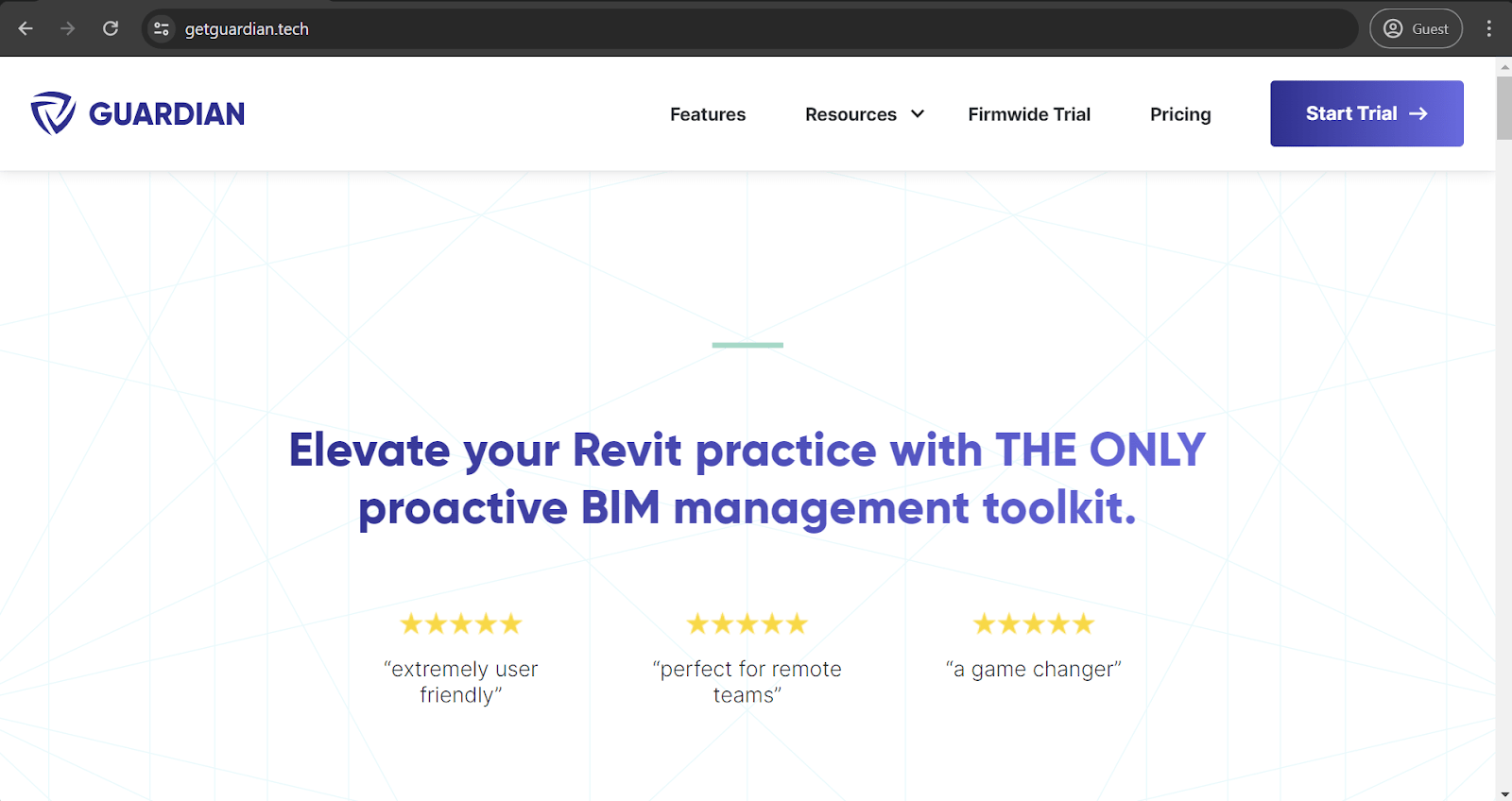
The Guardian app is an essential tool for managing the human element in complex BIM systems. This Revit plugin empowers administrators to implement custom warnings for critical actions, such as deleting important files and effectively preventing costly errors. While custom warnings is the feature that Guardian is renowned for, the app also boasts a suite of advanced functionalities. These include mandatory password protection for sensitive actions, comprehensive mapping elements, and a range of additional features designed to enhance system security and workflow efficiency.
**Pros:**
- Features password protection for sensitive operations, adding an extra layer of security
- Offers robust user management capabilities
- Includes various mapping elements to streamline workflows
- Provides a range of customisable features
- Improves overall project efficiency by automating warnings and user prompts
- Provides real-time monitoring and alerts
- Suitable for both small and large BIM projects
- Supports collaboration
- Receives regular updates and improvements from the developer
**Cons:**
- The extensive features and customisable options may be overwhelming for new users
- Steep learning curve
- May impact system performance
- Potential compatibility issues with other Revit plugins or older versions of Revit
- Users may become overly dependent on the tool for error prevention
- May involve additional expenses for purchasing and maintaining the plugin
**Price:**
- Cost $3950 for the base package and comes with a 30-day free trial
### **6. RushForth Tool**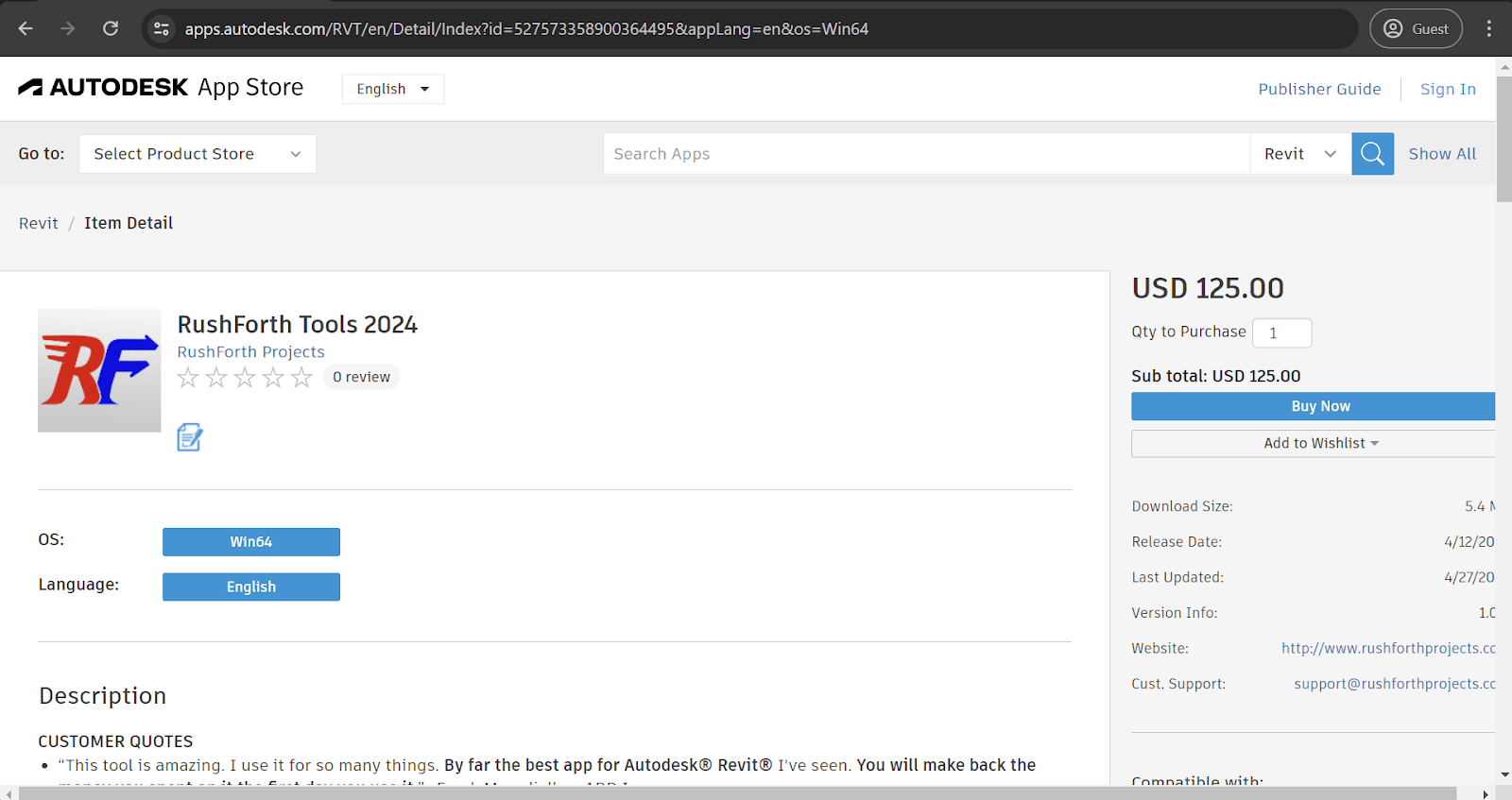
RushForth Tools exemplifies a powerful Revit add-on that bundles numerous small-scale features into a single, cohesive package—a popular trend in the industry. This versatile toolkit includes capabilities such as Project Setup, which streamlines sheet and 3D view creation, and the Parameter Transformer, which enhances filtering and parameter modification for Revit Families. Designed with the primary goal of boosting software efficiency, RushForth Tools also significantly improves workflows, offering a multitude of benefits to Revit users and elevating their overall project management experience.
**Pros:**
- Enhances the ability to filter and modify parameters for Revit Families, improving data management
- Improves workflows, making project management more streamlined and efficient
- Designed to be intuitive and easy to use, even for those with limited technical expertise
- Increases productivity
- Offers customisable options for specific needs
- Supports collaboration
- Receives frequent updates
- Suitable for both small and large projects
- Comes with robust customer support and comprehensive documentation
**Cons:**
- Potential compatibility issues with other Revit add-ons or specific Revit versions
- Steep learning curve
- May impact system performance
- The abundance of features may be overwhelming for users who only need a few specific tools
- May involve additional expenses for purchasing and maintaining the plugin
**Price:**
**-** Costs $125 with a 30-day free trial
## **How Are They Installed?**
Installing [**Revit plugins**](https://www.novatr.com/blog/popular-revit-plugins) is simple and easy, similar to installing any application on a Windows device. Simply run the plugin's executable file, and the installation process will begin in no time. The Autodesk Revit App Store serves primarily as a centralised repository for various plugins, but executables of Revit plugins can also be downloaded from third-party websites.
After installation, Revit typically needs to be restarted to load the new add-ins. The exact process can vary depending on the specific add-in and Revit version. It's always best to follow the developer's installation instructions carefully.
Due to the distinctive nature of many Revit add-ins, determining a single "best" plugin is challenging. However, it is possible to compile a comprehensive list of Revit add-ins that, while subjective, encompass a wide range of use cases and feature sets, thereby enhancing Revit's functionality across different domains.
> *Also Check out: [The Evolution of Autodesk Revit: From Inception to Industry Standard](https://www.novatr.com/blog/revit-history-and-evolution)*
## **In Conclusion**
Revit is a leading BIM solution in the market, known for its comprehensive default features and versatility through add-ons and plugins. This adaptability significantly broadens its functionality, especially for specialised needs. The integrated add-on marketplace within Revit simplifies discovering and installing the necessary plugins for most users.
Determining the "best" Revit add-on is challenging due to the vast array of features different companies might require from a BIM solution. There are countless potential answers, each valid for distinct use cases. Consequently, there isn't a single best Revit add-on but a multitude of practical and convenient options.
If you want to master Revit, [**Novatr**](https://www.novatr.com/) offers a [**BIM Professional Course for Civil Engineers**](https://www.novatr.com/courses/bim-for-civil-engineers) and a [**BIM Professional Course for Architects V2.0**](https://www.novatr.com/courses/building-information-modelling). You can learn from industry experts and master more than 10 BIM software, including Revit, by enrolling in these courses.
To learn more about the industry, visit our [**Resources Page**](https://www.novatr.com/learning-hub).
Master BIM and Get Hired Faster
Join a community of 8500+ Architects and Engineers.
Explore Now
\*Limited seats available
Was this content helpful to you
Like Yes
Dislike No

TABLE OF CONTENTS
BIM Is The New Standard. Are You Certified?
Get Certified in BIM
SHARE ON YOUR SOCIALS
Link Copied Successfully
Related articles
[ BIM A Beginner's Guide To Revit: Everything You Need To Know (2026) 29 July 2022 17 min read](https://blog.novatr.com/blog/complete-revit-guide) [ Architecture and Construction Top 10 Plugins and Add-Ins for Navisworks 2026 26 September 2024 14 min read](https://blog.novatr.com/blog/navisworks-plugins-and-add-ins) [ Software & Tools 7 Universally Popular Revit Plugins for Effective BIM Workflows 17 May 2022 5 min read](https://blog.novatr.com/blog/popular-revit-plugins) [ Architecture and Construction What are the Benefits of Lumion for Revit for Design and Construction Projects? 8 July 2024 11 min read](https://blog.novatr.com/blog/lumion-with-revit)
Download Syllabus
## BIM Professional Program
Next Cohort
June 2026
Program Duration
7 Months
Premium Program benefits
8 Credentials from Autodesk, NSDC, Novatr
1 program. 10 career paths. Infinite Growth.
40+ ISO 19650 & RIBA real-world projects to practice
1-on-1 guidance. Access 400+ industry experts.
Access the biggest AEC-Tech community on the planet. 8500+ and counting
Curated for you by 100+ global BIM leaders.
Lifelong access to course content
Enter your details to download the program syllabus.
##### BIM Professional Program
June 2026, 7 Months
Your Name Invalid name.
Phone Number Enter a valid phone number
Email Please enter a valid email address.
Select years of experience\* Currently studying 0-1 years 1-2 years 2-4 years 4-8 years 8-10 years 10-12 years 12+ years Invalid selection.
Specialisation Select your background\* Architecture Civil Engineering Mechanical Engineering Electrical Engineering Invalid selection.
Are you professionally trained in interior design?
Yes
No
I agree to the [Terms of Use](https://www.novatr.com/terms-and-conditions) and [Privacy Policy](https://www.novatr.com/privacy-policy), and consent to be contacted by Email, Call, WhatsApp, or SMS.
Submit
Ready to skyrocket your career?
Begin your next chapter in AEC
with Novatr!
We are here to help you take the industry by storm with advanced, tech-first skills.
[Explore Courses](https://www.novatr.com/#courses)
Join our newsletter
Submit
Thank you for signing up.
We’ll send you a nice letter once per week. No spam.

Dare to Disrupt.
Join thousands of people who organise
work and life with Novatr.
Company
- [About Us](https://www.novatr.com/about)
- [BIM Professional Program v.2026](https://www.novatr.com/courses/bim-professional-program)
- [Masters Computational Design](https://www.novatr.com/courses/computational-design)
- [Become a Mentor](https://www.novatr.com/apply-as-mentor)
- [Hiring from Us](https://www.novatr.com/hire-from-us)
- [Careers at Novatr](https://www.novatr.com/career)
Resources
- [Blog](https://www.novatr.com/learning-hub)
- [Media Room](https://www.novatr.com/media-room-home-page)
- [Career Builder](https://www.novatr.com/career-navigator)
- [Events & Webinars](https://www.novatr.com/webinars)
- [FAQs & Support Center](https://www.novatr.com/contact-us)
- [Contact Us](https://www.novatr.com/contact-us)
- [Privacy Policy](https://www.novatr.com/privacy-policy)
- [Terms of Use](https://www.novatr.com/terms-and-conditions)
©2023 Oneistox Network Pvt. Ltd.
All Rights Reserved
```json
{
"@context" : "https://schema.org",
"@type" : "BlogPosting",
"author" : {
"@type" : "Person",
"name" : "Sukanya Bhattacharjee",
"url" : "https://blog.novatr.com/blog/author/sukanya-bhattacharjee"
},
"dateModified" : "2025-02-10T11:27:48.725Z",
"datePublished" : "2024-07-15T06:56:53.000Z",
"headline" : "Everything You Need to Know About Best Revit Plugins & Add-Ins in {{year}}",
"image" : [ "https://blog.novatr.com/hubfs/Revit%20render%20of%20a%20structure.webp" ],
"mainEntityOfPage" : {
"@id" : "https://blog.novatr.com/blog/revit-plugins-and-add-ins",
"@type" : "WebPage"
},
"publisher" : {
"@type" : "Organization",
"logo" : {
"@type" : "ImageObject",
"url" : "https://blog.novatr.com/hubfs/Novatr%20Prev%20OX-2.svg"
}
}
}
```