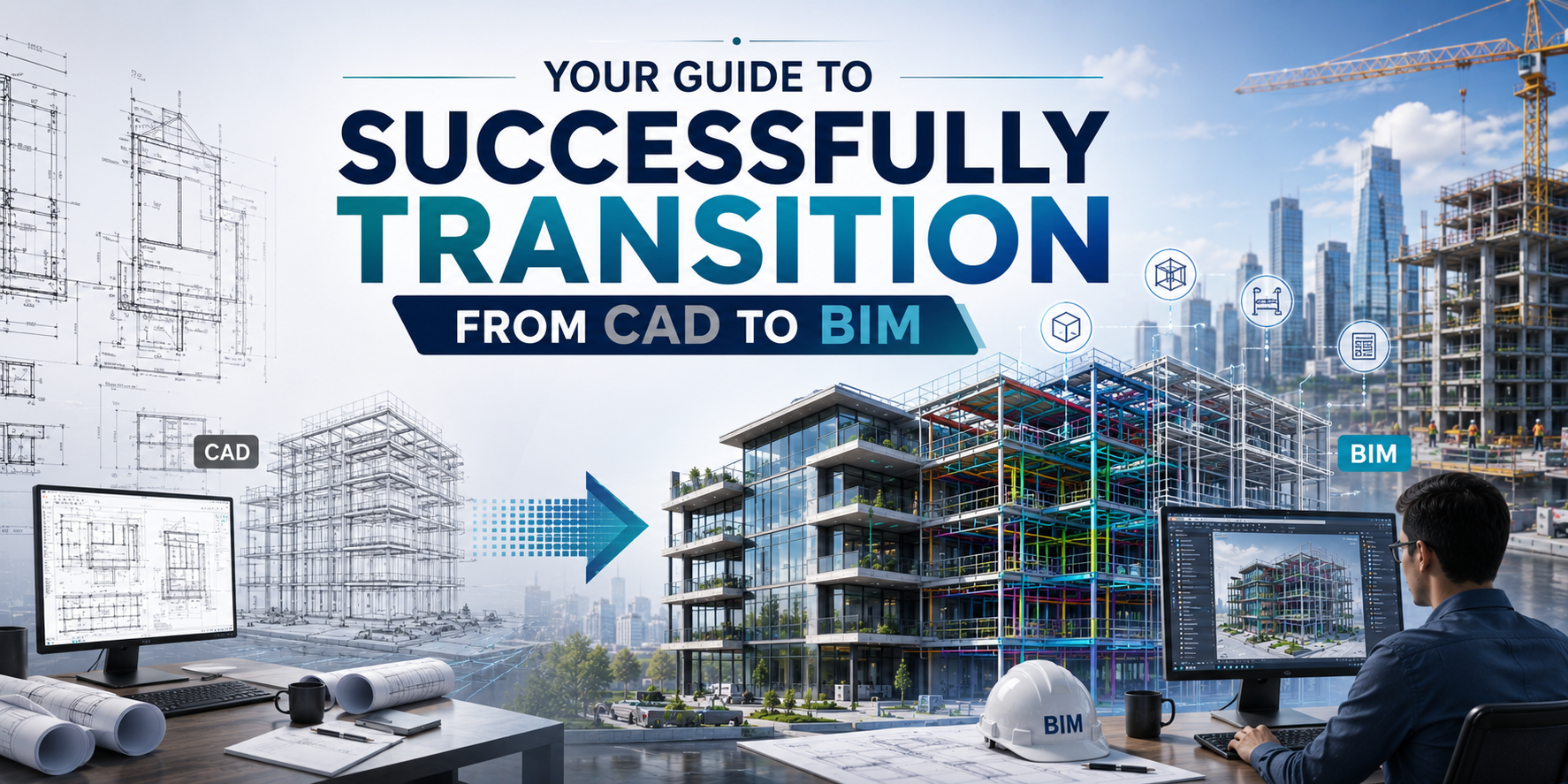

Why Are More Professionals Moving from CAD to BIM in 2026?
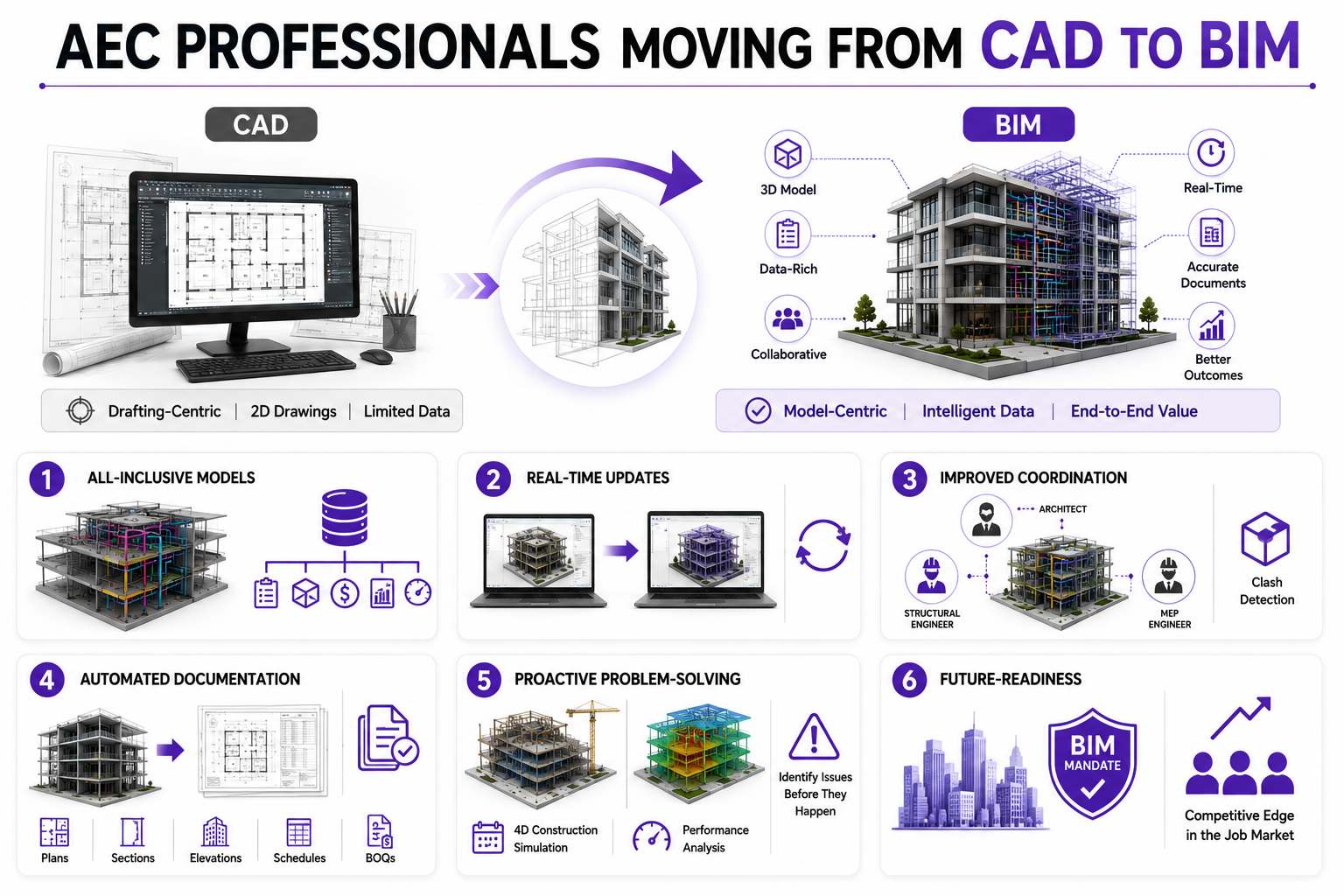
CAD software such as AutoCAD is ideal for drafting, but when it comes to design visualisation, collaboration, and data management, BIM has the upper hand. Here are a few more reasons to back this claim:
1. All-Inclusive Models
BIM models include complete information about a building’s physical and functional attributes, such as form, materials, construction techniques, sequencing, BOQs, and building performance. Therefore, all data can be accessed from a single source of truth.
2. Real-Time Updates
Any changes made to one element of the project are auto- reflected in all other relevant views, schedules, and documentation. This ensures everyone is working with the latest information.
3. Improved Coordination
In BIM workflows, all disciplines contribute to a centralised model; design conflicts can be identified and resolved early through clash detection, reducing errors and costly rework during construction.
4. Automated Documentation
Plans, sections, elevations, schedules, and BOQs are generated directly from the model. This reduces repetitive manual work and improves your documentation accuracy.
5. Proactive Problem-Solving
BIM allows teams to simulate construction sequences, analyse building performance, and identify potential issues before they materialise on-site. As a result, professionals spend less time reacting to problems and more time preventing them.
6. Future-Readiness
As governments, clients, and large organisations increasingly mandate BIM for complex projects, professionals with BIM expertise are likely to have a competitive edge in the job market.
What Changes When You Shift from Drafting to BIM Workflows?
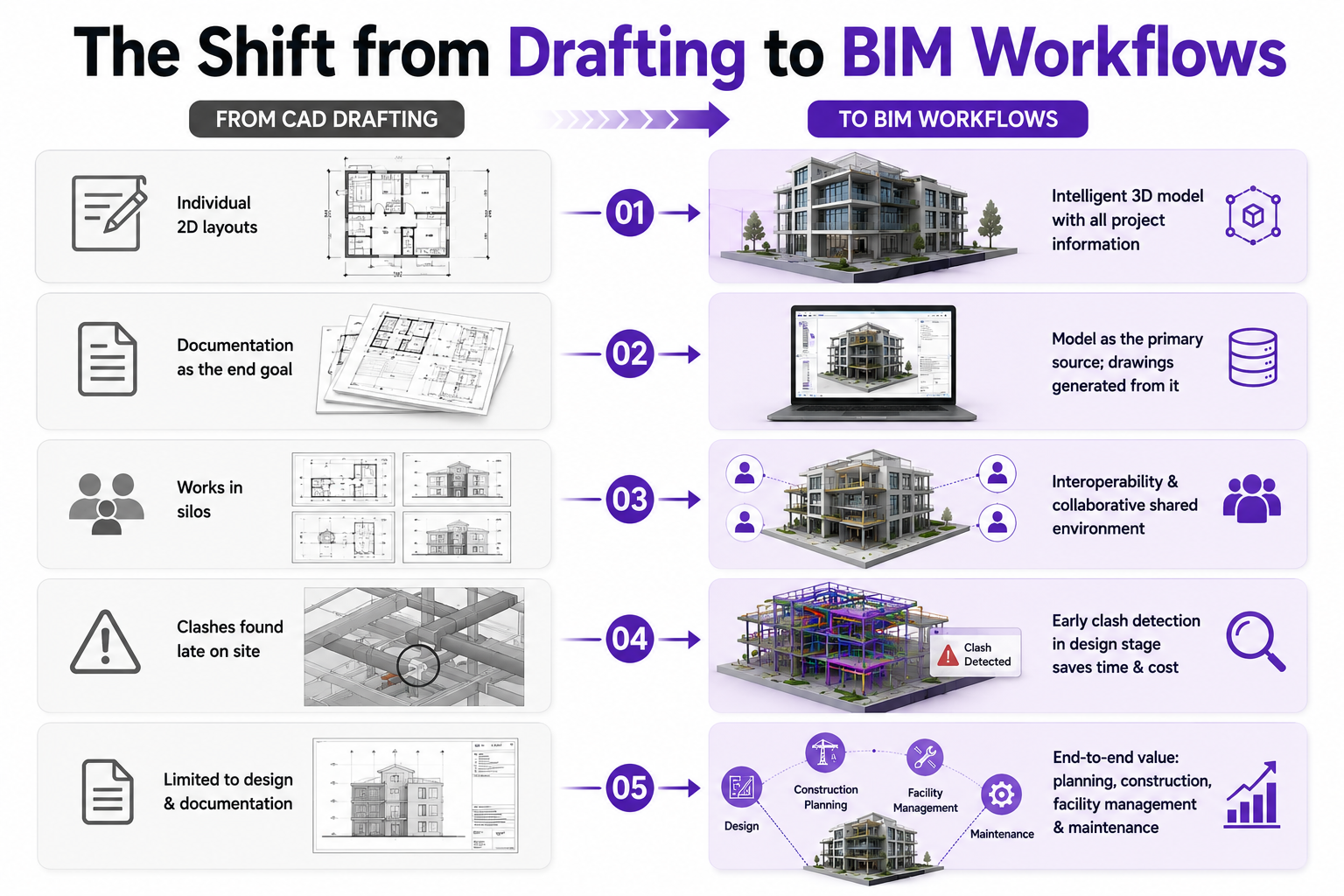
Shifting gears from CAD to BIM rewires the way AEC professionals operate. It makes them go beyond drawings and think of the project in totality. Here’s how:
-
Rather than making individual layouts, BIM shifts the focus towards creating an intelligent 3D model from which all drawings and project information are derived.
-
2D drafting treats documentation as the end goal. In BIM, the model becomes the primary source of information, and everything else is generated based on that.
-
Unlike CAD, where disciplines often work in silos, BIM encourages interoperability. It enables architects, engineers and consultants to work in a shared project environment.
-
BIM software also enables timely identification of clashes and inconsistencies in the design stage. This helps in minimising expensive on-site modifications and delays.
-
While CAD primarily supports the design and documentation phases, BIM extends its value into construction planning, facility management and maintenance.
Which Skills and Tools Should CAD Users Learn First?
For professionals skilled in drafting software, the next logical step is to learn BIM architecture software. This can help them become familiar with 3D modelling and introduce them to the basics of BIM. While it’s not a prerequisite, here are the key tools one must consider upskilling in before signing up for paid courses:
1. Parametric Modelling
This means creating intelligent 3D models by feeding parameters into digital building elements. Revit software is one of the finest tools for this purpose. You can learn the basics of parametric modelling through free YouTube tutorials and blogs.
2. Soft Skills
BIM jobs are inherently collaborative. So, they need professionals to be good at communication, adaptability, problem-solving, and the ability to work across multidisciplinary teams. Working on these skills can help individuals become well-rounded professionals.
3. Theory of BIM workflows
Before investing in advanced training programmes, it is helpful to understand the principles behind BIM. This includes concepts like common data environments, OpenBIM, and Levels of Development (LOD).
Common Challenges That Slow Down the CAD-to-BIM Transition
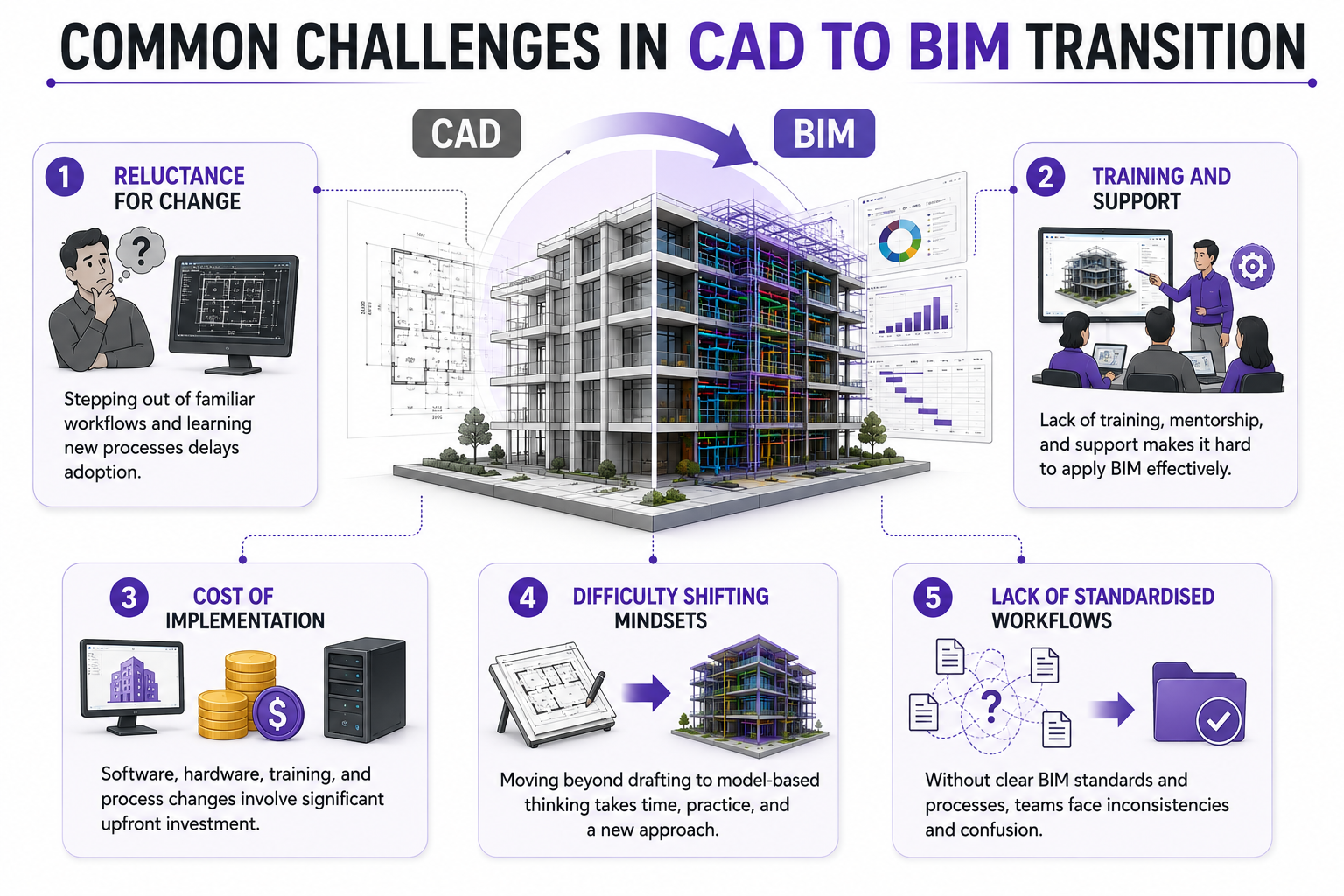
With the right BIM training, architects and engineers can seamlessly transition into BIM roles. However, patience and consistent practice are essential for embracing the shift. Below are the key challenges that slow down the CAD to BIM transition.
1. Reluctance for Change
For many professionals, CAD has been a trusted tool for decades. Shifting to BIM often means stepping out of familiar workflows and investing time in learning new processes. This resistance to change can delay adoption, even when the long-term benefits are evident.
2. Training and Support
BIM implementation requires structured learning and ongoing guidance. Without access to quality training resources, mentorship, or organisational support, professionals may struggle to build confidence and apply BIM concepts effectively in real-world projects.
3. Cost of Implementation
Transitioning to BIM involves expenses related to software licences, hardware upgrades, employee training, and process restructuring. For small firms and independent practitioners, these upfront costs can become a significant barrier to adoption.
4. Difficulty Shifting Mindsets
Moving from CAD to BIM skills requires professionals to think beyond drafting and embrace model-based project delivery. Developing this new approach to design, documentation, and coordination often takes time and practice.
5. Lack of Standardised Workflows
In organisations where BIM standards, templates, and execution plans are not clearly defined, teams may struggle with inconsistencies and confusion, making the transition more challenging than necessary.
How Can Architects and Engineers Learn BIM More Effectively?
Learning from free or small-ticket online courses, LinkedIn cohorts, blogs, and content creators is a clever way to start discovering BIM. However, becoming an expert requires formal training, hands-on experience, and exposure to real-world project coordination. Therefore, we suggest you explore an all-encompassing course such as Novatr’s BIM Professional Program.
Curated for architects, engineers, and facility managers, this 7- month program teaches BIM through recorded and live sessions delivered by the who’s who of the industry. The course curriculum includes lessons on data-driven workflows, cross-disciplinary impact, preparing client-ready deliverables, and acing digital project delivery.
Participants also gain a better understanding of the subject through case studies, capstone projects, and feedback sessions. Besides, they receive a completion certificate, which adds value to their resume. Further, Novatr’s BIM course provides placement assistance and mock-interview training to help learners attain job-ready skills.
What Career Benefits Come After Moving to BIM?
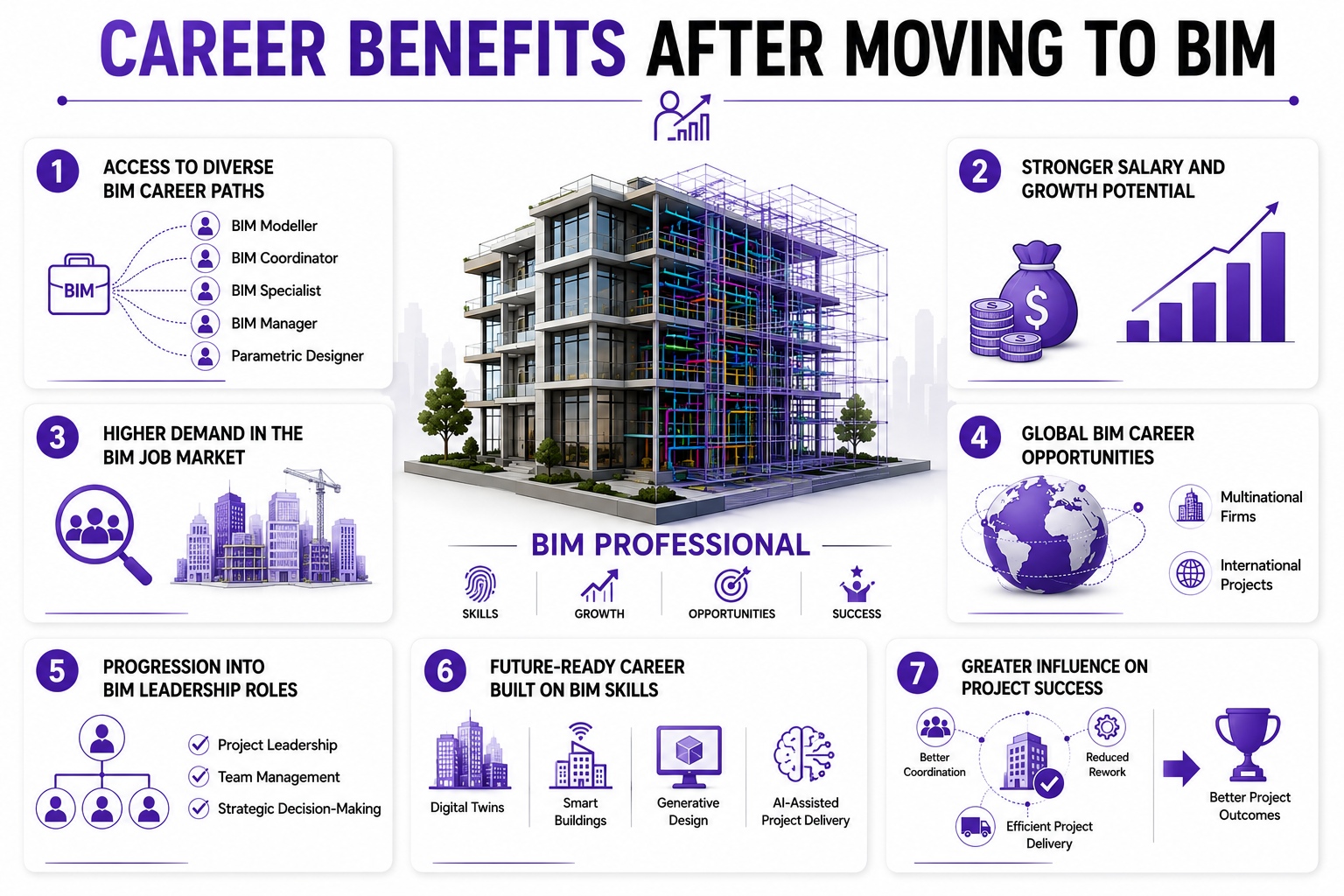
Graduating as a BIM professional improves your design and technical skills. This positions you as the top 1% of industry professionals who are leading the future of work. Here’s how this can help:
1. Access to Diverse BIM Career Paths
BIM expertise can open doors to specialised roles such as BIM Modeller, BIM Coordinator, BIM Specialist, BIM Manager, and Parametric Designer across the AEC industry.
2. Stronger Salary and Growth Potential
Since BIM professionals possess a combination of technical, coordination, and problem-solving skills, they often command more competitive salaries than professionals with drafting-only experience.
3. Higher Demand in the BIM Job Market
As more organisations adopt BIM workflows and governments mandate BIM for public projects, professionals with BIM proficiency are increasingly sought after by employers.
4. Global BIM Career Opportunities
BIM standards and software are used worldwide, enabling professionals to pursue opportunities with multinational firms and international projects.
5. Progression into BIM Leadership Roles
BIM workflows require coordination across disciplines. Over time, this can help professionals transition into project leadership, team management, and strategic decision-making roles.
6. Future-Ready Career Built on BIM Skills
BIM serves as the foundation for emerging technologies such as digital twins, smart buildings, generative design, and AI-assisted project delivery. Learning BIM today prepares professionals for the next phase of industry innovation.
7. Greater Influence on Project Success
By contributing to better coordination, reduced rework, and more efficient project delivery, BIM professionals play a more influential role in shaping project outcomes from design to operations.
How AI Integration is Enhancing CAD to BIM Transition
Artificial Intelligence (AI) is accelerating the transition from CAD to BIM by making the design and construction technology smarter, faster, and more intuitive. It is helping them automate repetitive tasks and focus on higher-value activities such as design thinking, coordination, and decision-making. Here are some ways AI is supporting this transition:
1. Automated Model Creation
AI-powered tools can convert 2D CAD drawings, point clouds, and scanned data into BIM-ready models, reducing the time required for manual modelling.
2. Intelligent Clash Detection
Beyond identifying conflicts between disciplines, AI can prioritise clashes based on their severity and suggest potential resolutions, enabling teams to address issues more efficiently.
3. Generative Design Support
AI can evaluate multiple design alternatives against predefined constraints such as budget, daylight access, spatial requirements, and energy performance, helping professionals arrive at more informed design decisions.
4. Predictive Risk Analysis
By analysing historical project data, AI can identify patterns related to delays, cost overruns, and constructability issues, allowing teams to mitigate risks early in the project lifecycle.
5. Improved Data Management
AI can organise project information, classify model elements, and retrieve relevant data more efficiently, making BIM models easier to navigate and maintain.
6. Enhanced Facility Management
When integrated with BIM, AI can support predictive maintenance strategies by analysing building performance data and identifying potential equipment failures before they occur.
7. Reduced Learning Curve
AI-enabled assistants embedded within BIM platforms can guide users through workflows, recommend best practices, and automate routine tasks, making it easier for CAD professionals to adapt to BIM environments.
.png)