---
title: Essential Software For BIM Automation Specialist in 2026
description: Discover BIM automation tools, costs, and use cases to improve workflows, accuracy, and efficiency in BIM projects today.
image: https://blog.novatr.com/hubfs/BIM%20software%20interface%20showing%20on%20a%20construction%20laptop..jpg
---
[Blogs](https://www.novatr.com/learning-hub)
- [Architecture & Construction](https://www.novatr.com/learning-hub?category=Architecture+%26+Construction)
- [BIM](https://www.novatr.com/learning-hub?category=BIM)
- [Computational Design](https://www.novatr.com/learning-hub?category=Computational+Design)
- [Company News](https://www.novatr.com/learning-hub?category=Company+News)
- [Expert Talks](https://www.novatr.com/learning-hub?category=Expert+Talks)
Explore Courses
[Just Launched  BIM Professional Program v.2026 Take your career to the next level by mastering the real-world application of BIM. Know More](https://www.novatr.com/courses/bim-professional-program)
[ Master Computational Design Course Break into an advanced career by learning to apply the power of computation to the art of design. Know More](https://www.novatr.com/courses/computational-design)
[Blogs](https://www.novatr.com/learning-hub)
Explore Blogs
- [Architecture & Construction](https://www.novatr.com/learning-hub?category=Architecture+%26+Construction)
- [BIM](https://www.novatr.com/learning-hub?category=BIM)
- [Computational Design](https://www.novatr.com/learning-hub?category=Computational+Design)
- [Company News](https://www.novatr.com/learning-hub?category=Company+News)
- [Expert Talks](https://www.novatr.com/learning-hub?category=Expert+Talks)
Courses
- [BIM Professional Program v.2026](https://www.novatr.com/courses/bim-professional-program)
- [Master Computational Design](https://www.novatr.com/courses/computational-design)
- [CIVIL/](https://www.novatr.com/learning-hub?category=BIM)
Featured Article
# Essential Software For BIM Automation Specialist in 2026

Deependra Dobriyal
April 27, 2026
5 min read
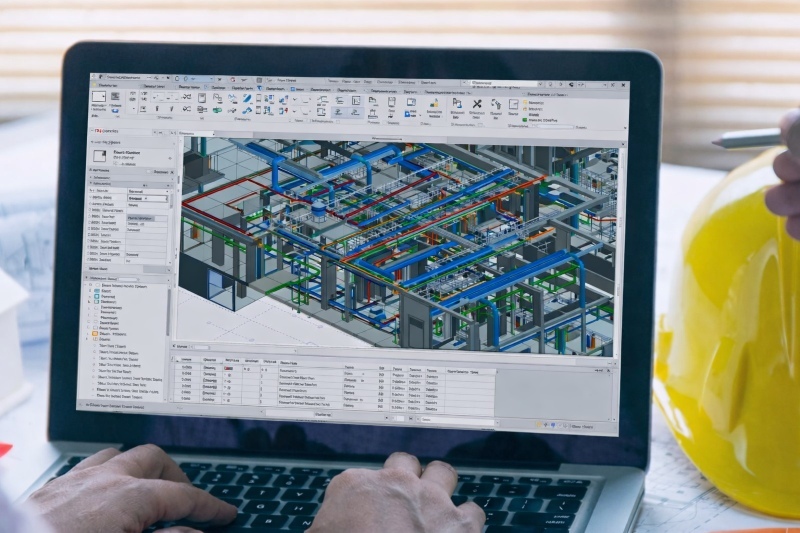

**BIM automation tools** play an important role in improving speed, accuracy, and consistency in modern construction workflows. Research shows that BIM adoption can improve productivity by around [20%](https://www.researchgate.net/publication/391269647_BIM_for_efficiency_and_sustainability_in_construction_a_case_study_in_Indonesia) while reducing project errors and rework significantly, with some studies reporting productivity gains between [75% and 240%](https://www.academia.edu/14882060/Measuring_the_impact_of_BIM_on_labor_productivity_in_a_small_specialty_contracting_enterprise_through_action_research) in modeled construction activities.
These improvements highlight how automation is no longer optional but necessary for managing complex projects with higher accuracy and efficiency.
For professionals aiming to build expertise, understanding the **top bim automational specialist tools** helps streamline repetitive workflows, manage large datasets, and improve model reliability. These tools support automation across modeling, documentation, and validation, making them essential for delivering efficient and error-free BIM projects.
Unlock High-Paying Careers With BIM
Master BIM workflows, software and skills on real projects.
Apply Now
\*Limited seats available
## What is the Role of Software in BIM Automation?
Software is the foundation of [BIM automation](https://www.novatr.com/blog/what-does-a-bim-automation-specialist-do-job-roles-skills). It converts manual, time-consuming workflows into structured processes that improve accuracy and efficiency across projects. Instead of repetitive input, automation relies on rules, scripts, and data-driven logic.
Some of its key roles are:
- **Automates repetitive modeling tasks**
In BIM workflows, repetitive actions can slow progress. Software applies predefined rules to create and update model elements, reducing manual effort.
- **Supports BIM document automation**
Documentation is a key output. Automation tools generate drawings, schedules, and sheets directly from model data, ensuring consistency.
- **Improves BIM automation in quality check**
Model accuracy is essential. Tools detect clashes, missing data, and inconsistencies early, reducing rework.
- **Extends functionality through revit api tools**
Standard features have limits. revit api tools allow custom plugins to automate project-specific workflows.
- **Enables advanced scripting with Python for BIM automation**
Complex workflows require scripting. Python for BIM automation supports data processing and automation at scale.
- **Simplifies workflows through visual programming**
Coding is not always needed. A dynamo for Revit tutorial helps users build automation logic visually.
- Enhances parametric design workflows
Design flexibility matters. [grasshopper vs dynamo](https://www.novatr.com/blog/dynamo-for-revit-vs.-rhino-grasshopper-for-building-energy-modeling-which-is-better) comparisons highlight differences in design and BIM integration.
Software ensures BIM workflows remain scalable, consistent, and efficient, making it a central component of digital construction practices.
## List of Most Used Software by BIM Automation Specialists
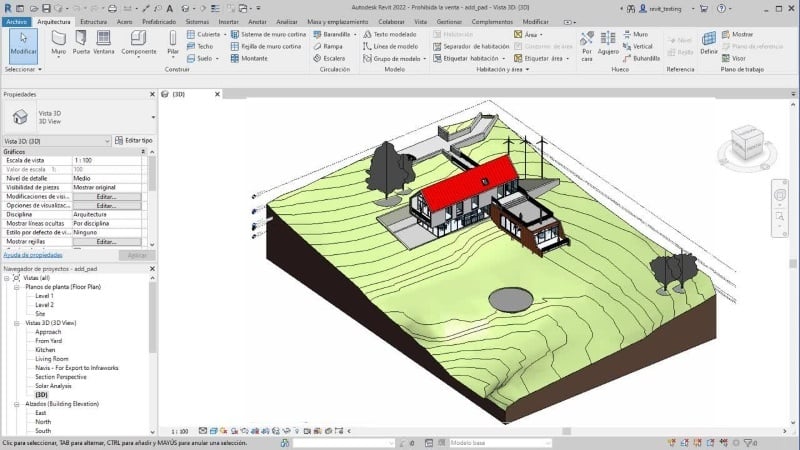
The following tools represent the top tools [BIM automational specialist](https://www.novatr.com/blog/how-to-become-a-bim-automation-specialist-salary-career-path) used across BIM automation workflows. Each software serves a specific purpose, and together they create a complete system for modeling, scripting, coordination, and validation.
### 1. Autodesk Revit
[Revit](https://www.novatr.com/blog/detailed-revit-guide) is the core BIM platform used for creating data-rich models and automating documentation workflows. It forms the base for most BIM automation tools used in the industry.
- Cost: Around [$380/month or $3,005/year](https://www.autodesk.com/products/revit/buy?)
- Use Case: Modeling, documentation, coordination
- Key Insight: Supports revit api tools for customization
Revit enables parametric modeling where every component is interconnected. When a change is made, it automatically updates across all views, schedules, and sheets. This reduces duplication and ensures consistency.
### 2. Dynamo for Revit
[Dynamo](https://www.novatr.com/blog/dynamo-for-revit) is a visual programming tool that enables automation within Revit using node-based logic. Many professionals begin automation by following a Dynamo for Revit tutorial.
- Cost: Free (included with Revit subscription)
- Use Case: Task automation, parametric workflows
- Key Insight: No coding required for basic automation
Dynamo allows users to automate repetitive tasks such as placing elements, renaming views, and generating geometry. It simplifies automation by using visual nodes instead of code. This makes it accessible for beginners while still being powerful enough for advanced workflows when combined with scripting.
### 3. Grasshopper (Rhino)
[Grasshopper](https://www.novatr.com/blog/what-is-grasshopper-in-rhino-a-complete-guide-for-architects-designers) is a parametric design tool used for creating complex geometries and generative designs. It is often compared in grasshopper vs dynamo discussions.
- Cost: [Student $195 & 995 for commercial](https://www.rhino3d.com/) both one-time license (Rhino, includes Grasshopper)
- Use Case: Generative design, advanced modeling
- Key Insight: High flexibility in design exploration
Grasshopper allows designers to create algorithms that generate geometry based on rules. It is widely used in early design stages where multiple design options need to be explored. While it is not as tightly integrated with BIM as Dynamo, it plays a significant role in design automation workflows.
### 4. Python for BIM Automation
Python is a programming language used to create advanced automation scripts in BIM workflows. Python for BIM automation enables data-driven automation beyond visual tools.
- Cost: Free (open-source)
- Use Case: Scripting, data processing
- Key Insight: Highly flexible and scalable
Python allows BIM specialists to automate processes such as batch updates, data extraction, and integration with external systems. It is especially useful for handling large datasets and creating custom automation workflows that go beyond standard tools.
### 5. pyRevit
pyRevit is an extension that enhances Revit by allowing users to build custom tools and automate workflows using Python.
- Cost: Free
- Use Case: Custom automation tools, scripting
- Key Insight: Integrates python for bim automation within Revit
pyRevit enables users to create custom buttons, automate repetitive tasks, and standardize workflows. It allows teams to build tools for parameter management, sheet automation, and data extraction.
### 6. Autodesk Navisworks
[Navisworks](https://www.novatr.com/blog/navisworks-type) is used for model coordination and clash detection, making it essential for BIM automation in quality checks.
- Cost: Around [$1,145/year](https://www.autodesk.com/products?)
- Use Case: Clash detection, coordination
- Key Insight: Improves multidisciplinary collaboration
Navisworks combines models from different disciplines and identifies clashes automatically. This helps teams detect conflicts before construction begins, reducing errors and improving coordination.
### 7. DiRoots.One
DiRoots.One is a plugin suite that improves productivity and supports BIM document automation within Revit workflows.
- Cost: Free
- Use Case: Data management, documentation automation
- Key Insight: Streamlines repetitive processes
DiRoots.One includes tools for exporting schedules, managing sheets, and handling project data. It automates repetitive tasks, reduces manual effort, and ensures consistent documentation across large BIM projects.
### 8. ProSheets
ProSheets is a Revit plugin designed to automate sheet creation, printing, and export processes.
- Cost: Around [$99/year](https://apps.autodesk.com/) (varies by license)
- Use Case: Sheet automation, batch export
- Key Insight: Reduces documentation workload
ProSheets allows users to automate sheet naming, numbering, and printing. It supports batch exports to formats such as PDF and DWG. This is particularly useful in large projects where managing documentation manually becomes inefficient.
### 9. EF-Tools
EF-Tools is a utility plugin that enhances productivity by automating repetitive tasks in Revit.
- Cost: Free
- Use Case: Model cleanup, data management
- Key Insight: Improves workflow consistency
EF-Tools helps automate tasks such as renaming elements, managing parameters, and cleaning models. This ensures that BIM models remain organized and reduces the chances of errors in project data.
### 10. Model Checker for Revit
Model Checker ensures BIM models meet predefined standards and supports BIM automation in quality checks.
- Cost: Free
- Use Case: Model validation, compliance
- Key Insight: Ensures model accuracy
Model Checker automates the validation process by checking models against defined rules. It identifies missing data, incorrect parameters, and inconsistencies. This helps teams maintain high-quality BIM standards and improves project reliability.
Also Read: [Top 10 Interview Questions For BIM Automation Specialist](https://www.novatr.com/blog/top-interview-questions-for-bim-automation-specialist-year)
Master BIM and Get Hired Faster
Join a community of 8500+ Architects and Engineers.
Explore Now
\*Limited seats available
## Conclusion
Software plays a defining role in shaping efficient BIM workflows. From modeling platforms to scripting tools, each solution contributes to reducing manual effort and improving consistency. Mastering BIM automation tools allows professionals to manage complex projects with greater accuracy and efficiency.
Understanding the **top BIM Automation specialist tools** helps build scalable workflows and improve project outcomes. Combining tools such as Dynamo, Python, and API-based solutions creates a strong foundation for long-term growth in BIM automation.
For those looking to deepen their understanding of these workflows, structured learning can provide additional clarity and exposure. The [BIM Professional course for Civil Engineers](https://www.novatr.com/us/courses/bim-for-civil-engineers) offered by [Novatr](https://www.novatr.com/us) provides a way to explore these tools in real project contexts. Visit our [resource page](https://www.novatr.com/learning-hub) to continue building hands-on industry-ready skills.
Was this content helpful to you
Like Yes
Dislike No

TABLE OF CONTENTS
BIM Is The New Standard. Are You Certified?
Get Certified in BIM
SHARE ON YOUR SOCIALS
Link Copied Successfully
Related articles
[ CIVIL Must Used BIM Softwares By Construction project manager in 2026 18 August 2025 4 min read](https://blog.novatr.com/blog/must-used-bim-softwares-by-construction-project-manager) [ CIVIL Top Online Courses For BIM Automation Specialist in 2026 27 April 2026 8 min read](https://blog.novatr.com/blog/top-online-courses-for-bim-automation-specialist-in-year) [ CIVIL Top Interview Questions For BIM Automation Specialist 2026 27 April 2026 6 min read](https://blog.novatr.com/blog/top-interview-questions-for-bim-automation-specialist-year) [ CIVIL Why BIM Skills Matter More Than LEED Certificates on Real U.S. Projects 23 February 2026 5 min read](https://blog.novatr.com/blog/why-bim-skills-matter-more-than-leed-certificates-on-real-u.s.-projects)
Download Syllabus
## BIM Professional Program
Next Cohort
June 2026
Program Duration
7 Months
Premium Program benefits
8 Credentials from Autodesk, NSDC, Novatr
1 program. 10 career paths. Infinite Growth.
40+ ISO 19650 & RIBA real-world projects to practice
1-on-1 guidance. Access 400+ industry experts.
Access the biggest AEC-Tech community on the planet. 8500+ and counting
Curated for you by 100+ global BIM leaders.
Lifelong access to course content
Enter your details to download the program syllabus.
##### BIM Professional Program
June 2026, 7 Months
Your Name Invalid name.
Phone Number Enter a valid phone number
Email Please enter a valid email address.
Select years of experience\* Currently studying 0-1 years 1-2 years 2-4 years 4-8 years 8-10 years 10-12 years 12+ years Invalid selection.
Specialisation Select your background\* Architecture Civil Engineering Mechanical Engineering Electrical Engineering Invalid selection.
Are you professionally trained in interior design?
Yes
No
I agree to the [Terms of Use](https://www.novatr.com/terms-and-conditions) and [Privacy Policy](https://www.novatr.com/privacy-policy), and consent to be contacted by Email, Call, WhatsApp, or SMS.
Submit
Ready to skyrocket your career?
Begin your next chapter in AEC
with Novatr!
We are here to help you take the industry by storm with advanced, tech-first skills.
[Explore Courses](https://www.novatr.com/#courses)
Join our newsletter
Submit
Thank you for signing up.
We’ll send you a nice letter once per week. No spam.

Dare to Disrupt.
Join thousands of people who organise
work and life with Novatr.
Company
- [About Us](https://www.novatr.com/about)
- [BIM Professional Program v.2026](https://www.novatr.com/courses/bim-professional-program)
- [Masters Computational Design](https://www.novatr.com/courses/computational-design)
- [Become a Mentor](https://www.novatr.com/apply-as-mentor)
- [Hiring from Us](https://www.novatr.com/hire-from-us)
- [Careers at Novatr](https://www.novatr.com/career)
Resources
- [Blog](https://www.novatr.com/learning-hub)
- [Media Room](https://www.novatr.com/media-room-home-page)
- [Career Builder](https://www.novatr.com/career-navigator)
- [Events & Webinars](https://www.novatr.com/webinars)
- [FAQs & Support Center](https://www.novatr.com/contact-us)
- [Contact Us](https://www.novatr.com/contact-us)
- [Privacy Policy](https://www.novatr.com/privacy-policy)
- [Terms of Use](https://www.novatr.com/terms-and-conditions)
©2023 Oneistox Network Pvt. Ltd.
All Rights Reserved
```json
{
"@context" : "https://schema.org",
"@type" : "BlogPosting",
"author" : {
"@type" : "Person",
"name" : "Deependra Dobriyal",
"url" : "https://blog.novatr.com/blog/author/deependra-dobriyal"
},
"dateModified" : "2026-04-27T08:05:14.725Z",
"datePublished" : "2026-04-27T07:24:46.000Z",
"headline" : "Essential Software For BIM Automation Specialist in {{year}}",
"image" : [ "https://blog.novatr.com/hubfs/BIM%20software%20interface%20showing%20on%20a%20construction%20laptop..jpg" ],
"mainEntityOfPage" : {
"@id" : "https://blog.novatr.com/blog/essential-software-for-bim-automation-specialist",
"@type" : "WebPage"
},
"publisher" : {
"@type" : "Organization",
"logo" : {
"@type" : "ImageObject",
"url" : "https://blog.novatr.com/hubfs/Novatr%20Prev%20OX-2.svg"
}
}
}
```