---
title: Best Features of SketchUp Architects Should Be Using 2026
description: Explore the best SketchUp features in 2026 to boost your 3D modeling workflow. Learn how to work smarter and design faster.
image: https://blog.novatr.com/hubfs/Best%20Features%20of%20SketchUp%20Architects%20Should%20Be%20Using.png
---
[Blogs](https://www.novatr.com/learning-hub)
- [Architecture & Construction](https://www.novatr.com/learning-hub?category=Architecture+%26+Construction)
- [BIM](https://www.novatr.com/learning-hub?category=BIM)
- [Computational Design](https://www.novatr.com/learning-hub?category=Computational+Design)
- [Company News](https://www.novatr.com/learning-hub?category=Company+News)
- [Expert Talks](https://www.novatr.com/learning-hub?category=Expert+Talks)
Explore Courses
[Just Launched  BIM Professional Program v.2026 Take your career to the next level by mastering the real-world application of BIM. Know More](https://www.novatr.com/courses/bim-professional-program)
[ Master Computational Design Course Break into an advanced career by learning to apply the power of computation to the art of design. Know More](https://www.novatr.com/courses/computational-design)
[Blogs](https://www.novatr.com/learning-hub)
Explore Blogs
- [Architecture & Construction](https://www.novatr.com/learning-hub?category=Architecture+%26+Construction)
- [BIM](https://www.novatr.com/learning-hub?category=BIM)
- [Computational Design](https://www.novatr.com/learning-hub?category=Computational+Design)
- [Company News](https://www.novatr.com/learning-hub?category=Company+News)
- [Expert Talks](https://www.novatr.com/learning-hub?category=Expert+Talks)
Courses
- [BIM Professional Program v.2026](https://www.novatr.com/courses/bim-professional-program)
- [Master Computational Design](https://www.novatr.com/courses/computational-design)
- [Archi/](https://www.novatr.com/learning-hub?category=BIM)
Featured Article
# Best Features of SketchUp Architects Should Be Using

Harshita Chaudhary
April 8, 2026
5 min read
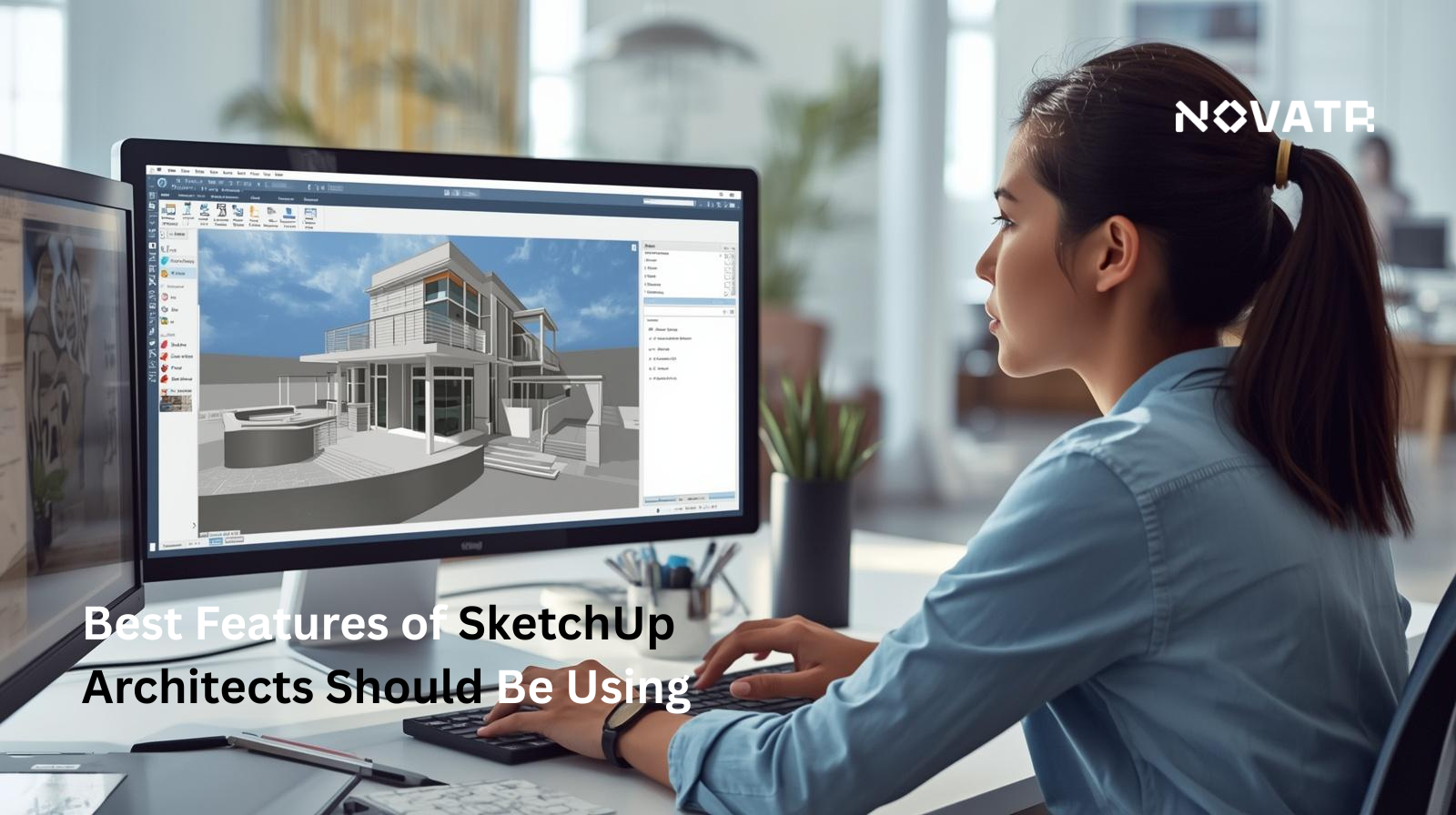

SketchUp continues to be one of the most versatile 3D modeling tools available today. Whether you're an architect or a designer, understanding the SketchUp features that matter most can transform the way you work. From intuitive push-pull modeling to advanced rendering integrations, SketchUp simplifies complex workflows without compromising precision. In 2026, tools like LayOut, real-time shadow analysis, and the expanded Extension Warehouse have made collaboration and presentation more effective than ever.
This article highlights the most useful and impactful SketchUp features you should be using to design smarter, faster, and more efficiently.
Unlock High-Paying Careers With BIM
Master BIM workflows, software and skills on real projects.
Apply Now
\*Limited seats available
## What are the most powerful new features in SketchUp in 2026?
If you've been wondering what SketchUp is and why it remains a top choice for design professionals worldwide, the answer lies in its consistent innovation. As a leading modeling software, it has introduced several updates in 2026 that make it more capable, intuitive, and collaborative than ever before.
### **1. Better AI-Assisted Modeling**
One of the most talked-about **SketchUp features** this year is AI-assisted geometry generation. This allows users to describe design intent and receive suggested structural forms, drastically reducing the time spent building **SketchUp 3D models** from scratch. For professionals aiming to improve efficiency, this is a critical advancement.
### **2. Upgraded SketchUp Render Capabilities**
Visualisation has always been central to design, and the new SketchUp render engine takes it a step further. With built-in real-time ray tracing and improved material libraries, designers no longer need to rely solely on third-party SketchUp rendering software. However, tools like Easy Render for SketchUp remain among the most popular add-ons for better output, offering seamless integration with minimal setup.
### **3. Faster Workflows**
The updated SketchUp tools panel now includes smart snapping, auto-grouping, and context-sensitive suggestions, all engineered around the idea of must-use SketchUp tools for faster modeling. Whether you're detailing a floor plan or constructing complex facades, these tools reduce repetitive tasks and allow designers to focus on creativity.
### **4. Expanded Plugins & Extensions**
The Extension Warehouse continues to grow, and 2026 has brought a fresh set of SketchUp plugins made for speed and precision. From structural analysis to automated documentation, the important plugins for SketchUp now cover nearly every stage of the design pipeline. SketchUp extensions that improve productivity, such as Profile Builder, Curic Suite, and Enscape, continue to evolve alongside SketchUp’s core features
### **5. Improved File Management & Collaboration**
Managing a SketchUp file across large teams has previously been a challenge. In 2026, Trimble overhauled the cloud-based collaboration system, allowing multiple users to work on shared SketchUp models simultaneously. This is similar to modern document-editing platforms. Version history, comment threads, and permission controls are now built directly into the platform.
### **6. Features for Rendering and Visualisation**
The SketchUp features for rendering and visualisation have seen significant upgrades, particularly in how ambient occlusion, lighting, and material reflectivity are handled. Combined with compatible SketchUp rendering software, professionals can now create near-photorealistic outputs directly from their modeling environment, without having to export to a separate tool.
## Which modeling tools improve speed and precision?
Among the must-use SketchUp tools for faster modeling, a few stand out for the impact they deliver.
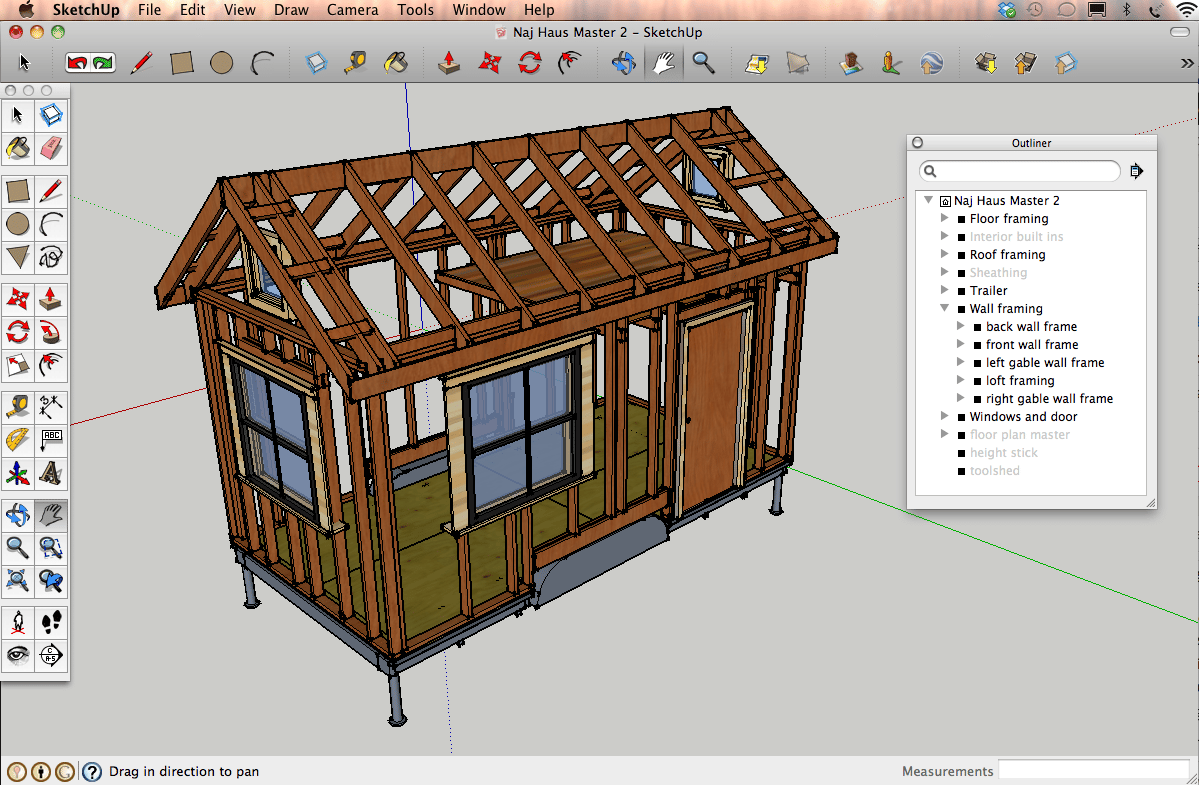
Push/Pull Tool remains one of the most used features of SketchUp, allowing designers to instantly transform 2D shapes into 3D forms with a single click. Paired with the Follow Me tool, complex curved geometries become significantly easier to manage.
The Solid Tools suite is another set of advanced SketchUp features professionals use regularly, enabling boolean operations like union, subtract, and trim directly within SketchUp 3D modeling software.
For precision, the Tape Measure and Protractor tools ensure exact dimensions, while Smart Groups and auto-snapping (both enhanced in 2026) keep SketchUp models clean and construction-ready.
Beyond native tools, SketchUp plugins like Curic DIO2 and FredoScale extend precision abilities further. These are among the most important plugins for SketchUp by professionals who rely on the software daily.
Together, these tools help you work faster in SketchUp without compromising accuracy.
## How do visualization and rendering features enhance presentations?
SketchUp features for rendering and visualisation help architects and designers translate their vision into tangible outputs.
With the latest updates to SketchUp render abilities, designers can apply real-time lighting, shadows, and material textures directly within the modeling environment. This means stakeholders see a realistic representation of the project before construction begins.
Moreover, third-party SketchUp rendering software like Enscape, V-Ray, and Easy Render for SketchUp integrate easily with the platform, elevating SketchUp 3D models into near-photorealistic presentations. These tools are widely regarded as important plugins for SketchUp for any professional on client-facing work.
The features of SketchUp also include Scene Management and LayOut. These are two imperative built-in options that help organise camera angles, walkthroughs, and construction documents into polished, presentation-ready deliverables.
For architects and interior designers, these SketchUp features bridge the gap between technical modeling and visual storytelling.
## What collaboration and cloud capabilities streamline workflows?
Modern design is rarely a solo effort, and SketchUp software has made significant improvements in making cross-functional collaboration easier. The latest SketchUp features for cloud collaboration ensure that teams can stay aligned without the friction of manual file sharing.
Here's what makes a difference in 2026:
- **Real-Time Co-Editing**: Multiple users can now work on the same SketchUp file simultaneously, reducing back-and-forth delays across teams and time zones.
- **Cloud-Based Model Storage**: **SketchUp 3D models** are stored and synced via Trimble Connect, making them instantly accessible from any device without risking version conflicts.
- **Version History & Rollback**: One of the most practical features of SketchUp for teams is that every change is logged, so rolling back to a previous state takes seconds.
- **Permission & Access Controls**: Project leads can decide who views, edits, or comments on a SketchUp model, keeping sensitive work secure.
- **Plugin Compatibility Across Teams**: Shared SketchUp plugins and extension settings can now be standardised across a workspace, ensuring consistency in every SketchUp 3D modeling software environment.
## Which extensions and integrations boost productivity?
The right SketchUp plugins can eliminate repetitive tasks, automate complex processes, and reduce project timelines.
Here are the most impactful SketchUp extensions that improve productivity:
- **Enscape**: A leading SketchUp rendering software that delivers real-time walkthroughs and immersive visualisation directly from your SketchUp file, with zero export hassle.
- **Easy Render for SketchUp**: One of the most accessible SketchUp render tools available, ideal for professionals who need visuals without a steep learning curve.
- **Profile Builder 3**: Among the top SketchUp plugins for architecture, this extension automates the creation of complex parametric assemblies in seconds.
- **Curic Suite**: A collection of important plugins for SketchUp that simplify everyday modeling tasks, from smart mirroring to advanced component management.
- **Skimp**: Optimises high-polygon imports, keeping SketchUp 3D models lightweight and performance-friendly.
- **Trimble Connect Integration**: Bridges SketchUp 3D modeling software with BIM workflows, enabling smoother coordination across multidisciplinary teams.
## How can users optimise workflows to fully leverage SketchUp’s features?
Getting the most out of SketchUp 3D modeling software requires building smart habits. Using tools like keyboard shortcuts, custom toolbars, and organised layer structures keeps modeling sessions efficient and clutter-free. Pairing native features of SketchUp with the right plugins eliminates repetitive tasks and accelerates the delivery of the project. Regularly exploring the Extension Warehouse ensures you're always equipped with the important plugins for your workflow demands.
For those looking to learn SketchUp at a deeper level, Trimble's built-in tutorials and community forums remain invaluable. Small process improvements, applied consistently, compound into significantly faster, more professional results.
Master BIM and Get Hired Faster
Join a community of 8500+ Architects and Engineers.
Explore Now
\*Limited seats available
## **Conclusion**
The features of SketchUp in 2026 demonstrate how far the platform has evolved. From powerful tools and smart collaboration capabilities to high-quality render outputs and productivity-boosting plugins, every aspect of the software is designed to help professionals work more efficiently. Whether you're just beginning to learn SketchUp or are a seasoned professional exploring advanced SketchUp features, there's always more to learn.
If you wish to know more about SketchUp and how it can impact your work for the better, we suggest exploring [Novatr’s](https://www.novatr.com/us) [BIM Course for Architects](https://www.novatr.com/us/courses/building-information-modelling).
## FAQs
### **1. How does SketchUp’s 3D modeling interface help speed up design workflows?**
SketchUp's intuitive interface reduces the learning curve significantly. With smart snapping, a streamlined toolbar, and context-sensitive SketchUp tools, designers can move from concept to detailed SketchUp 3D models faster
### **2. What new SketchUp tools improve precision and accuracy?**
SketchUp tools like smart inferencing, upgraded Solid Tools, and auto-snapping deliver exceptional precision. These are among the most valued features of SketchUp for architects and designers, where dimensional accuracy is non-negotiable.
### **3. How can SketchUp’s Live Components enhance architectural modeling?**
Live components are among the most useful SketchUp features for architecture. They allow fully parametric, adjustable elements to be placed within SketchUp 3D models, updating automatically as design dimensions change.
Was this content helpful to you
Like Yes
Dislike No

TABLE OF CONTENTS
BIM Is The New Standard. Are You Certified?
Get Certified in BIM
SHARE ON YOUR SOCIALS
Link Copied Successfully
Related articles
[ How to Learn Rhino 3D - Expert Take! 30 March 2026 4 min read](https://blog.novatr.com/blog/how-to-learn-rhino-3d-expert-take) [ BIM 360 Workflows for Architects: Streamlining Design & Collaboration 30 March 2026 5 min read](https://blog.novatr.com/blog/bim-360-workflow-for-architects) [ Archicad Workflows for Architects: Streamlining Design in 2026 23 February 2026 5 min read](https://blog.novatr.com/blog/archicad-workflows-for-architects) [.png) BIM Archi Best YouTube Channels, Courses & Communities to Learn SketchUp 30 April 2026 5 min read](https://blog.novatr.com/blog/best-resources-to-learn-sketchup)
Download Syllabus
## BIM Professional Program
Next Cohort
June 2026
Program Duration
7 Months
Premium Program benefits
8 Credentials from Autodesk, NSDC, Novatr
1 program. 10 career paths. Infinite Growth.
40+ ISO 19650 & RIBA real-world projects to practice
1-on-1 guidance. Access 400+ industry experts.
Access the biggest AEC-Tech community on the planet. 8500+ and counting
Curated for you by 100+ global BIM leaders.
Lifelong access to course content
Enter your details to download the program syllabus.
##### BIM Professional Program
June 2026, 7 Months
Your Name Invalid name.
Phone Number Enter a valid phone number
Email Please enter a valid email address.
Select years of experience\* Currently studying 0-1 years 1-2 years 2-4 years 4-8 years 8-10 years 10-12 years 12+ years Invalid selection.
Specialisation Select your background\* Architecture Civil Engineering Mechanical Engineering Electrical Engineering Invalid selection.
Are you professionally trained in interior design?
Yes
No
I agree to the [Terms of Use](https://www.novatr.com/terms-and-conditions) and [Privacy Policy](https://www.novatr.com/privacy-policy), and consent to be contacted by Email, Call, WhatsApp, or SMS.
Submit
Ready to skyrocket your career?
Begin your next chapter in AEC
with Novatr!
We are here to help you take the industry by storm with advanced, tech-first skills.
[Explore Courses](https://www.novatr.com/#courses)
Join our newsletter
Submit
Thank you for signing up.
We’ll send you a nice letter once per week. No spam.

Dare to Disrupt.
Join thousands of people who organise
work and life with Novatr.
Company
- [About Us](https://www.novatr.com/about)
- [BIM Professional Program v.2026](https://www.novatr.com/courses/bim-professional-program)
- [Masters Computational Design](https://www.novatr.com/courses/computational-design)
- [Become a Mentor](https://www.novatr.com/apply-as-mentor)
- [Hiring from Us](https://www.novatr.com/hire-from-us)
- [Careers at Novatr](https://www.novatr.com/career)
Resources
- [Blog](https://www.novatr.com/learning-hub)
- [Media Room](https://www.novatr.com/media-room-home-page)
- [Career Builder](https://www.novatr.com/career-navigator)
- [Events & Webinars](https://www.novatr.com/webinars)
- [FAQs & Support Center](https://www.novatr.com/contact-us)
- [Contact Us](https://www.novatr.com/contact-us)
- [Privacy Policy](https://www.novatr.com/privacy-policy)
- [Terms of Use](https://www.novatr.com/terms-and-conditions)
©2023 Oneistox Network Pvt. Ltd.
All Rights Reserved
```json
{
"@context" : "https://schema.org",
"@type" : "BlogPosting",
"author" : {
"@type" : "Person",
"name" : "Harshita Chaudhary",
"url" : "https://blog.novatr.com/blog/author/harshita-chaudhary"
},
"dateModified" : "2026-04-08T10:40:45.280Z",
"datePublished" : "2026-04-08T10:37:48.000Z",
"headline" : "Best Features of SketchUp Architects Should Be Using {{year}}",
"image" : [ "https://blog.novatr.com/hubfs/Best%20Features%20of%20SketchUp%20Architects%20Should%20Be%20Using.png" ],
"mainEntityOfPage" : {
"@id" : "https://blog.novatr.com/blog/best-features-of-sketchup-architects-should-be-using",
"@type" : "WebPage"
},
"publisher" : {
"@type" : "Organization",
"logo" : {
"@type" : "ImageObject",
"url" : "https://blog.novatr.com/hubfs/Novatr%20Prev%20OX-2.svg"
}
}
}
```